
Text2Visual.com logo
AI Infographic Generator FREEMIUM from $9/mo

Text2Visual.com

Text2Visual

Com converts text into visual documents through an AI-powered system that handles everything from infographics and charts to mind maps and process flows. The system takes written content and automatically generates…

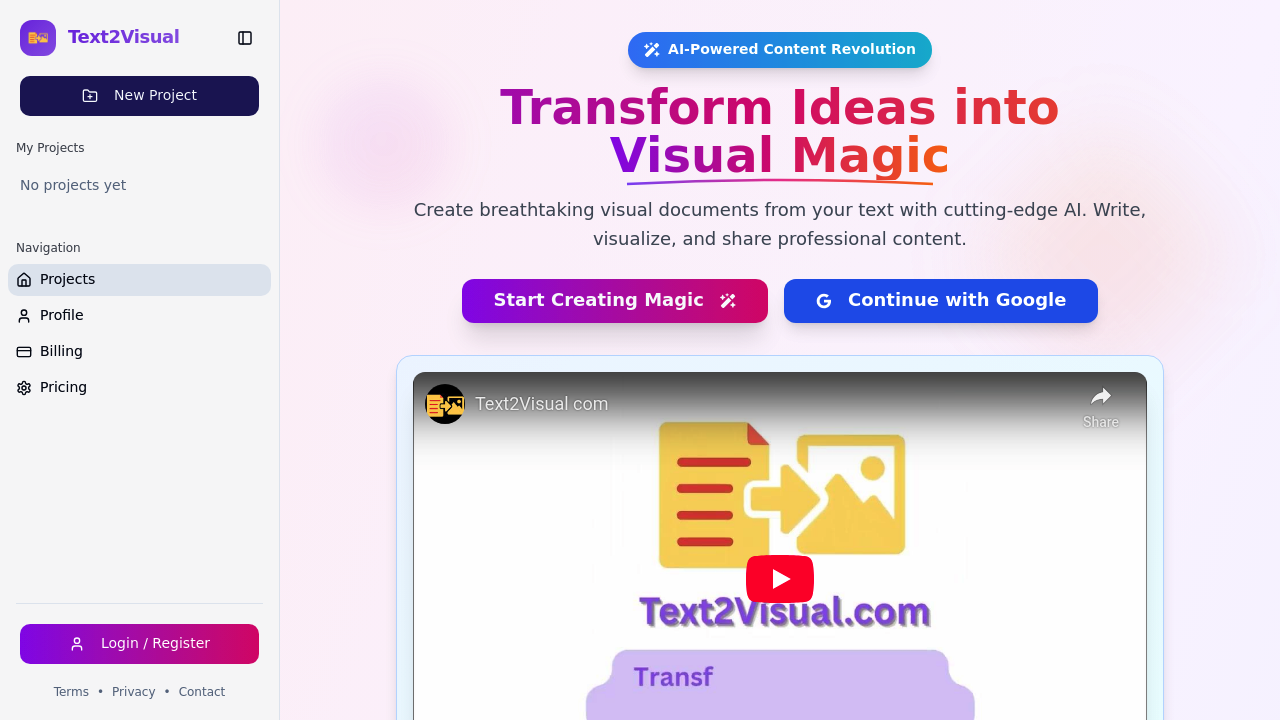
Text2Visual.com screenshot

Text2Visual.com converts text into visual documents through an AI-powered system that handles everything from infographics and charts to mind maps and process flows. The system takes written content and automatically generates styled visuals across more than 70 different visual types, letting users skip the manual design work that typically slows down document creation. This service applies automatic styling while giving users control over the final output through 20-plus image styles.

The smart text editor sits at the core of the workflow with auto-save functionality and rich text formatting built in. Users write or paste their content, then let the AI generate appropriate visual representations based on what the text describes. Each generation or edit consumes one AI credit from the user's monthly or weekly allocation. The system handles charts and graphs alongside more complex visual formats like diagrams and illustrations, adapting its output to match the content type.

Export options cover multiple use cases through PDF, PNG, JPG, and SVG formats. Print-ready high resolution exports come standard, with HD exports available on the Plus plan and 4K exports reserved for Pro subscribers. The SVG format particularly matters for users who need to further edit visuals in design software or scale graphics without quality loss. Global sharing happens through public links that let users distribute finished visuals without requiring recipients to have accounts.

The credit system operates differently across tiers and creates clear usage boundaries. Free plan users receive two credits only, with credits resetting weekly rather than monthly. This weekly reset distinguishes the free tier from typical monthly refresh cycles seen elsewhere. Plus plan subscribers get 100 credits per month at nine dollars monthly. Pro plan users receive 500 credits monthly for 22 dollars. Credits don't roll over between billing periods, so unused allocations disappear when the cycle ends. Users who exhaust their credits mid-cycle must either wait for the next reset or upgrade to a higher tier.

Annual billing saves 25 percent compared to monthly payments across paid plans. The Pro plan adds a commercial license on top of the higher credit allocation and 4K exports, making it the only option for users planning to use generated visuals in commercial projects. Enterprise-grade security with end-to-end encryption protects all user data and projects regardless of plan level.

Support quality scales with plan tier. Free users access community support channels. Plus subscribers get priority support response times. Pro users receive premium support with faster resolution commitments. Project templates help users start faster across all paid tiers, though template availability isn't specified for the free plan.

Google authentication handles sign-in, currently the only integration mentioned. No API access appears in the feature set, which limits automation possibilities for users wanting to integrate visual generation into existing workflows. Team features aren't mentioned, suggesting this service targets individual users rather than collaborative environments.

Content creators who regularly need visual content for articles, presentations, or social media fit the primary use case. Professionals building reports, proposals, or documentation benefit from the quick text-to-visual conversion. Power users generating high volumes of visual content will hit credit limits on lower tiers and need Pro subscriptions to maintain output levels. The credit consumption model means heavy users should calculate their typical monthly generation count before committing to a plan, since running out mid-cycle stops all work until the next reset.

Text2Visual.com alternatives

See all →

Frequently asked

7 questions
How many visuals can I create with Text2Visual.com for free?
The free plan provides only two credits total, with each visual generation or edit consuming one credit. Credits reset weekly for free users rather than the typical monthly cycle, so you'll get two fresh credits every week. This limited allocation works for testing the service or occasional use but won't sustain regular visual creation needs. Once you've used both credits, you'll need to wait until the weekly reset or upgrade to a paid plan to continue generating visuals.
What happens to unused credits on Text2Visual.com?
Unused credits don't roll over to the next billing period on any plan tier, meaning they expire when your cycle ends. Plus plan users lose any remaining credits from their 100 monthly allocation at month's end. Pro subscribers face the same limitation with their 500 monthly credits. Free users operate on a weekly reset schedule, so any unused credits from their two-credit allocation disappear after seven days rather than accumulating over time.
Can I use Text2Visual.com visuals in commercial projects?
Commercial use requires the Pro plan subscription at 22 dollars monthly, which includes a commercial license alongside 500 monthly credits. The Plus plan at nine dollars monthly and the free tier don't include commercial rights, limiting those visuals to personal or non-commercial applications. This licensing structure means businesses, agencies, or freelancers creating client deliverables must subscribe to Pro regardless of their credit needs. The commercial license applies to all visuals generated while holding an active Pro subscription.
What visual types can Text2Visual.com generate?
The platform handles over 70 different visual types including infographics, charts, diagrams, illustrations, mind maps, and process flows. Users can apply 20-plus image styles to customize the appearance of generated visuals. The AI analyzes text content and automatically selects appropriate visual formats based on what the text describes, though the system allows manual selection too. Export formats include PDF, PNG, JPG, and SVG, with resolution scaling from standard on free plans to HD on Plus and 4K on Pro subscriptions.
Does Text2Visual.com work with teams or have an API?
Team features aren't mentioned in the available feature set, indicating the service targets individual users rather than collaborative workflows. API access also doesn't appear as an option, which prevents automation or integration with existing content pipelines. The only integration currently available is Google authentication for signing in. Users needing to incorporate visual generation into larger workflows or share projects with team members will find these missing capabilities limiting for organizational use cases.
How much does Text2Visual.com cost per year?
Annual billing delivers 25 percent savings compared to monthly payments on both paid tiers. The Plus plan drops from 108 dollars yearly (at nine dollars monthly) to 81 dollars when paid annually. Pro plan subscribers save more in absolute terms, reducing from 264 dollars yearly (at 22 dollars monthly) to 198 dollars with annual commitment. The free plan remains available without time restrictions but maintains its two-credit weekly limit. Annual subscribers still face the same credit reset rules, with unused monthly allocations expiring rather than accumulating.
What file formats does Text2Visual.com export?
Text2Visual.com exports visuals in PDF, PNG, JPG, and SVG formats across all plan tiers. SVG format particularly benefits users who need to edit visuals in design software or scale graphics without quality degradation. Print-ready high resolution exports come standard, with HD quality available on Plus plans and 4K resolution exclusive to Pro subscriptions. The multiple format options let users choose based on their end use, whether that's web publishing, print production, or further editing in external tools.

Traffic

Estimated monthly website visits · last 5 months

1.1K visits/mo
Monthly visits
1.1K
↓ 21.7% MoM
Global rank
#10,562,530
IN #657,558
Category rank
#15
AI Infographic Generator
1.4K 1.1K 903 664 426 Dec 2025: 436 visits Dec 2025 Jan 2026: 426 visits Jan 2026 Feb 2026: 640 visits Feb 2026 Mar 2026: 1.4K visits Mar 2026 Apr 2026: 1.1K visits Apr 2026

Reviews (0)

Write review

No reviews yet. Be the first to share your experience.