#3 in AI Video Editor CapCut logo
AI Video Editor FREEMIUM from $10/mo

CapCut

The video editor everyone uses

Need videos fast? CapCut churns out social media content in minutes. This AI video editor takes text, links, or images and spits out ready-to-post videos for YouTube and Instagram. No lengthy editing sessions required.…

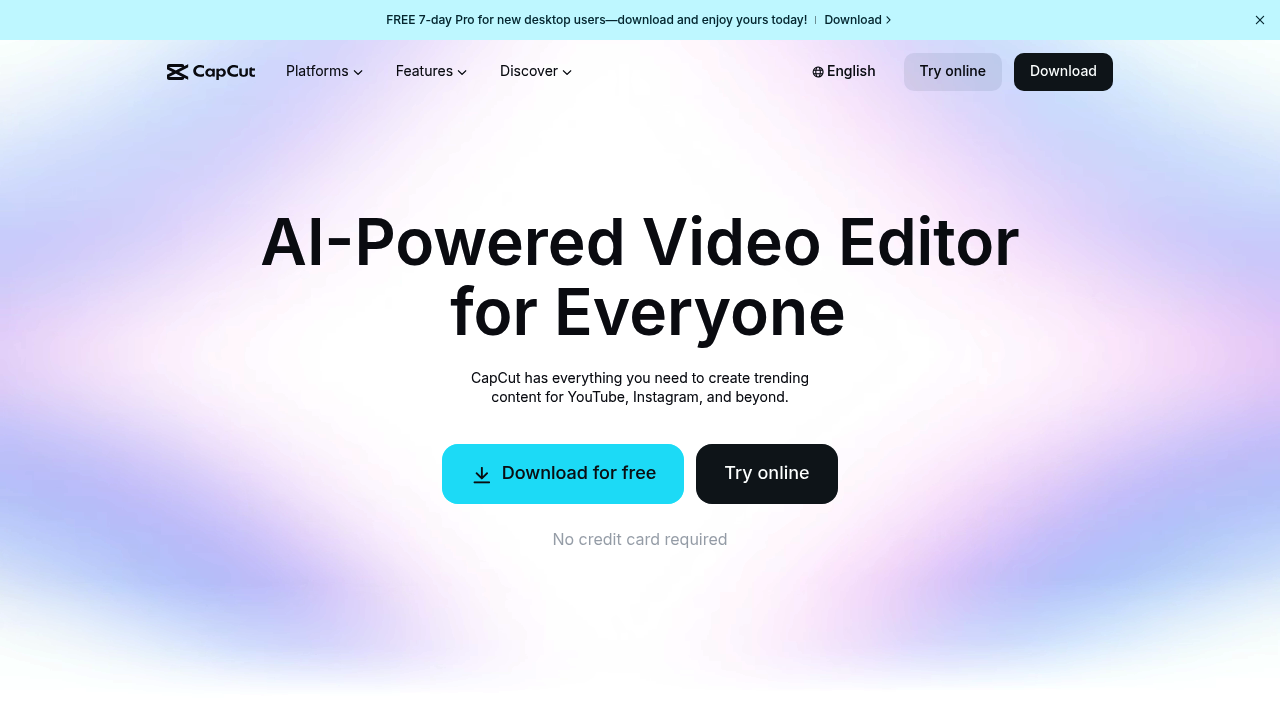
CapCut screenshot

Need videos fast? CapCut churns out social media content in minutes. This AI video editor takes text, links, or images and spits out ready-to-post videos for YouTube and Instagram. No lengthy editing sessions required.

CapCut's AI video generator builds complete videos from scratch with custom avatars and styles. You can make photos talk. Sing. React using the dialogue scene creator. Turn a single product link into a viral video. Caption generation happens automatically with perfect timing across multiple languages.

Solo creators get the most value here. A lifestyle influencer rushing to post daily Instagram stories can dump raw footage into CapCut and let the AI handle captions, background removal, and voice enhancement. CapCut strips out filler words and adds professional-looking effects without manual tweaking.

Background removal works on both videos and images. Voice enhancement cleans up audio while noise reduction handles messy recordings. Text-to-speech creates natural voiceovers when you don't want to record yourself speaking.

CapCut downloads free without a credit card. Pro features unlock through a 7-day trial for desktop users, though specific pricing stays vague. You'll find 100+ caption templates and thousands of sound effects in the library. The bilingual caption feature helps creators reach wider audiences — but the AI occasionally misses context in longer videos. Teams might find the collaboration features limited since CapCut focuses heavily on individual content creation workflows.


CapCut alternatives

See all →

Frequently asked

7 questions
Can I use CapCut without paying anything upfront?
Yep! CapCut downloads completely free -- no credit card needed. You'll get basic features right away, plus there's a 7-day trial for pro stuff on desktop. After that trial ends, you'll have to pay for the advanced tools (though they don't really publish clear pricing).
How accurate are CapCut's automatic captions for different languages?
CapCut's auto captions work pretty well with good timing across multiple languages. The bilingual feature's great for reaching different audiences. But here's the thing -- the AI sometimes misses context in longer videos, so you might need to go back and edit captions for complex stuff.
What's the difference between CapCut's talking photos and dialogue scene creator?
Talking photos make still images look like they're speaking or singing using AI. Pretty cool, right? The dialogue scene creator goes way further -- you can create full conversation scenes with custom avatars and different styles. Both work without you having to record any video yourself.
Does CapCut work well for team projects and collaboration?
Not really. CapCut's built for individual creators, not team workflows. The collaboration features are pretty limited compared to other platforms. It's designed for solo creators who want to pump out content quickly -- not for agencies or teams working together.
How does CapCut handle messy audio recordings?
CapCut's got voice enhancement that cleans up poor audio quality. It also does noise reduction for recordings with background noise or echo. Plus -- and this is handy -- it automatically strips out filler words like 'um' and 'uh' so your videos sound more professional.
Can I turn any product link into a video with CapCut?
Yes! CapCut can take a single product link and generate a complete promotional video from it. The AI analyzes the product and creates marketing content automatically. This works especially well for e-commerce creators who need product videos fast without shooting any footage.
What happens if I don't want to record my own voice for CapCut videos?
CapCut includes text-to-speech that creates natural-sounding voiceovers from your script. Just type what you want said -- the AI generates the audio. Works great when you're in a noisy place or simply don't want to use your own voice.

Traffic

Estimated monthly website visits · last 10 months

49.1M visits/mo
Monthly visits
49.1M
↓ 1.0% MoM
Global rank
#964
ID #269
Category rank
#3
AI Video Editor
65.1M 61.1M 57.1M 53.1M 49.1M Nov 2025: 54.6M visits Nov 2025 Dec 2025: 65.1M visits Dec 2025 Jan 2026: 63.5M visits Jan 2026 Feb 2026: 52.7M visits Feb 2026 Mar 2026: 53.8M visits Mar 2026 Apr 2026: 51.2M visits Apr 2026 May 2026: 53M visits May 2026 Jun 2026: 52.5M visits Jun 2026 Jul 2026: 49.6M visits Jul 2026 Aug 2026: 49.1M visits Aug 2026

Reviews (0)

Write review

No reviews yet. Be the first to share your experience.