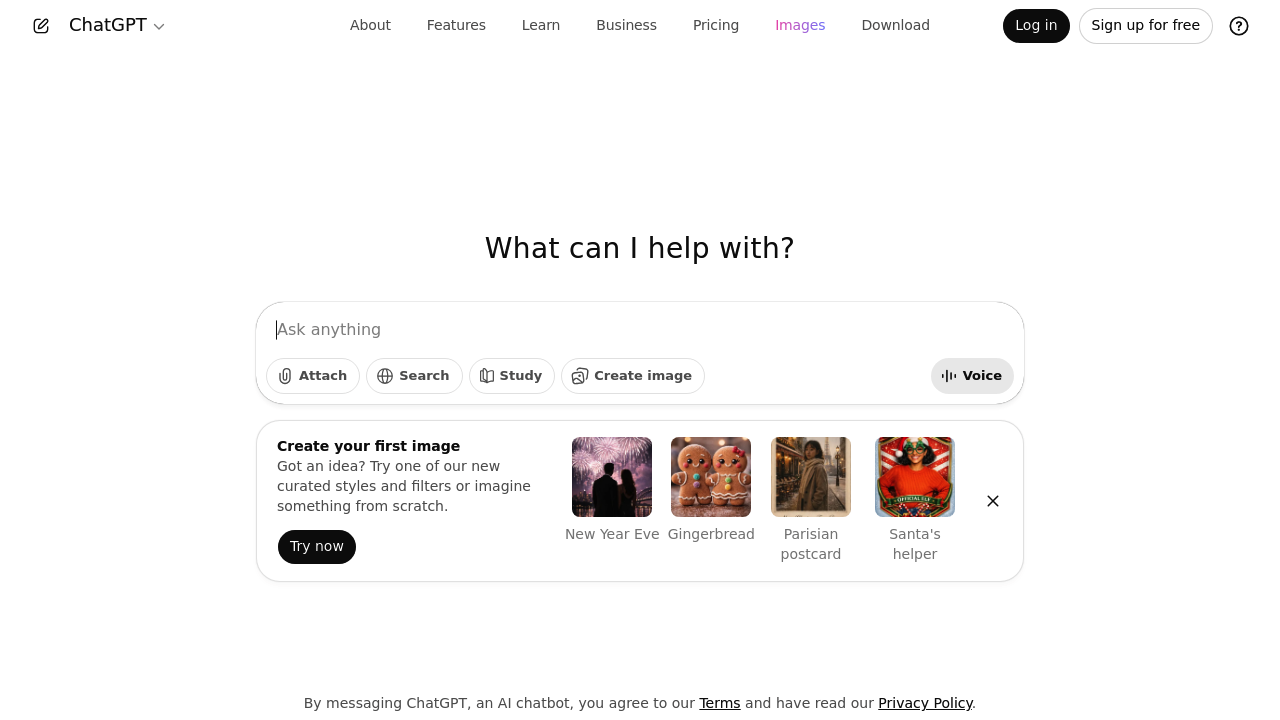
ChatGPT answers almost anything. Text questions. Voice commands. File uploads. It explains complex topics, writes emails, generates images on demand. The interface works like any messaging app. Type your question. Speak it aloud. Attach documents for analysis. Search through conversation history when you need something from weeks ago. Students cramming for exams find this useful. Upload lecture notes and get explanations of difficult concepts. Ask follow-up questions until things click. Beyond text, you can request custom images for presentations or projects. Voice interaction works well when you're multitasking or prefer speaking to typing. The search function saves time — especially after lengthy conversations where you need specific information. You'll need to accept OpenAI's terms and privacy policy before starting. Free access gets you basic functionality without payment required. Marketing managers creating campaign briefs benefit from the file attachment feature. Upload brand guidelines and competitor research. Then ask ChatGPT to draft messaging that aligns with your requirements. It processes multiple file types and incorporates that context into responses. General users seeking quick assistance with writing make up most of the user base. Research help. Problem-solving. Anyone comfortable with basic chat interfaces can start using ChatGPT immediately. Multiple interaction modes mean you're not stuck with just one way to communicate.

ChatGPT
Your AI assistant for everything
ChatGPT answers almost anything. Text questions. Voice commands. File uploads. It explains complex topics, writes emails, generates images on demand. The interface works like any messaging app. Type your question. Speak…
Versions
Click to expand details
GPT-6 Astra ▼
OpenAI's flagship reasoning model, built for long-horizon agentic work: computer use, coding, research, and multi-step tasks earlier models abandoned halfway. Saturates FrontierMath Tier 4 (97.6%) and ARC-AGI-3 (99.9%).
Long-horizon agentic work · Computer & browser use · 128K output · FrontierMath Tier 4: 97.6% · Searchable context notes in Codex
GPT-6 Sol ▼
The everyday-work tier of the GPT-6 family, built with GPT-6 Astra's training methods at a fraction of the price. OpenAI says it makes about half as many mistakes as GPT-5.6 Sol, with better factual accuracy and fewer coding errors. API price cut in half versus GPT-5.6 Sol.
Astra methods, lower cost · Half the mistakes of GPT-5.6 Sol · Plus / Pro / Business / Enterprise · 50% cheaper API than 5.6
GPT-6 Luna ▼
The fastest, cheapest GPT-6 model, tuned for quick responses and high volume. Available to Free and Go users in the ChatGPT desktop app, and in the API at $0.10/$0.50 per million tokens — down from $0.20/$1.20 for GPT-5.6 Luna.
Fast & high-volume · Free & Go users (desktop app) · $0.10 / $0.50 per 1M tokens · Successor to GPT-5.6 Luna
GPT-5.6 ▼
Released in three variants — Luna, Terra, and Sol — ranked from least to most capable. Folds the old Instant and Thinking modes into a single model with a reasoning-effort slider. Luna powers Free and Go accounts; Sol is available on Plus, Pro, Business, and Enterprise.
Luna, Terra & Sol variants · Reasoning effort slider · Unified Instant + Thinking · Default across ChatGPT tiers
GPT-5.5 Pro ▼
Highest-capability version of GPT-5.5 for the hardest tasks and long-running workflows. Available for Pro, Business, and Enterprise users.
Highest accuracy · Long-running workflows · Deep reasoning · Enterprise-grade
GPT-5.4 ▼
OpenAI's most capable and efficient frontier model for professional work. Combines GPT-5.3-Codex's industry-leading coding capabilities with improved reasoning, native computer use, and agentic workflows in a single unified model. It handles complex tasks across spreadsheets, presentations, and documents with fewer errors and less back-and-forth. Features mid-response steering that lets users adjust the model's thinking plan in real time.
Native computer use · 1M token context window · Mid-response steering · Token efficient reasoning · Coding and agentic workflows · Tool search capability
GPT-5.3 Codex Spark ▼
A smaller, speed-optimized version of GPT-5.3-Codex, and OpenAI's first model running on Cerebras Wafer Scale Engine 3. Capable of generating over 1,000 tokens per second with near-instant response times. Designed for real-time interactive coding — quick edits, logic refactoring, and interface changes. Text-only at launch, no multimodal support.
1000+ tokens/sec on Cerebras WSE-3 · 80% less roundtrip overhead · 50% faster time-to-first-token · Real-time interruptible coding · First OpenAI model outside Nvidia · WebSocket streaming by default
GPT-5.3 Codex ▼
OpenAI's most capable agentic coding model. Combines frontier coding performance of GPT-5.2-Codex with reasoning capabilities of GPT-5.2, 25% faster. First model that helped build itself.
Terminal-Bench: 77.3% · SWE-Bench Pro: 56.8% · OSWorld: 64.7% · 25% Faster · 128K Output · Self-Improving · Agent Teams · Cybersecurity High
GPT-5.2 ▼
OpenAI's most advanced model for professional work. First to cross 90% on ARC-AGI-1. Exceptional at spreadsheets, presentations, long-horizon reasoning and tool use.
Best for professional work · 90%+ on ARC-AGI · Creates spreadsheets & presentations · Long-horizon agents
GPT-5.1 ▼
Fast, reliable reasoning for complex tasks. Step-by-step solutions with natural, human-like conversations. Great for coding and workflow automation.
Fast reasoning · Human-like responses · Strong coding · Workflow automation
GPT-5 ▼
Unified system with built-in thinking. Automatically routes between fast and deep reasoning. 45% fewer hallucinations than GPT-4o, 80% fewer than o3.
Smart routing · Built-in thinking · 45% fewer hallucinations · Expert-level in many domains
o4-mini ▼
Fast, cost-efficient reasoning model. Best-performing on AIME 2024/2025. Achieves 99.5% on AIME 2025 with Python access.
Best on AIME benchmarks · Fast reasoning · Cost-efficient · Strong math & coding
o3 ▼
Advanced reasoning model with full tool access. 20% fewer major errors than o1. Excellent for coding, consulting, and creative ideation.
Full tool access · 20% fewer errors than o1 · Strong reasoning · Agentic capabilities
o1 ▼
Original reasoning model. Takes time to think before responding. Exceptional for STEM problems.
Deep reasoning · Chain-of-thought · PhD-level accuracy · Best for STEM
GPT-4o ▼
Multimodal model handling text, images, and audio. Human-level response times. Still widely used for general tasks.
Multimodal · Fast responses · Vision + Audio · Good all-rounder
ChatGPT alternatives






Frequently asked
What file types can I upload to ChatGPT for analysis?
You can upload PDFs, text files, spreadsheets, and images. Basically anything -- lecture notes, research papers, brand guidelines, data files. ChatGPT reads through everything and uses it to answer questions about your documents.
How does ChatGPT's voice feature actually work?
Just talk to it instead of typing! The voice recognition turns your speech into text, then ChatGPT responds normally. Super handy when you're driving or cooking -- basically anytime typing's a pain.
Can I search through my old ChatGPT conversations?
Yep, there's a search function for finding stuff from previous chats. Really helpful after those marathon conversations where you covered tons of topics. You can dig up specific advice from weeks ago without endless scrolling.
Does the free version of ChatGPT include image generation?
The free tier gets limited DALL-E access. You can make custom images for presentations or projects, but there are usage caps. Paid plans give you more credits and faster processing.
How does ChatGPT handle multiple file uploads in one conversation?
Upload several files at once -- ChatGPT analyzes them together. Like, drop in competitor research AND brand guidelines, then ask for marketing copy that considers both. It keeps track of everything throughout your chat.
What's the difference between typing and speaking to ChatGPT?
Same quality responses either way. Voice is faster for complex questions or when you're multitasking -- feels more natural for brainstorming too. Typing gives you precise control and lets you edit before hitting send.
Can ChatGPT remember information from uploaded files across different chat sessions?
Nope -- each conversation starts fresh. ChatGPT doesn't carry file info between separate chats, so you'll need to re-upload documents for new conversations. Memory only lasts within that specific chat thread.
Traffic
Estimated monthly website visits · last 10 months
Monthly visits
5.6B
↑ 3.5% MoM
Global rank
#7
US #11
Category rank
#1
AI Chatbot
Reviews (4)
Helpful, but not for everything
I use ChatGPT quite often. Most of the time it gives logical answers, and it is helpful especially when I need ideas or want to make my thoughts clearer.
I also used it to help with my New Year’s outfit, and it worked really well for that.
I tried using it for work-related things too, but it’s not good at everything. I was preparing a carpet catalog in Canva and wanted to speed up the process, so I used ChatGPT. In this case, instead of making things easier, it actually made the process more complicated.

Best UI
Very easy to use, perfect for researching and summarizing.
👍 UI
👎 -
last update good, but still...
last update, 5.2 is really good, much better than the old versions. but still behinds gemini pro or claude.
👍 really good ui
👎 still not catching gemini or claude in output quality

good for frontend, struggles with complex stuff
its actually pretty decent for quick UI mockups and landing pages. asked it to build a dashboard layout with some charts and the design came out clean. spacing, colors, component structure all looked good. the spreadsheet/presentation features are nice too
but when i tried it for some backend work it got a bit messy. asked it to help refactor an auth system and it kept touching stuff i didnt ask for. like i just wanted the token refresh logic fixed not the entire middleware rewritten lol
also feels more... idk corporate? 5.1 had more personality imo. this one plays it super safe
speed is fine for simple tasks but for anything complex it takes a while. not a dealbreaker but noticable
👍 ui/ux, quick prototypes, presentations
👎 ui/ux, quick prototypes, presentations