
Microsoft Copilot logo

Microsoft Copilot

AI across Microsoft

67 views
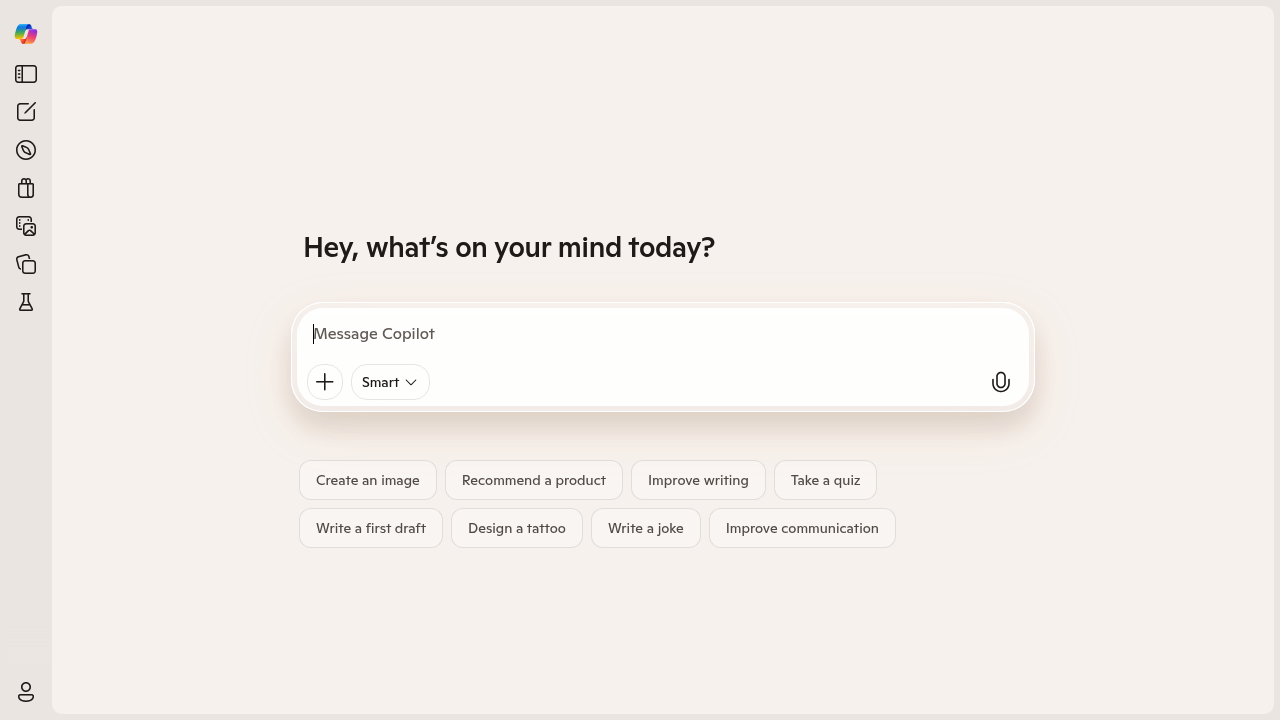
Microsoft Copilot screenshot

Microsoft takes a different path with Copilot. Most AI companies just build another chatbot you'll forget about next week. Microsoft positions this as a companion instead.

You won't find extensive API documentation here. No developer SDKs either. Copilot focuses on direct user interaction — not powering other applications. Microsoft built this for people who want AI help without technical complexity.

Content managers juggling multiple campaigns will love how Copilot handles writing tasks. Draft an email for newsletter subscribers. Ask it to write your product announcement. Copilot switches between creative and professional writing without missing a beat.

It tackles everyday productivity challenges too. Create presentation images. Get news roundups before morning meetings. Make packing lists for business trips you're dreading. Take quizzes on industry trends.

The companion approach makes conversations feel natural. Not robotic command-response cycles. Copilot gives advice and feedback alongside straightforward answers. You can ask for product recommendations or request help improving existing writing.

Microsoft doesn't publish pricing details. This suggests the service might be free or bundled with existing Microsoft products. Budget-conscious users won't appreciate this lack of transparency around costs when planning AI tool expenses.


Frequently asked

6 questions
Is Microsoft Copilot free to use or do I need a subscription?
Microsoft doesn't share clear pricing info for Copilot -- makes it tough to plan your budget. It seems free or comes with other Microsoft stuff you're already using. But there's no real info about costs or limits. You'll have to sign up and see what you get without paying.
Can I integrate Microsoft Copilot with my own applications through an API?
Nope, Copilot doesn't have API access or developer tools. It's made for people to use directly, not to power other apps. Need AI in your own software? You'll need to check out Microsoft's other AI services or go with third-party options.
How does Copilot handle different writing styles for business vs creative content?
Copilot switches up its tone automatically based on what you ask for. No special commands needed. Ask for a formal product announcement, then flip to a casual newsletter -- it gets the context and adapts. Pretty smooth actually.
What types of productivity tasks can Microsoft Copilot actually help with beyond writing?
It'll create presentation images and organize stuff like news roundups or packing lists. Can make quizzes about industry topics too. Also gives product recommendations. It's focused on everyday business tasks (not the super technical stuff).
Does Microsoft Copilot give feedback on existing content or just create new content?
Yeah, it'll review stuff you've already written. Not just new creation. Paste your existing writing and ask for suggestions or style tweaks. Makes it handy for editing and polishing work instead of always starting fresh.
How is the conversation experience different from other AI chatbots?
Microsoft built Copilot to feel more like chatting with a companion than barking orders at a robot. It gives context and advice with your answers -- feels more natural. You won't get that stiff question-answer thing most other chatbots do.

Traffic

Estimated monthly website visits · last 4 months

98.2M visits/mo
Monthly visits
98.2M
↓ 3.0% MoM
Global rank
#448
US #479
Category rank
#8
Writing & Content
105.6M 103.7M 101.8M 99.8M 97.9M Nov 2025: 105.6M visits Nov 2025 Dec 2025: 97.9M visits Dec 2025 Jan 2026: 101.2M visits Jan 2026 Feb 2026: 98.2M visits Feb 2026

Data from SimilarWeb · Updated monthly.

Reviews (0)

Write review

No reviews yet. Be the first to share your experience.

Similar tools

See all →