HeyVid AI logo

HeyVid AI

You type what you want to see

46 views
Visit heyvid.ai
HeyVid AI screenshot

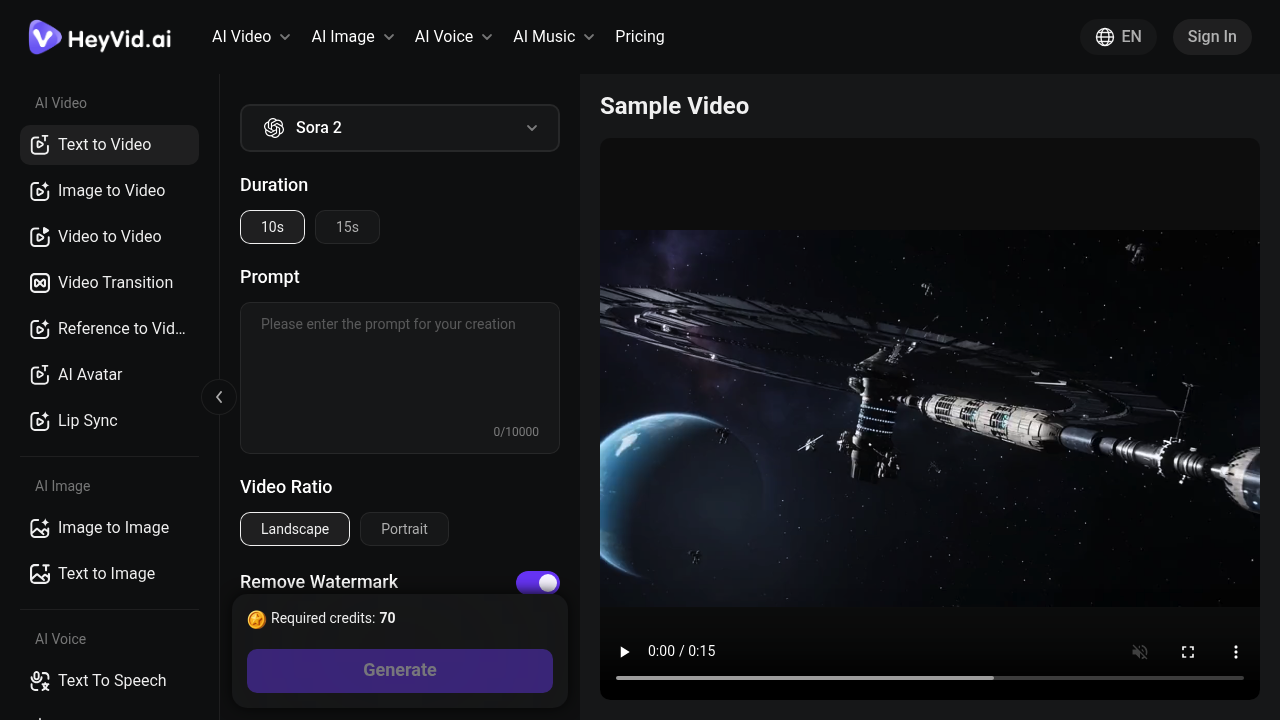
You type what you want to see. HeyVid AI generates a video using whichever AI model you pick—there are a dozen options. It pulls together Sora, Kling, Runway, Veo and others. You're not stuck with just one engine's interpretation of your prompt.

Three ways to work: text becomes video from scratch. Static images turn into moving footage. Existing videos get reimagined in different animation styles. You can animate transitions between still frames. You can sync lip movements to audio. A social media manager could describe a product demo in text—then get back multiple versions rendered through different AI models to see which aesthetic fits the campaign.

Model selection matters more than you'd think. Kling V2.6 handles certain motion differently than Runway Gen-4 or Veo 3.1. HeyVid AI lets you switch between them without juggling separate subscriptions or learning new interfaces. Image generation works through thirteen models. AI music comes via Suno integration. It handles twenty-five languages.

Prompts max out at ten thousand characters (plenty for most scenarios—but could feel tight for complex narrative sequences). Duration options cap at fifteen seconds for individual clips. You'll work within a credit system for generation.

API access opens batch processing for developers who need to generate videos at scale. Webhook support means you can automate workflows without manual monitoring. Watermarks get removed if you need clean output for client deliverables.


Frequently asked

7 questions
How many AI video models does HeyVid AI support?
HeyVid AI supports over 12 video models including Sora 2, Kling V2.1 and V2.6, Runway Gen-4 and Aleph, Veo 3.1, Hailuo AI, and others. You can switch between them on the same platform without juggling multiple subscriptions. Different models handle motion and aesthetics differently, so having options lets you pick what works best for your project.
Can HeyVid AI turn images into videos?
Yes, it converts static images into moving videos through its Image to Video feature. You can animate still frames, create transitions between images, or reimagine existing videos in different animation styles. It's pretty useful if you've got product photos or stills that need to come alive for social media.
Does HeyVid AI have a free plan?
No, HeyVid AI is a paid service that works on a credit-based system. You'll need to purchase credits to generate videos, and there's no free trial available. The platform aggregates premium AI models like Sora, Runway, and Kling, which is why it requires payment.
What's the maximum video length in HeyVid AI?
Individual clips max out at 15 seconds, with 10-second options also available. If you need longer content, you'd have to generate multiple clips and stitch them together. It's designed more for short-form content like social media posts rather than full-length productions.
Can I use HeyVid AI for commercial projects?
Yes, you can remove watermarks for clean output, which makes it suitable for client deliverables and commercial work. The platform also offers API access with webhooks for developers who need to generate videos at scale. It's built with content creators, marketers, and developers in mind.
What languages does HeyVid AI support?
It supports over 25 languages including English, Spanish, French, Japanese, and Chinese. The multi-language support works across text-to-video generation and other features. Pretty handy if you're creating content for international audiences or need to localize campaigns.
Can HeyVid AI generate videos from text prompts?
Absolutely. You describe what you want in text (up to 10,000 characters), pick your AI model, and it generates the video. You can also control duration, aspect ratio, and style preferences. A social media manager could type out a product demo description and get back multiple versions from different AI engines to compare.

Traffic

Estimated monthly website visits · last 0 months

Not enough historical data for a chart yet.

Data from SimilarWeb · Updated monthly.

Reviews (0)

Write review

No reviews yet. Be the first to share your experience.

Similar tools

See all →