
Remotion logo
AI Developer Tools FREEMIUM from $25/mo

Remotion

Developers wanting to generate videos programmatically now have a React-based solution that treats video creation like building a web application

Remotion lets you write React components that compile into real MP4 files, bringing frontend development patterns into video production. This framework handles everything from local rendering to serverless deployment,…

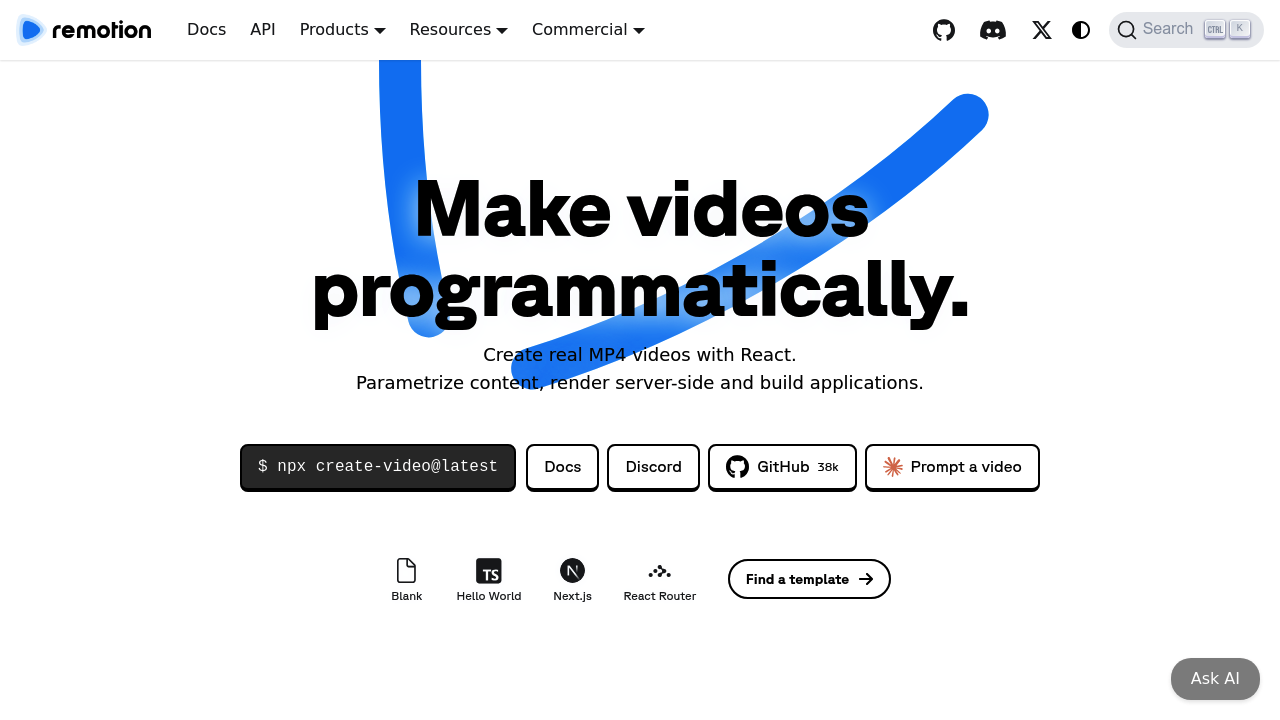
Remotion screenshot

Developers wanting to generate videos programmatically now have a React-based solution that treats video creation like building a web application. Remotion lets you write React components that compile into real MP4 files, bringing frontend development patterns into video production. This framework handles everything from local rendering to serverless deployment, with the flexibility to parametrize content just like passing props to components.

The core workflow centers on writing React code that defines video compositions. You can create music visualizations that respond to audio frequencies, generate captions automatically, produce screencast recordings, or build year-in-review videos that pull data from APIs. Content adjusts dynamically based on parameters you pass in, so switching between light and dark modes or changing text and images doesn't require re-coding the entire composition. The system renders these React components frame by frame into video formats.

Remotion Studio provides a visual editing environment where you can preview compositions and adjust timing without touching code. Remotion Player embeds rendered videos into web applications as interactive elements. For production environments, Remotion Lambda enables serverless rendering on AWS infrastructure, processing videos at scale without managing servers. The Editor Starter package gives teams a foundation for building custom video editing applications with drag and drop interfaces.

The rendering flexibility matters for different deployment scenarios. Local rendering works for development and small batches. Server rendering fits applications with consistent video generation needs. Serverless rendering through Lambda handles unpredictable workloads and high-volume automation. All three approaches produce the same video outputs from identical React code.

Documentation spans 700 pages covering implementation details, with 35 templates and examples demonstrating common patterns. The project has accumulated 38,000 GitHub stars and contributions from over 300 developers. Monthly installs reach 900,000, and a Discord community of 6,000-plus members exchanges troubleshooting advice and techniques.

The free license covers commercial use for individuals and companies up to three people, with no signup requirement and unlimited rendering. Once your team hits four people, you'll need a paid license. Remotion for Creators costs $25 monthly per seat, targeting professionals making videos for their own use. It includes prioritized support and $250 in Mux credits for video hosting and streaming. Remotion for Automators charges one cent per render with a $100 monthly minimum, designed for companies building video automation tools where render volume varies. Enterprise licenses start at $500 monthly and add private Slack or Discord channels, monthly consulting sessions, custom contract terms, compliance documentation, and prioritized feature requests.

The three-person threshold on the free license creates a clear upgrade point for growing teams. The $100 minimum on the Automators plan means you're committing to at least 10,000 renders monthly regardless of actual usage, which could feel steep during early product development phases.

This platform targets developers comfortable with React who need video generation capabilities in their applications. Companies building SaaS products with automated video features fit naturally. Content creators with coding skills can template their video production workflows. Artists exploring generative video work with code get programmatic control over every frame. Marketing teams needing personalized video at scale can parametrize templates with customer data.

Remotion integrates with Next.js for server-side rendering frameworks and React Router for navigation patterns. Mux integration handles video hosting and streaming infrastructure.


Remotion alternatives

See all →

Frequently asked

6 questions
Is Remotion free for commercial use?
Remotion's free license permits commercial use without restrictions for individuals and companies with up to three people on the team. You can render unlimited videos, deploy to production, and monetize your work without paying anything or signing up. Once your company grows to four or more people, you'll need to purchase either the Creators license at $25 per seat monthly or the Automators license at one cent per render with a $100 monthly minimum. The free tier has no feature limitations compared to paid plans, just the team size restriction.
Can you use Remotion without knowing React?
Remotion requires React knowledge since the entire framework builds on writing React components that compile into video frames. You'll need familiarity with JSX syntax, component structure, props, and React hooks to create video compositions. The platform doesn't offer a visual-only interface or drag-and-drop builder in its core offering, though the Editor Starter package lets you build custom interfaces for non-technical users. Developers comfortable with frontend JavaScript but new to React would need to learn React fundamentals before effectively using Remotion for video generation.
How much does Remotion cost for video automation at scale?
Companies building automated video generation tools pay one cent per render through the Remotion for Automators license, which carries a $100 monthly minimum spend. This pricing structure means you're committing to at least 10,000 renders per month regardless of actual usage, which could exceed costs during development or early product phases with low volume. The per-render model scales naturally once you're processing thousands of videos, making it predictable for high-volume applications. Enterprise licenses starting at $500 monthly offer custom pricing terms if your usage patterns don't fit the standard per-render model.
What can you build with Remotion?
Remotion handles programmatic video generation for applications that need to produce videos from data or templates. Common use cases include music visualizations that react to audio frequencies, automated caption generation for accessibility, screencast recordings with programmatic overlays, and personalized year-in-review videos pulling user data from APIs. Marketing teams build tools that generate thousands of customized videos by passing different parameters to the same React template. Content creators template their production workflows so changing text, images, or color schemes doesn't require re-editing entire videos. The framework works for any scenario where you'd benefit from treating video creation like rendering a web component with different props.
Does Remotion work with serverless platforms?
Remotion Lambda provides serverless rendering on AWS infrastructure, letting you process videos without managing servers or predicting capacity needs. You can render videos locally during development, on traditional servers for steady workloads, or through Lambda for unpredictable volume and parallel processing. The same React code works across all three environments, so you're not rewriting compositions when deployment needs change. Serverless rendering particularly benefits applications with spiky demand or high-volume batch processing where maintaining dedicated servers would be inefficient.
What are the limitations of Remotion's free tier?
The free license restricts usage to individuals and companies with three or fewer people, forcing an upgrade to paid plans once your fourth team member joins. This limitation applies regardless of render volume or revenue, so even a profitable solo developer generating thousands of videos monthly stays on the free tier until hiring. The three-person threshold creates an awkward transition point for bootstrapped startups that might have four people but minimal video rendering needs. Beyond team size, the free license has no feature restrictions, rendering limits, or commercial use prohibitions that would push users toward paid plans.

Traffic

Estimated monthly website visits · last 8 months

833.6K visits/mo
Monthly visits
833.6K
↑ 0.9% MoM
Global rank
#68,912
IN #30,005
Category rank
#13
AI Developer Tools
965.8K 755.6K 545.4K 335.1K 124.9K Dec 2025: 124.9K visits Dec 2025 Jan 2026: 591.4K visits Jan 2026 Feb 2026: 796.5K visits Feb 2026 Mar 2026: 846.5K visits Mar 2026 Apr 2026: 965.8K visits Apr 2026 May 2026: 925.4K visits May 2026 Jun 2026: 825.8K visits Jun 2026 Jul 2026: 833.6K visits Jul 2026

Reviews (0)

Write review

No reviews yet. Be the first to share your experience.