VEED logo

VEED

VEED is a browser-based video platform that covers both generating clips with AI and editing them afterward.

A single workflow lets you create talking heads, edit with AI, dub videos into other languages, and add subtitles, with starting points such as Explainer, Product Demo, Ad, Testimonial and Thought Leadership prompts. A…

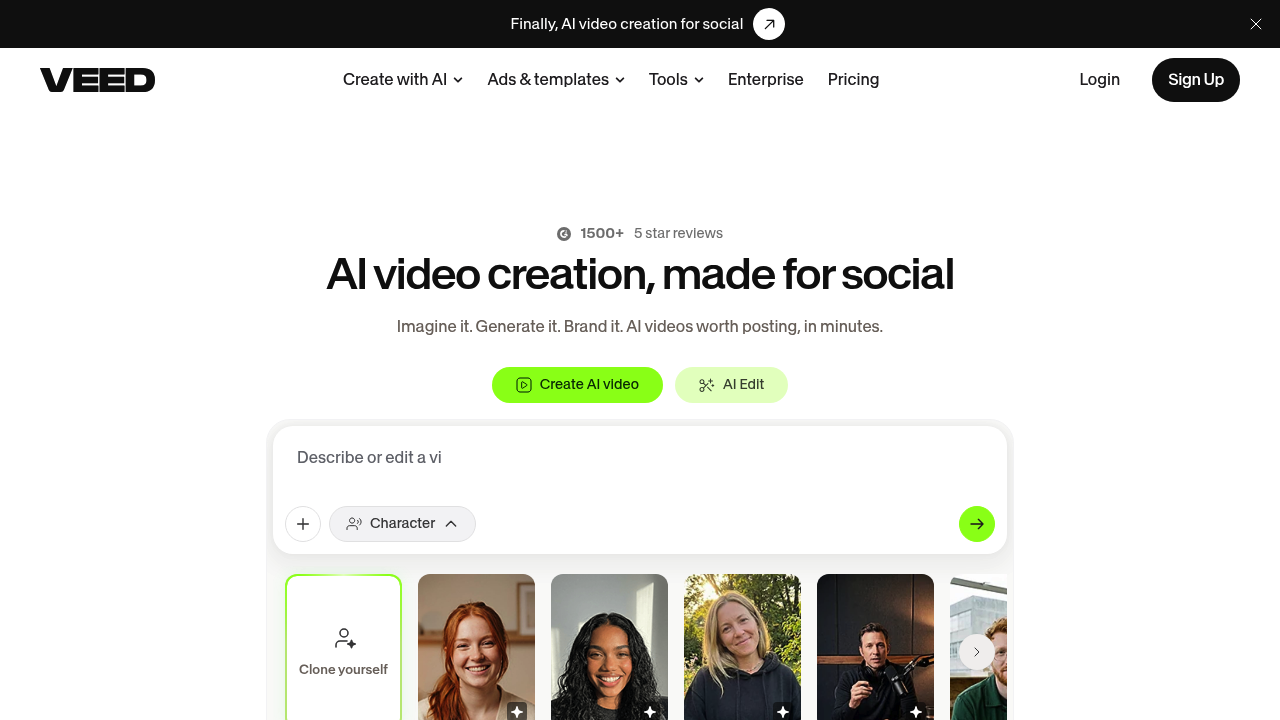
VEED screenshot

VEED is a browser-based video platform that covers both generating clips with AI and editing them afterward. A single workflow lets you create talking heads, edit with AI, dub videos into other languages, and add subtitles, with starting points such as Explainer, Product Demo, Ad, Testimonial and Thought Leadership prompts. A brand layer applies your colors, fonts, logos and voice to every video, and features like Eye Contact Correction and Noise Reduction clean up recorded footage. VEED has more than 1500 five-star reviews.

The product is pitched at marketers, solopreneurs and small business owners who need feed-ready video without a camera crew. Growth and demand generation managers use it for UGC-style ads, founders use templates to get a first video out quickly, and content producers use it for LinkedIn and other social channels. Videographers and in-house teams also describe cutting turnaround from weeks to hours, so it works for people who are not trained editors.

Common scenarios include turning a written idea into a short branded clip, building a product demo from a prompt, producing customer testimonial videos, and adding captions so viewers keep watching with the sound off. Teams can clone themselves as an on-screen character to publish thought leadership without filming each time, and agencies can reapply one brand style across many videos. Dubbing and subtitles help repurpose a single video for audiences who speak different languages. Customer testimonials mention results such as four early videos reaching over 40,000 impressions on LinkedIn.


VEED alternatives

See all →

Frequently asked

6 questions
Can VEED both generate and edit video?
VEED combines generation and editing in one workflow. You can create talking heads, edit with AI, dub videos and add subtitles without switching apps.
Who is VEED built for?
Marketers and solopreneurs producing social video are the stated audience. Testimonials come from marketing leads, founders, videographers and growth managers.
How can I use VEED for ads?
Start from the Ad or Product Demo prompt, generate the video, then apply brand colors, fonts and logos. Eye Contact Correction and Noise Reduction can polish UGC-style recordings.
Which editing and polish features does VEED include?
Subtitles, a brand kit, a brand kit for colors, fonts, logos and voice, Eye Contact Correction and Noise Reduction. Dubbing and AI Edit are part of the same workflow.
What are the limits of VEED?
Clip length and export resolution are set in the editor. It is oriented toward social and marketing video rather than long-form production.
How do I start a video in VEED?
Choose Create AI video, AI Edit or Character, then pick an example prompt or write your own. It runs online, so there is nothing to install.

Reviews (0)

Write review

No reviews yet. Be the first to share your experience.