
#3 in AI Video Recording Riverside logo
AI Video Recording FREEMIUM from $24/mo

Riverside

A podcast producer records a remote interview with a guest in Singapore while sitting in Chicago

Both have spotty internet, but Riverside captures 4K video and 48kHz audio locally on each person's device. When the connection drops for 30 seconds, the recording continues unaffected. After the call ends, she…

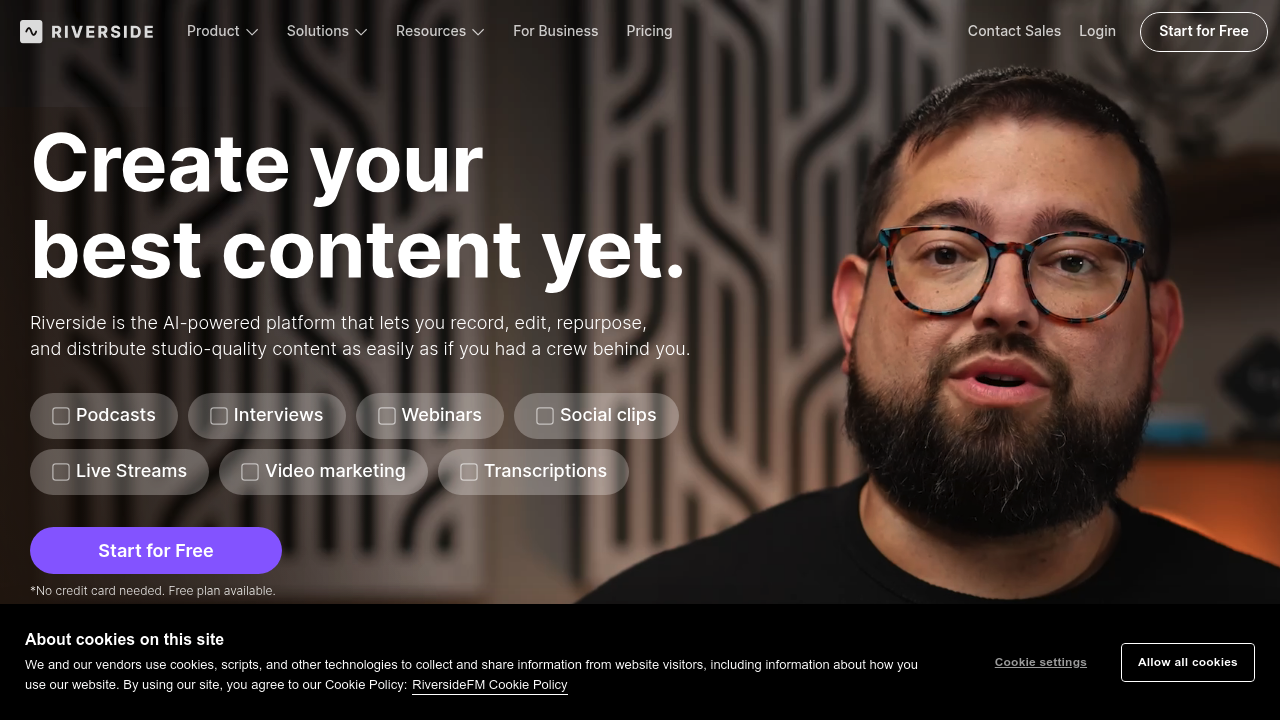
Riverside screenshot

A podcast producer records a remote interview with a guest in Singapore while sitting in Chicago. Both have spotty internet, but Riverside captures 4K video and 48kHz audio locally on each person's device. When the connection drops for 30 seconds, the recording continues unaffected. After the call ends, she downloads separate tracks for each speaker and opens the text-based editor. She highlights a rambling section in the transcript, deletes it, and the video cuts match instantly. The AI eye contact tool fixes moments where the guest looked away from the camera. She runs Magic Audio to remove background hum from the guest's apartment. The whole edit takes 15 minutes instead of three hours in traditional software.

A marketing manager creates weekly video updates for his distributed team. He records himself in 4K, uses the teleprompter to stay on script, then lets AI remove all the "ums" and long pauses between sentences. The filler word removal works well but occasionally clips natural speech patterns when he pauses for emphasis. He generates show notes automatically, then uses Magic Clips to create five social media versions optimized for different platforms. The AI Co-Creator builds promotional graphics with his company's colors and logo. He publishes directly to YouTube and pushes an audio version to Spotify and Apple Podcasts from the same interface. His analytics show which segments viewers rewatch most often.

A webinar host runs live product demos every Thursday. She multistreams in 1080p to YouTube, LinkedIn, Facebook, Instagram, X, and Twitch simultaneously through the Live plan. Omnichat aggregates comments from all platforms into one feed so she can respond during the stream. When someone asks a technical question, she switches the auto-layout to show a screen share instead of her face. After the stream ends, she uses the same recording to create an on-demand course. She translates it into Spanish and French, and the dubbing tool syncs lip movements to match the new audio in over 30 languages.

This service breaks down for audio-only podcasters who do not need video features. You're paying for 4K recording and live streaming capabilities you won't touch. Pro plan limits you to 15 hours of multi-track recordings monthly, which sounds generous until you're producing daily shows or recording long interviews. If you need advanced audio mixing with precise EQ controls or complex multi-layer sound design, the editing tools stay surface-level. The AI sometimes removes pauses that carry emotional weight or comedic timing. Eye contact correction can look uncanny when lighting conditions differ drastically between speakers.

Free plan lets you test Riverside without a credit card. Pro costs $24 monthly when paid yearly, $29 month-to-month. It includes unlimited text-based editing, AI transcription, Magic Audio, and publishing to major platforms. Live plan runs $34 yearly or $39 monthly, adding multistreaming and 1080p broadcasts. Yearly plans save 21%. Pro works for most podcasters and video creators recording interviews or solo content. Live fits hosts running regular webinars or streaming shows.

Skip this if you're recording in-person with local equipment, producing audio-only content that doesn't benefit from video tools, or need professional-grade audio mixing beyond noise removal and basic polish. Video editors who prefer timeline-based workflows over text editing will find the interface limiting.


Riverside alternatives

See all →

Frequently asked

7 questions
Does Riverside work without good internet connection?
A podcast host in rural Montana with unreliable broadband records a guest interview through Riverside while her connection drops twice during the 45-minute conversation. The recording continues uninterrupted because Riverside captures 4K video and 48kHz audio locally on each device, storing files on the participants' computers rather than streaming them. When the internet reconnects, only the low-resolution preview stream lags — the final high-quality files remain unaffected. After the call, she downloads pristine separate tracks for each speaker as if the connection never faltered.
Can Riverside remove filler words automatically?
A YouTube creator records a 20-minute tutorial and enables AI-powered filler word removal to strip out every 'um,' 'uh,' and 'like' from his narration. The tool cuts most filler words cleanly, but it occasionally removes natural pauses he uses for emphasis, making some sentences feel rushed. He highlights sections in the text editor where the AI was too aggressive and manually restores pauses that give viewers time to absorb complex information. The feature saves him 30 minutes of manual editing but requires spot-checking to preserve intentional speech patterns.
How much does Riverside cost per month?
Pro plan costs $24 monthly when paid yearly or $29 month-to-month, including 15 hours of multi-track recordings, 4K video quality, unlimited text-based editing, AI transcription, and publishing to YouTube and podcast directories. Live plan runs $34 yearly or $39 monthly, adding 1080p multistreaming to platforms like Facebook, LinkedIn, and Twitch. A free plan exists for testing features without a credit card, and yearly subscriptions save 21% compared to monthly billing.
What happens when you hit the 15-hour recording limit?
A podcast producer running three weekly interview shows records about 12 hours of multi-track content monthly on the Pro plan, staying comfortably under the 15-hour limit. Her colleague producing daily 30-minute episodes hits the cap by mid-month and can't record new multi-track sessions until the limit resets. Unlimited single-track recording remains available, but she loses separate audio files for each speaker, making post-production editing significantly harder. She either waits for the monthly reset or upgrades to handle her production volume.
Can you stream to multiple platforms at once with Riverside?
A business coach hosts weekly live workshops and uses Riverside's Live plan to multistream in 1080p to YouTube, Facebook, LinkedIn, Instagram, X, and Twitch simultaneously from one interface. Omnichat combines comments from all platforms into a single feed so she can respond to questions without juggling six browser tabs. Custom RTMP lets her add her company's private streaming platform to the mix. This multistreaming capability only exists in the Live plan — Pro users can record and publish later but can't broadcast live to multiple destinations.
Does Riverside replace professional audio editing software?
A corporate trainer uses Riverside's Magic Audio to remove background noise and polish recordings for internal learning videos, finishing edits in 20 minutes instead of opening dedicated audio software. An audio engineer producing a narrative podcast finds the tools inadequate for complex sound design requiring precise EQ adjustments, compression curves, and multi-layer mixing that Riverside doesn't offer. The text-based editor excels at cutting interview segments and removing filler words but lacks the granular audio controls professionals expect. Riverside handles straightforward polish and content editing, not intricate audio production.
Can Riverside translate videos into other languages?
A training manager records an onboarding video in English and uses Riverside to translate and dub it into Spanish and French for international offices. The dubbing tool generates new audio in over 30 languages and syncs lip movements to match the translated speech, making the video look naturally recorded in each language. A marketing director notices the lip-sync works better with clear frontal shots but looks slightly off when speakers turn their heads or lighting changes drastically. She uses this feature for internal communications and tutorials but sends client-facing videos to human translators for higher stakes content.

Traffic

Estimated monthly website visits · last 9 months

3.9M visits/mo
Monthly visits
3.9M
↓ 2.3% MoM
Global rank
#12,768
US #4,826
Category rank
#3
AI Video Recording
4.2M 3.9M 3.6M 3.3M 3M Dec 2025: 3M visits Dec 2025 Jan 2026: 4.1M visits Jan 2026 Feb 2026: 3.7M visits Feb 2026 Mar 2026: 4.2M visits Mar 2026 Apr 2026: 3.9M visits Apr 2026 May 2026: 3.7M visits May 2026 Jun 2026: 3.8M visits Jun 2026 Jul 2026: 4M visits Jul 2026 Aug 2026: 3.9M visits Aug 2026

Reviews (0)

Write review

No reviews yet. Be the first to share your experience.