
Camtasia logo
AI Video Editor FREEMIUM from €330/mo

Camtasia

Screen recording transforms into polished video content through Camtasia, an AI-powered editing platform built for creating instructional and knowledge-sharing videos

The software captures screen, camera, system audio, and microphone simultaneously on separate tracks, then applies AI tools to accelerate production. Text-based editing through Audiate lets users modify video by editing…

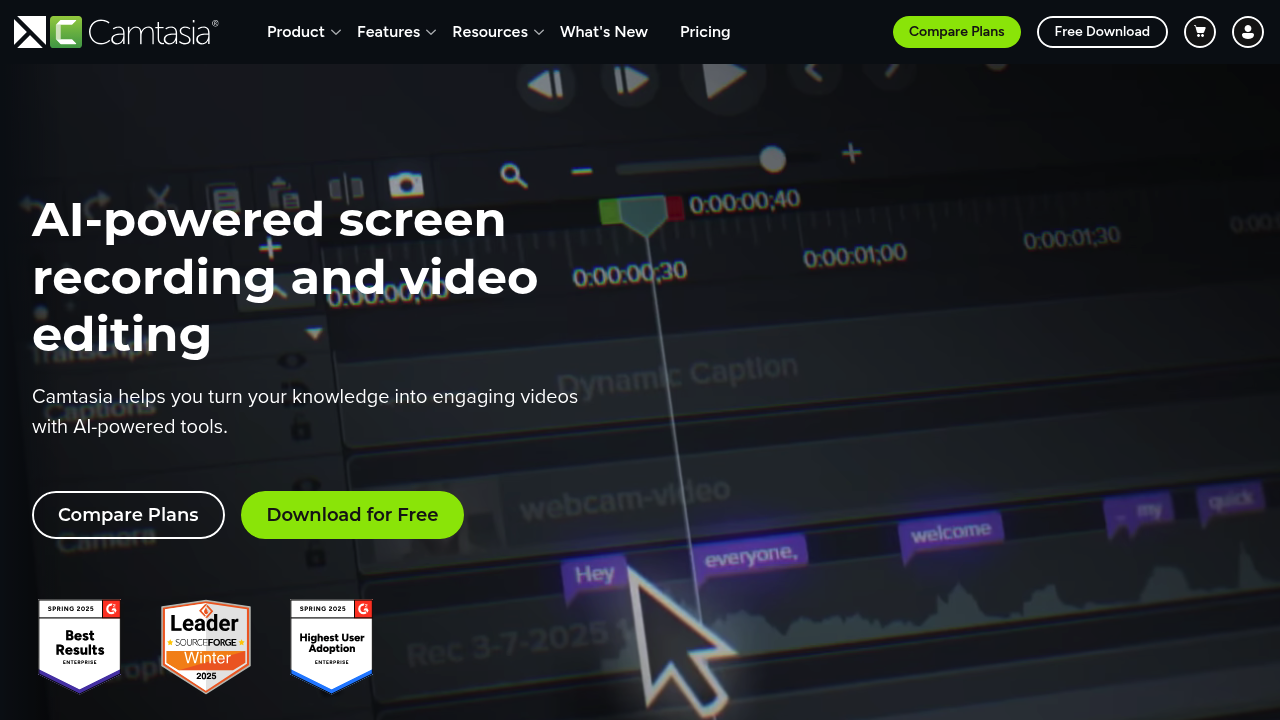
Camtasia screenshot

Screen recording transforms into polished video content through Camtasia, an AI-powered editing platform built for creating instructional and knowledge-sharing videos. The software captures screen, camera, system audio, and microphone simultaneously on separate tracks, then applies AI tools to accelerate production. Text-based editing through Audiate lets users modify video by editing the auto-generated transcript rather than scrubbing through timelines. AI features generate scripts tailored to specific audiences and tones, create natural voiceovers without recording, produce professional avatar presenters, remove background noise from recordings, and translate finished videos into multiple languages. Camtasia includes automatic captioning, video background removal for webcam footage, drag-and-drop editing, customizable themes and templates, and cursor effects. A free download is available, though specific feature limitations aren't detailed.

Corporate training teams, software marketers, and customer education specialists form the core user base alongside technology trainers and human resources departments producing onboarding materials. Educators building course content and creators developing how-to videos rely on this software for screen-first instruction. These capabilities serve both individual creators handling full production cycles and enterprise teams standardizing video output across departments. Users range from those capturing quick walkthroughs to teams managing extensive knowledge bases, with the text-based editing particularly valuable for non-video editors who think in scripts rather than timelines.

Training videos demonstrating software workflows represent the primary use case, where multitrack recording captures application screens while narration explains each step. Customer success teams build video libraries answering common support questions, reducing ticket volume by directing users to visual guides. Marketing departments create product demos and feature announcements without coordinating studio shoots, using AI avatars when live presenters aren't available. Educational institutions produce lecture content and tutorial series, with automatic transcription generating accessibility-compliant captions. Remote teams document processes and share tribal knowledge through screen recordings that preserve institutional memory. The Camtasia Suite bundles the main editor with Audiate for voice work, Snagit for static screenshots, and Screencast for collaborative video reviews, creating an ecosystem for screen-based communication.

Camtasia alternatives

See all →

Frequently asked

6 questions
How does Camtasia's text-based video editing work?
Camtasia automatically transcribes your video's audio into editable text through its Audiate feature. You can then edit the video by cutting, rearranging, or deleting words in the transcript, and the corresponding video footage updates to match. This approach eliminates timeline scrubbing and makes video editing accessible to users who think in scripts rather than visual sequences.
Who should use Camtasia for video creation?
Corporate training teams, software marketers, and customer education specialists form the primary audience, alongside technology trainers and HR departments producing onboarding materials. Educators building course content and creators developing how-to videos also rely on the platform for screen-first instruction. The software serves both individual creators handling full production cycles and enterprise teams standardizing video output across departments.
Can I use Camtasia to create product demo videos without filming?
The software captures your screen, camera, system audio, and microphone simultaneously on separate tracks for live demonstrations. When live presenters aren't available, AI avatar generation creates professional on-screen presenters, and AI voice generation produces natural-sounding voiceovers from scripts. This combination lets marketing teams produce product demos and feature announcements without coordinating studio shoots.
Is there a free version of Camtasia available?
A free download is available for Camtasia, though the specific features included in that tier aren't publicly detailed. The platform follows a freemium model, allowing users to access core screen recording and editing capabilities without immediate payment.
What video formats or platforms does Camtasia not support?
The available documentation doesn't specify format restrictions or platform limitations for Camtasia's recording and export capabilities. Users should verify compatibility with their required output formats and sharing destinations before committing to the platform for production workflows.
Does Camtasia integrate with other tools I already use?
Camtasia advertises compatibility with tools users commonly rely on, though specific integration partners aren't listed in public materials. The Camtasia Suite bundles multiple products including Screencast for collaborative video reviews and Assets for royalty-free content, creating an ecosystem for screen-based communication within the platform itself.

Traffic

Estimated monthly website visits · last 1 months

788.8K visits/mo
Monthly visits
788.8K
Category rank
#16
AI Video Editor

Not enough historical data for a chart yet.

Reviews (0)

Write review

No reviews yet. Be the first to share your experience.