InfiniteTalk AI logo
AI Lip Sync Generator FREEMIUM from $10/mo

InfiniteTalk AI

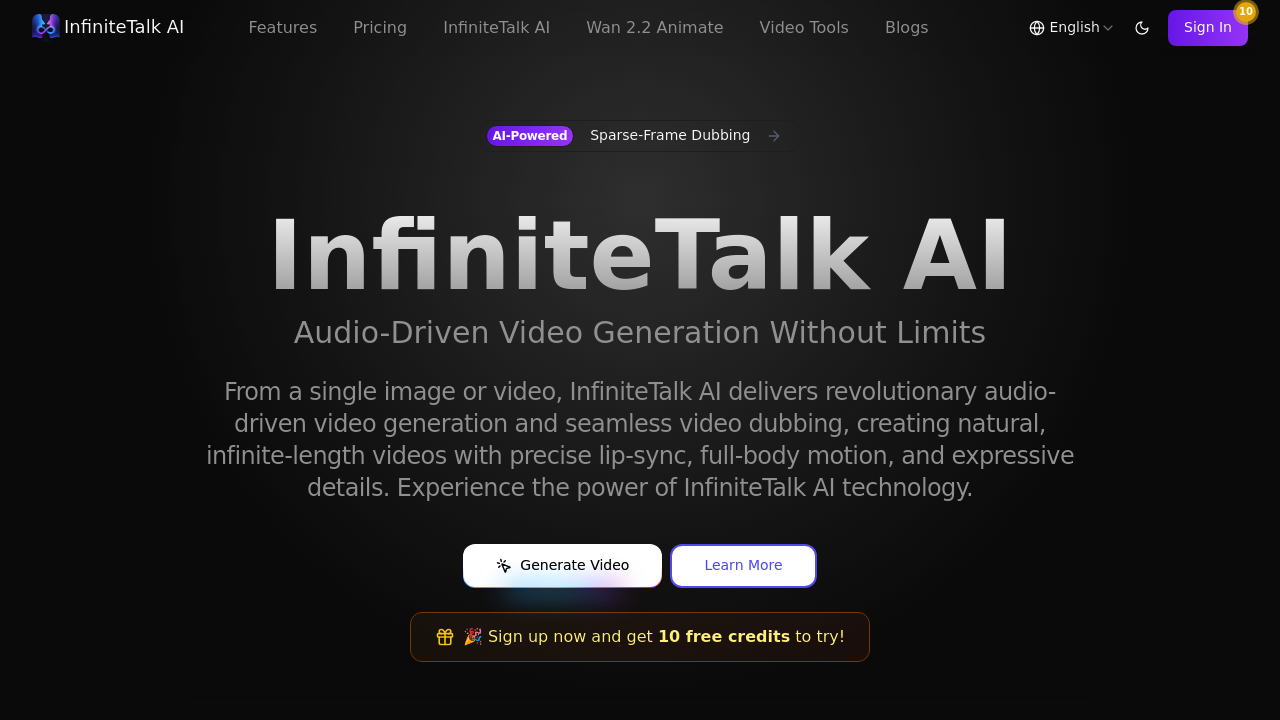
Upload a single image or an existing video, and this system starts analyzing it for lip-sync and body animation

The interface asks for an audio file next, record your own voice, upload narration, or paste a voiceover track. The system claims 99.8% lip sync accuracy, and you'll notice it right away. Lips move in tight sync with…

InfiniteTalk AI screenshot

Upload a single image or an existing video, and this system starts analyzing it for lip-sync and body animation. The interface asks for an audio file next, record your own voice, upload narration, or paste a voiceover track. The system claims 99.8% lip sync accuracy, and you'll notice it right away. Lips move in tight sync with every syllable. Head tilts happen naturally. Shoulders shift when emphasis changes. Eyebrows lift during questions.

The tech doesn't just animate mouths. It drives posture shifts and facial expressions based on audio tone and pacing. Someone explaining a concept might lean forward slightly. A narrator telling a story might tilt their head during a dramatic pause. These details show up without manual tweaking, which saves hours compared to traditional animation workflows.

Video length goes up to 24 hours maximum. That's unusually high for this type of software. Most competitors cap out around five minutes, which makes long-form content impossible. Here, you can generate full training videos, entire webinars, or extended product demos in one pass. This system supports multiple speakers with independent audio tracks, so conversations between characters work without splitting the project into separate renders.

The download button appears once processing finishes. Videos export in HD. Commercial use comes included with paid plans, which matters for marketers and media producers who need licensing clarity upfront.

Hands and arms stay stable during motion. This is where a lot of similar solutions fail — fingers morph, wrists bend awkwardly, or arms flicker. InfiniteTalk handles these better, though occasional jitter still appears in fast movements or complex gestures.

New accounts get 10 free credits to test the system. After that, pricing starts at $9.90 monthly for the Starter plan with 120 credits, or $29.90 monthly for Pro with 600 credits. Each credit costs less on the Pro tier, dropping to about five cents per credit versus eight cents on Starter. Both tiers include HD output, full body animation, downloads, and commercial licensing. Pro adds priority support.

This system works for educators turning static slides into talking presentations, marketers building spokesperson videos without hiring actors, and content creators generating characters for storytelling. Processing speed runs about five times faster than older methods, according to the site, though actual render time depends on video length and complexity. InfiniteTalk shines when you need long videos with natural movement and do not want to animate every frame manually.


InfiniteTalk AI alternatives

See all →

Frequently asked

7 questions
How long can InfiniteTalk AI videos be?
Videos can run up to 24 hours maximum length. You upload your image or video, add an audio track, and the system processes the entire thing in one pass without splitting it into chunks. This works for full webinars, training courses, or extended product demonstrations that most competitors can't handle since they cap around five minutes. Processing takes longer for multi-hour content, but you don't need to stitch separate clips together afterward.
Is InfiniteTalk AI free?
The platform gives 10 free credits when you sign up, which lets you test the lip-sync and body animation before paying. After those credits run out, the Starter plan costs $9.90 monthly for 120 credits, and Pro runs $29.90 monthly for 600 credits. Both paid tiers include HD video generation, commercial use licensing, and download access. No free trial exists beyond the initial credit bundle.
Does InfiniteTalk AI animate the whole body or just lips?
The system animates lips, head tilts, posture shifts, shoulders, and facial expressions all driven by your audio file. Someone asking a question might raise their eyebrows while tilting their head. A narrator emphasizing a point could lean forward slightly. These movements happen automatically based on tone and pacing without manual keyframing. Hands and arms stay mostly stable, though fast gestures sometimes show minor jitter.
Can I use InfiniteTalk AI for multiple speakers in one video?
The platform supports multiple characters with independent audio tracks. You upload your video or images, assign separate audio files to different speakers, and the system syncs each character's mouth and movements to their respective voiceover. This works for conversations, interviews, or multi-person presentations without rendering each speaker separately. All characters process in the same project, and the final video exports with everyone synchronized.
What can I make with InfiniteTalk AI?
Educators turn static slides into talking presentations without recording themselves on camera. Marketers build spokesperson videos by uploading a single photo and adding voiceover scripts. Content creators generate animated characters for storytelling or social media without hiring actors or animators. News organizations produce anchors for extended segments. Online course creators make instructors speak through entire lessons from one image.
Does InfiniteTalk AI work with just a photo or do I need video?
You can upload either a single image or an existing video. The image-to-video option takes a static photo and animates it with lip-sync and body motion based on your audio file. The video-to-video option enhances an existing clip by syncing the subject's movements to new audio. Both paths use the same lip alignment and expression technology, and both export in HD with commercial licensing included on paid plans.
What are the downsides of InfiniteTalk AI?
Fast hand movements or complex gestures sometimes show minor jitter or awkward positioning, though stability runs better than most competitors. The platform doesn't mention API access, mobile apps, or team collaboration features, so workflows stay browser-based and single-user. Processing speed depends heavily on video length — a 24-hour video takes significantly longer to render than a five-minute clip. No integrations with other tools exist, so you'll manually move files between software if your workflow spans multiple platforms.

Traffic

Estimated monthly website visits · last 7 months

4.9K visits/mo
Monthly visits
4.9K
↑ 21.5% MoM
Global rank
#3,692,683
JP #609,095
Category rank
#26
AI Lip Sync Generator
4.9K 3.9K 2.9K 1.8K 794 Jan 2026: 3.9K visits Jan 2026 Feb 2026: 1.4K visits Feb 2026 Mar 2026: 2K visits Mar 2026 Apr 2026: 1.1K visits Apr 2026 May 2026: 794 visits May 2026 Jun 2026: 4K visits Jun 2026 Jul 2026: 4.9K visits Jul 2026

Reviews (0)

Write review

No reviews yet. Be the first to share your experience.