
Zubtitle logo
AI Subtitle Generator FREEMIUM from $16/mo

Zubtitle

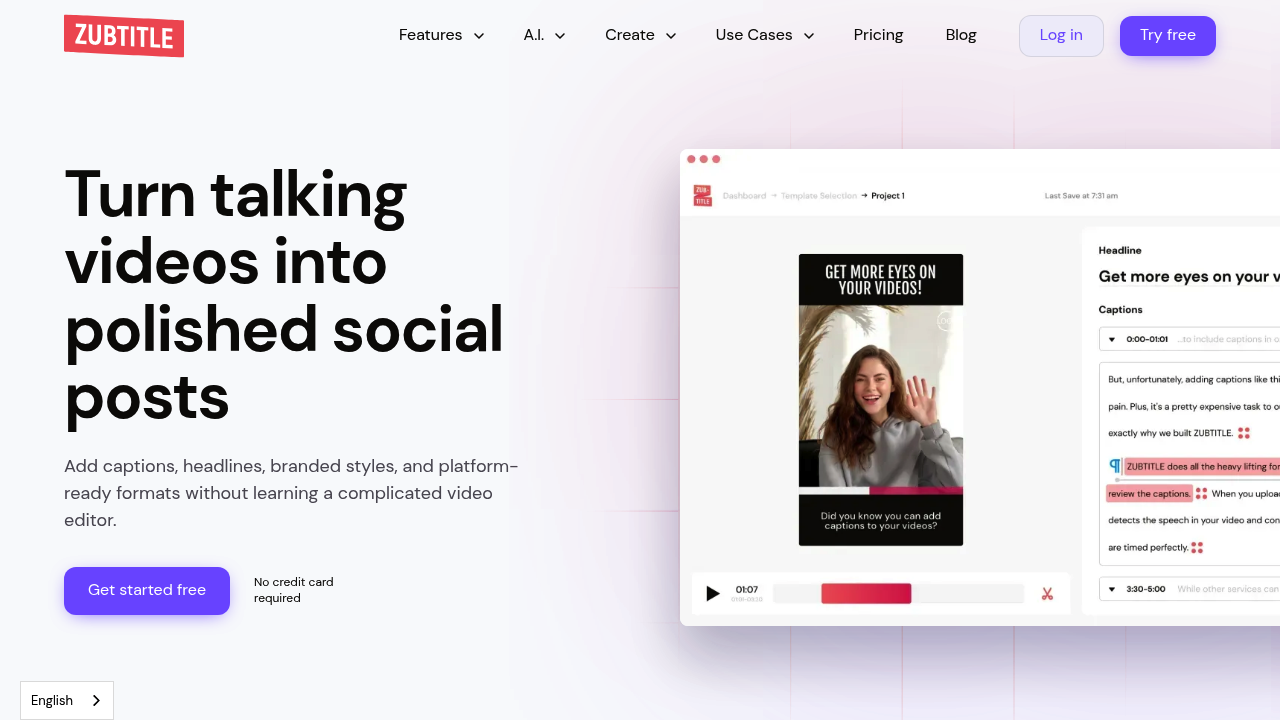
Zubtitle turns talking videos into polished social posts by adding automatic subtitles, headlines, branded styling and platform-ready formats in a browser editor.

Upload a clip, let the software transcribe the speech, fix wording and timing, then add a headline, logo, progress bar and saved template. Pricing starts with a free Bootstrapper plan at $0 with two videos per month, a…

Zubtitle screenshot

Zubtitle turns talking videos into polished social posts by adding automatic subtitles, headlines, branded styling and platform-ready formats in a browser editor. Upload a clip, let the software transcribe the speech, fix wording and timing, then add a headline, logo, progress bar and saved template. Pricing starts with a free Bootstrapper plan at $0 with two videos per month, a watermark and 720p output. The Guru plan costs $19 per month for ten videos, and Agency costs $49 per month for thirty videos, both with the watermark removed and resolution up to 4K.

It is built for coaches, podcasters, consultants, speakers and small marketing teams who record talking-head content and want it to look professional without learning a complicated editor. Agencies producing content for several clients can use the Agency plan, which adds custom fonts and a higher monthly video allowance. Solo creators who currently pay a virtual assistant to caption their clips are a natural fit, since the product positions itself as costing less than half of that. Mobile browsers on iOS and Android are supported, so quick edits can happen away from a desk.

Typical workflows include captioning a short coaching tip for Instagram Reels, resizing one recorded video into square, vertical and widescreen versions for different feeds, and trimming a long answer down to its strongest moment. Podcasters can add headlines and progress bars to audio-driven clips, while brands apply a saved template with their fonts, colors and logo to keep every post consistent. Captions can also be exported as an SRT or text file when only the transcript is needed, and uploads can be MP4, MOV or M4V files up to 20 minutes.


Zubtitle alternatives

See all →

Frequently asked

6 questions
How does Zubtitle create captions?
It transcribes the speech in an uploaded video automatically and turns it into subtitles. You can then correct the words and timing in a simple editor.
Who should use Zubtitle?
Coaches, podcasters, experts, creators and small teams that publish talking-head videos. Agencies producing content for clients are served by the higher-tier plan.
Can I turn one video into several formats?
Zubtitle can resize and crop a single clip into square, vertical, widescreen or feed-ready versions. This lets one recording serve multiple social platforms without rebuilding the edit.
What does the free plan include?
Bootstrapper, the free plan, is $0 forever and covers two videos per month with all video editor features, resolution up to 720p and a Zubtitle watermark. Guru at $19 per month and Agency at $49 per month remove the watermark and raise the limits.
Are there limits on video uploads?
Accepted files are MP4, MOV and M4V under 1 GB, using H.264 with resolution up to 4096x2160 and a duration of 20 minutes or less. H.265 or HEVC files work only in Safari browsers.
Can I download just the subtitle file?
A TXT or SRT file can be downloaded for each processed video. The editor also works on iOS and Android browsers.

Reviews (0)

Write review

No reviews yet. Be the first to share your experience.