
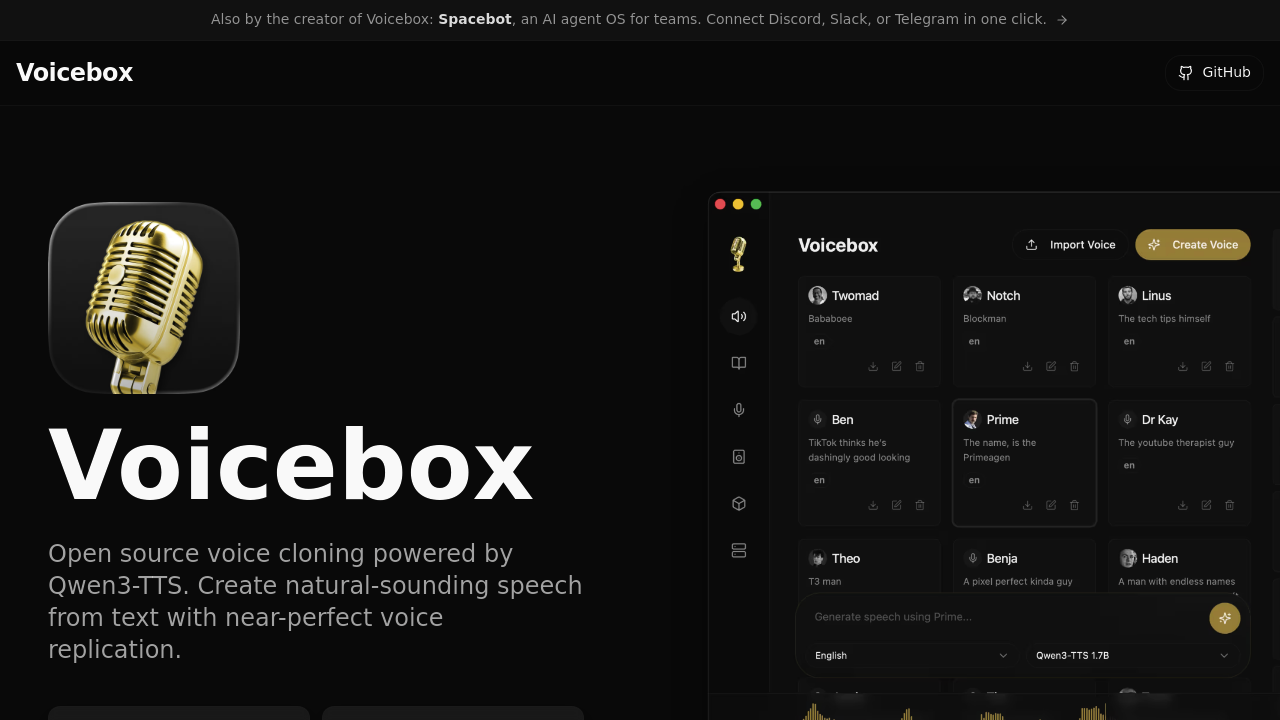
You can clone a voice and generate speech within minutes of downloading Voicebox. Everything runs on your machine—no cloud dependencies, no subscriptions locking your voice data away.
The interface looks more like a digital audio workstation than typical text-to-speech software. Timeline-based editing happens through the Stories Editor. You arrange multiple voice tracks there. Clips get trimmed like they would in professional audio software. Podcast creators and audiobook producers can mix conversations between different cloned voices on one timeline. Voicebox pulls reference text straight from your audio samples using Whisper transcription. Manual typing? Not necessary.
Voice cloning needs just seconds of audio. The multi-sample feature combines recordings to boost quality. Metal acceleration handles processing on Mac. CUDA takes over on Windows and Linux machines. Local processing feeling sluggish? Spin up a remote GPU server with one click.
The software is completely free and open source. It positions itself as the local alternative to cloud-based voice services. Small production teams benefit most—they get studio-grade voice synthesis without recurring costs or privacy concerns. The downside? You need decent hardware. Weak machines will struggle with it.
Voicebox uses Alibaba's Qwen3-TTS model for generation. No Python installation required. Everything stays on your system. You control it all.