VideoAny Lip Sync AI runs on credits. Free credits come through promotions and daily login bonuses. Pro upgrades unlock faster processing queues and higher resolutions — though specific pricing isn't disclosed.
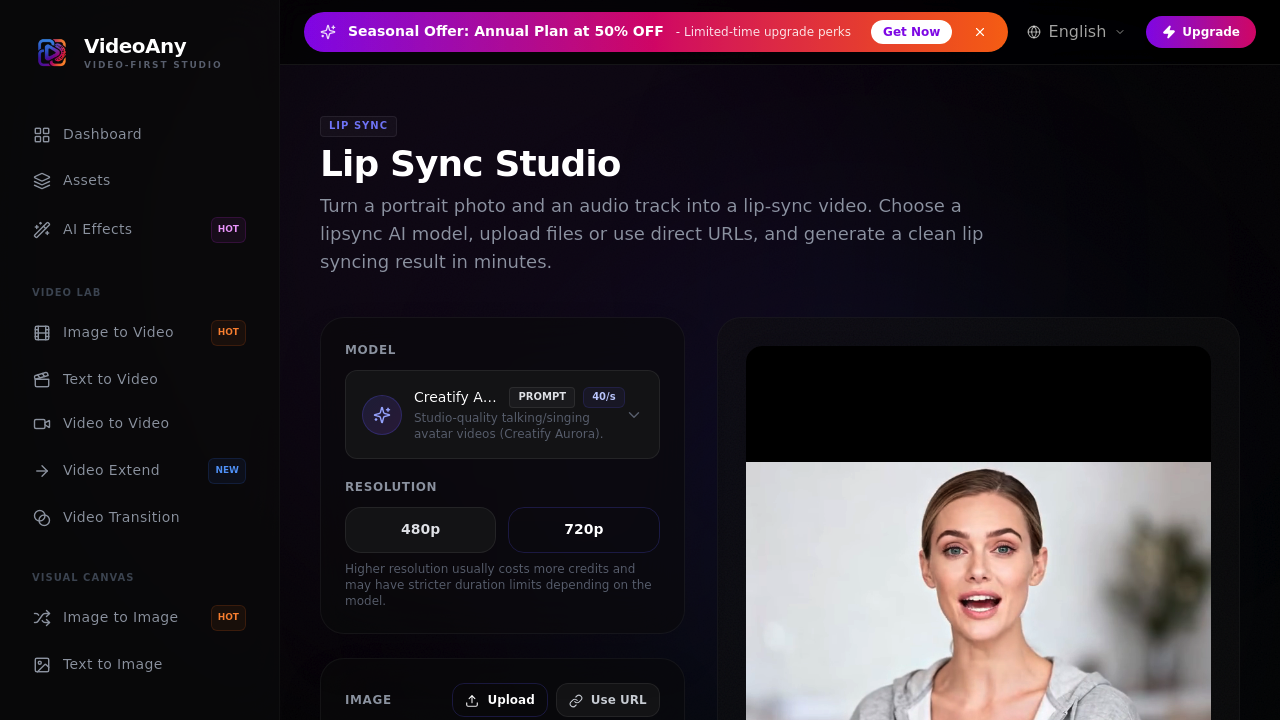
Upload a headshot and voice recording. VideoAny syncs mouth movements to audio tracks and transforms portrait photos into talking videos. Three different AI models bring static images to life. VEED Fabric 1.0 delivers clean results quickly without prompts. Creatify Aurora lets you guide framing and style through text descriptions. ByteDance OmniHuman v1.5 focuses on realistic lip movements and stronger synchronization.
A podcast host could upload their headshot with episode audio to create video content for YouTube without recording themselves on camera.
Resolution caps at 720p. Both file uploads and direct URLs work for images and audio. VideoAny accepts jpg, png, and webp images. It takes mp3, wav, and m4a audio files too. Credits drain based on audio duration. Higher resolutions eat through your balance faster.
Quality depends on clear audio and visible mouths in portraits. Some models ignore prompts entirely. This limits creative control. Creatify Aurora has a 40-second prompt limit that keeps descriptions brief.
Content creators building talking avatar videos get three distinct approaches depending on their needs. Model variety means you're not stuck with one style. Juggling different capabilities across models adds complexity to workflows though.