#10 in AI 3D Model Generator UGCraft AI logo
AI 3D Model Generator FREEMIUM from $12/mo

UGCraft AI

You describe what you want and UGCraft AI spits out a marketplace-ready Roblox accessory

No Blender required. This tool targets creators who want to sell UGC items but don't have 3D modeling skills (or even those who do and just want to work faster). Text or image prompts both work. The output is supposed…

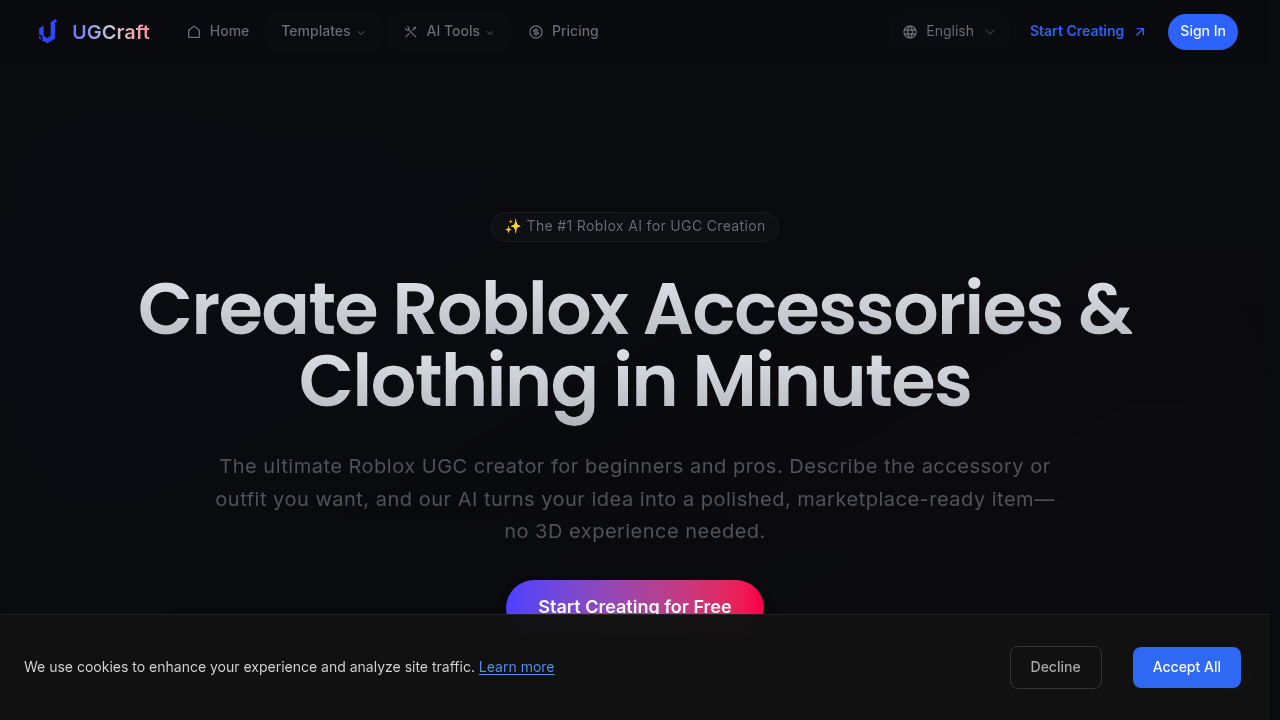
UGCraft AI screenshot

You describe what you want and UGCraft AI spits out a marketplace-ready Roblox accessory. No Blender required. This tool targets creators who want to sell UGC items but don't have 3D modeling skills (or even those who do and just want to work faster). Text or image prompts both work. The output is supposed to slot right into the Roblox marketplace.

Does it actually deliver? The text-to-3D generation handles accessories and clothing. You can pick from multiple design styles, though the free version limits you to basic ones. The AI editing tools let you tweak results without starting over. Pro users get PBR texture support, which matters if you're making premium items. UGCraft claims it's 100x faster than traditional workflows, but that's comparing AI generation to manual Blender modeling — not exactly an apples-to-apples situation.

Image-to-3D is interesting. Upload a sketch or reference photo and it attempts to build a 3D model from it. Quality varies based on your input image. The better your reference, the cleaner the output. You can also browse community designs and export up to 10 on the free plan. Paid users get unlimited exports and can keep creations private if they want.

What's missing? No mention of revision limits beyond the free AI edits per task. If the AI generates something off-target, you're burning credits to try again. The credit system itself feels restrictive. Free users get 20 credits total to start. That's it. Creator plan gives you 300 credits monthly, which converts to roughly 15 accessories. Pro gets 700 credits for 35 accessories. For serious sellers pushing out multiple items weekly, you'll hit those caps fast.

The free plan blocks commercial use and stamps watermarks on everything. Makes sense for a trial, but it's not viable if you're testing before launching a store. Queue priority matters more than it sounds like — if you're iterating on designs, waiting in standard queue adds up. Pro users jump the line.

No team features mentioned. If you're collaborating with other creators, you're probably juggling separate accounts. API access isn't listed either, so no automation or bulk generation workflows. UGCraft positions itself as beginner-friendly, which explains the lack of advanced developer tools.

Pricing is actually straightforward right now. Free plan for testing the concept. Creator at $12 monthly if you're dabbling or making side income. Pro at $24 monthly for more serious output. There's a New Year sale running 20% off through January 5th, though those prices are already reflected. Annual plans save another 20%. The Creator tier makes sense for hobbyists. Pro is the move if UGC is part of your actual income stream.

Who wins here? Beginners entering Roblox UGC without touching Blender. Artists who sketch concepts and want them translated to 3D fast. Established creators who need to pump out variations quickly. This service won't replace custom modeling for truly unique items, but it's solid for generating base models or accessories that follow popular trends.

The watermark and commercial restrictions on free make it evaluation-only. You need a paid plan to actually sell anything. Credit limits mean heavy users will want Pro. Light users might stretch Creator. It's built for volume, not one-off perfection.
UGCraft AI alternatives

See all →

Frequently asked

6 questions
Is UGCraft AI free to use for Roblox UGC creation?
There's a free plan with 20 starting credits, but it's locked to non-commercial use and adds watermarks to everything. You can test text-to-3D and image-to-3D generation, but can't actually sell what you make. The Creator plan runs $12 monthly and removes those restrictions while giving you 300 credits (enough for about 15 accessories monthly). Free works for learning the tool, but you need paid to run an actual UGC store.
How many Roblox accessories can you generate per month with UGCraft AI?
Depends on your plan and the credit cost per item. Creator plan gives 300 credits monthly, which UGCraft says translates to roughly 15 accessories. Pro bumps that to 700 credits for about 35 accessories. If you're pushing out multiple items weekly or iterating heavily on designs, those limits arrive faster than you'd think. The credit-to-accessory ratio suggests each generation burns around 20 credits, though complex items might cost more.
Can UGCraft AI replace learning Blender for Roblox UGC?
It handles the grunt work of turning prompts into marketplace-ready models, which skips the Blender learning curve entirely. Text or image inputs both generate 3D accessories without touching modeling software. That said, you're limited to what the AI interprets from your description. Custom or truly unique designs still need manual modeling. Think of it as great for volume and variations, less useful for one-of-a-kind artistic pieces that need precise control.
Does UGCraft AI work with images or just text prompts?
Both work. Text-to-3D lets you describe what you want in words. Image-to-3D takes sketches or reference photos and attempts to build a 3D model from them. Quality on image generation depends heavily on your input — cleaner references produce better outputs. You also get AI editing tools to tweak results after generation, though free and Creator users only get one free edit per task while Pro gets three.
What are the limits of UGCraft AI's free plan?
You get 20 credits total to start, no monthly refill. Everything you create carries a watermark and can't be used commercially, so you literally cannot sell it on Roblox. Design styles are limited to basics, and you can only export 10 community designs. Queue priority is standard, meaning you wait longer during generation. It's purely for testing whether the tool fits your workflow before committing to a paid plan.
Can you collaborate with other creators on UGCraft AI?
No team features are mentioned anywhere in the pricing or features. If you're working with partners or running a UGC studio, you're probably managing separate individual accounts. There's also no API access listed, which rules out automated workflows or bulk generation setups. The tool seems built for solo creators rather than collaborative teams or scaled operations.

Traffic

Estimated monthly website visits · last 9 months

103.5K visits/mo
Monthly visits
103.5K
↑ 2.3% MoM
Global rank
#323,233
US #163,202
Category rank
#10
AI 3D Model Generator
103.5K 78.9K 54.2K 29.6K 4.9K Dec 2025: 4.9K visits Dec 2025 Jan 2026: 14.1K visits Jan 2026 Feb 2026: 22.4K visits Feb 2026 Mar 2026: 39.2K visits Mar 2026 Apr 2026: 40.3K visits Apr 2026 May 2026: 43.5K visits May 2026 Jun 2026: 74.6K visits Jun 2026 Jul 2026: 101.2K visits Jul 2026 Aug 2026: 103.5K visits Aug 2026

Reviews (0)

Write review

No reviews yet. Be the first to share your experience.