
Turbo Transcription AI logo
AI Transcription FREEMIUM from $16/mo

Turbo Transcription AI

A podcast host records three hour-long interviews each week and used to spend eight hours manually transcribing them for show notes and social media clips

She uploads her audio files to Turbo Transcription AI, which converts them to text in minutes. She can grab quotes for Instagram, create blog posts from the content, and generate subtitles for video clips without…

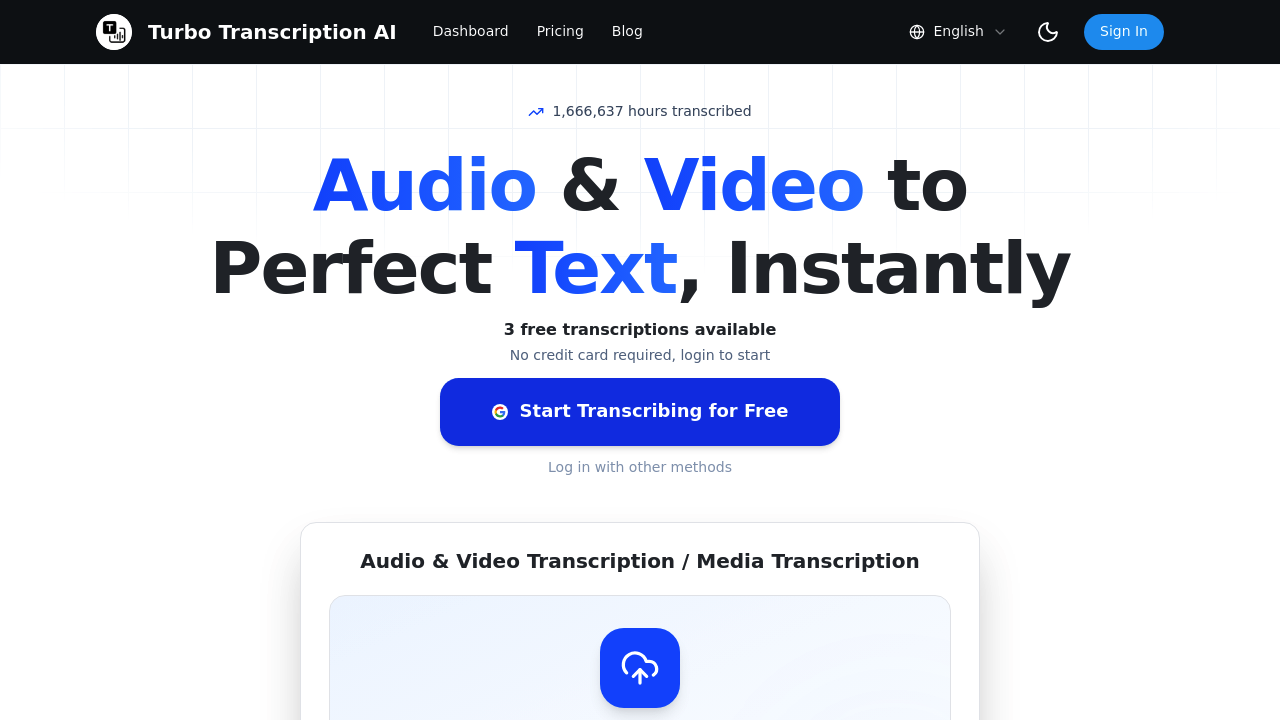
Turbo Transcription AI screenshot

A podcast host records three hour-long interviews each week and used to spend eight hours manually transcribing them for show notes and social media clips. She uploads her audio files to Turbo Transcription AI, which converts them to text in minutes. She can grab quotes for Instagram, create blog posts from the content, and generate subtitles for video clips without replaying recordings over and over. The service handles MP3, WAV, MP4, M4A, and MOV formats through drag-and-drop uploads.

A legal assistant in a small law firm transcribes client consultations and depositions. She records meetings directly through the microphone feature, and the service converts everything to text with claimed 99% accuracy. She exports to TXT for case files or PDF for client records. The translation feature supports 130+ languages, helpful when the firm occasionally handles cases involving non-English speakers. She processes multiple recordings at once through batch transcription rather than handling them one by one.

A freelance journalist covers international stories and needs to transcribe YouTube interviews posted by news outlets in different languages. He pastes YouTube links directly into the system instead of downloading videos first. The service supports 100+ languages on higher plans and provides AI summaries that give him quick overviews before he reads full transcripts. He exports to SRT format when he needs subtitles for video projects.

The daily file limits create friction for heavy users. The Basic plan allows one file per day with a two-hour maximum, which does not work if someone needs to transcribe a three-hour conference panel. The Pro plan bumps this to ten files daily with three-hour maximums, but a documentary producer working with dozens of interview recordings would hit that ceiling fast. The Ultimate plan offers fifty files daily and four-hour maximums, though that $100 monthly price point targets professional operations rather than individual creators.

The 40-language limit on the Basic plan feels restrictive since competitors often include full language libraries at entry-level pricing. Someone transcribing content in less common languages needs to pay for Pro or Ultimate. The service doesn't mention team features, shared workspaces, or collaboration tools. A production company with multiple editors can't easily share transcripts or assign tasks within the system.

No API access appears in the feature list, so developers can't build the transcription into their own applications. The absence of mobile apps means working from a phone requires browser access. Someone recording field interviews on their phone can't quickly transcribe on the device itself.

New users get three free transcriptions without entering payment information, enough to test accuracy and speed with real files. The Basic plan costs $16 monthly. Pro runs $20 monthly. Ultimate hits $100 monthly. The service claims over 1.6 million hours transcribed and 100,000+ users.

This works for content creators and professionals who regularly convert audio to text but don't need team collaboration or custom integrations. It doesn't fit agencies requiring API access, teams wanting shared workspaces, or anyone needing unlimited daily processing. The YouTube integration proves particularly valuable for journalists and researchers working with online video content, while the translation feature helps anyone dealing with multilingual recordings.


Turbo Transcription AI alternatives

See all →

Frequently asked

7 questions
Does Turbo Transcription AI have a free trial or free plan?
The service provides three free transcriptions without requiring a credit card, letting someone test accuracy and processing speed with actual files before paying. A podcast producer could upload three interview recordings to see if the claimed 99% accuracy holds up with their audio quality and speaking styles. After those three transcriptions run out, the cheapest option costs $16 monthly for the Basic plan, which allows one file daily with a two-hour maximum length. This isn't a renewable free tier, just a one-time test period before committing to paid plans.
Can you transcribe YouTube videos with Turbo Transcription AI?
A freelance journalist covering international news pastes YouTube links directly into the system instead of downloading videos to his computer first. The service pulls the audio from the video and converts it to text in minutes, supporting 100+ languages on Pro and Ultimate plans. He exports transcripts to SRT format when he needs subtitles for his own video projects, or grabs text snippets for article quotes. The YouTube integration works for any public video, saving the step of converting and uploading files manually.
How accurate is Turbo Transcription AI?
The service claims 99% accuracy, though real-world performance depends heavily on audio quality, accents, and background noise. A legal assistant transcribing client consultations in a quiet office sees cleaner results than someone processing a conference panel with multiple speakers and audience noise. The service has processed over 1.6 million hours for 100,000+ users, suggesting reasonable reliability across common use cases. Someone should test with their specific audio types during the three free transcriptions before assuming the accuracy claim matches their needs.
What are the file limits for Turbo Transcription AI plans?
The Basic plan restricts users to one file daily with a two-hour maximum per file, which doesn't work for a video producer needing to transcribe a three-hour interview. Pro bumps this to ten files daily with three-hour maximums, suitable for regular content work but limiting for documentary editors handling dozens of recordings. Ultimate offers fifty files daily and four-hour maximums at $100 monthly, targeting professional operations rather than individual creators. A researcher transcribing twenty focus group sessions in one week would need Ultimate or wait multiple days on lower tiers.
Can Turbo Transcription AI translate transcripts to other languages?
A healthcare professional transcribing patient consultations can convert the resulting text into any of 130+ languages through the translation feature available on Pro and Ultimate plans. The service first transcribes the audio in its original language, then translates that transcript rather than translating the audio directly. This helps medical offices serving diverse communities share written summaries with patients who speak different languages. The Basic plan lacks this feature entirely, requiring someone to upgrade to access translation capabilities.
Does Turbo Transcription AI work for teams or have collaboration features?
The service doesn't mention team workspaces, shared folders, or collaboration tools in its feature set. A production company with three editors can't assign transcripts to specific people, comment on sections, or manage projects collectively within the system. Each person would need their own account and subscription, then share files through email or external tools. The lack of API access also means development teams can't build transcription into their custom applications or workflows, limiting use to individual professionals working independently rather than collaborative operations.
What audio and video formats does Turbo Transcription AI support?
A podcast host uploads MP3 recordings, WAV files from her recording software, or MP4 video files through drag-and-drop into the system. The service also accepts M4A and MOV formats, covering most common audio and video types from smartphones, professional recorders, and editing software. She exports finished transcripts to TXT for blog posts, SRT for video subtitles, or PDF for client deliverables. Someone working with less common audio formats would need to convert files before uploading, adding an extra step to their workflow.

Traffic

Estimated monthly website visits · last 3 months

271 visits/mo
Monthly visits
271
↑ 99.3% MoM
Global rank
#2,051,118
Category rank
#64
AI Transcription
7.3K 5.5K 3.7K 1.9K 136 Feb 2026: 7.3K visits Feb 2026 Mar 2026: 136 visits Mar 2026 Apr 2026: 271 visits Apr 2026

Reviews (0)

Write review

No reviews yet. Be the first to share your experience.