AudioConvert AI logo
AI Transcription FREEMIUM from $4/mo

AudioConvert AI

AudioConvert AI processes audio and video files into text transcripts with 99% accuracy, handling over 30 formats including MP3, WAV, MP4, and MOV across 90+ languages

This service converts one hour of audio in under 30 seconds and automatically identifies different speakers through diarization, adds punctuation and paragraph breaks, and generates AI-powered summaries with action…

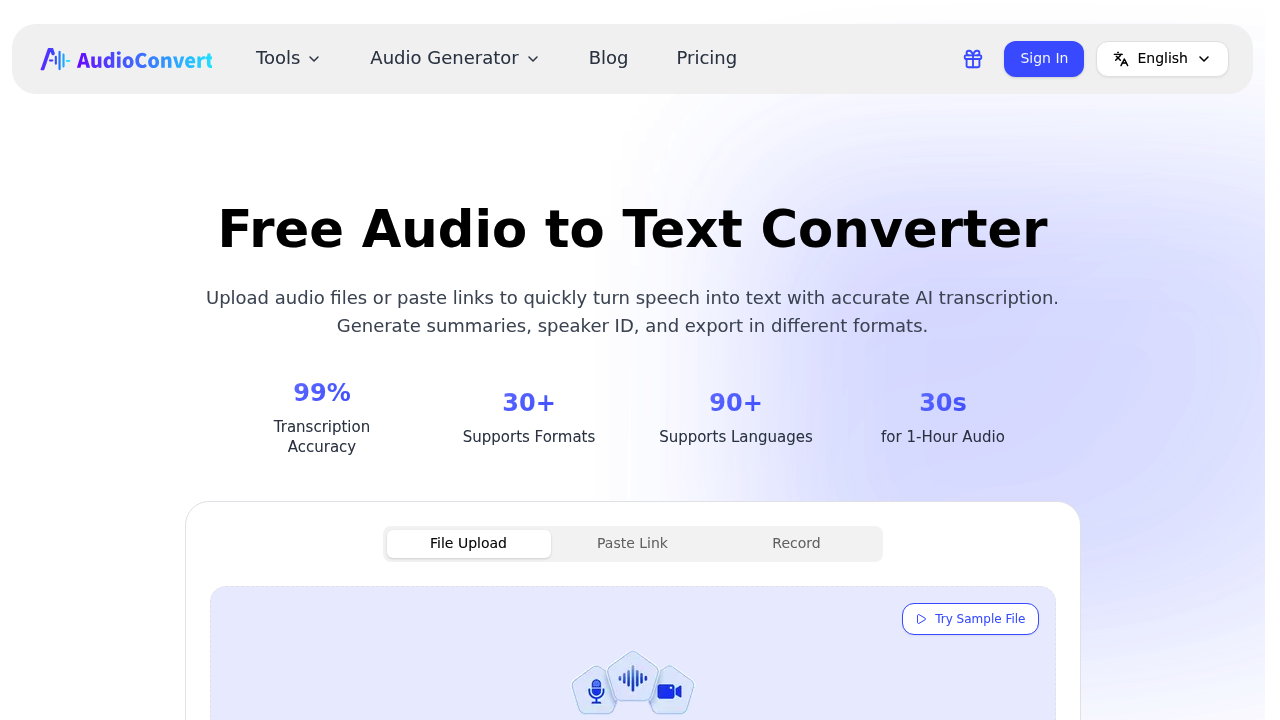
AudioConvert AI screenshot

AudioConvert AI processes audio and video files into text transcripts with 99% accuracy, handling over 30 formats including MP3, WAV, MP4, and MOV across 90+ languages. This service converts one hour of audio in under 30 seconds and automatically identifies different speakers through diarization, adds punctuation and paragraph breaks, and generates AI-powered summaries with action items. It produces time-synced subtitles with millisecond-precise timestamps and exports to Word, PDF, CSV, TXT, SRT, and VTT formats. Files up to 10 hours long and 5 GB are supported, with uploads accepted via direct file, URL, or recording. A free plan offers 30 minutes of daily transcription across three files, while paid plans start at $5 monthly for 200 minutes, $9 monthly for 1,000 minutes, and $29 monthly for 2,000 minutes. All files are encrypted and automatically deleted within 24 hours, with data never used for AI training.

AudioConvert AI serves content creators producing video subtitles for YouTube and social media, researchers transcribing interviews and focus groups, and global teams documenting multilingual meetings and panels. Journalists benefit from speaker identification during multi-person interviews, while podcasters use the summary features to generate show notes and episode descriptions. It accommodates professionals working with diverse accents through specialized localized models, making it practical for international organizations and remote teams coordinating across regions. Academic researchers handling long-form qualitative data and video editors needing subtitle files for Adobe Premiere Pro find the format flexibility particularly useful.

AudioConvert AI fits into daily workflows where audio needs rapid conversion to searchable text. Marketing teams transcribe webinars and customer calls to extract insights and quotes, while legal and medical professionals document consultations and depositions where speaker attribution matters. The interactive transcript editor allows users to correct errors and refine output before exporting to their preferred format. Video producers generate SRT and VTT subtitle files that import directly into editing software, while meeting organizers convert recorded sessions into shareable documents with automatically extracted action items. The 30-second processing time for hour-long files makes it practical for tight production schedules, and the no-signup option for basic use removes friction for one-off transcription needs.


AudioConvert AI alternatives

See all →

Frequently asked

6 questions
How does AudioConvert AI transcribe audio files?
AudioConvert AI converts audio and video files into text transcripts with 99% accuracy across 90+ languages. The service processes one hour of audio in under 30 seconds, automatically identifies different speakers, adds punctuation and paragraph breaks, and generates AI-powered summaries with action items. It supports 30+ formats including MP3, WAV, MP4, and MOV, and exports to Word, PDF, CSV, TXT, SRT, and VTT formats.
Who should use AudioConvert AI?
AudioConvert AI serves content creators producing video subtitles, researchers transcribing interviews and focus groups, and global teams documenting multilingual meetings. Journalists benefit from speaker identification during multi-person interviews, while podcasters use the summary features to generate show notes. The service handles diverse accents through specialized localized models, making it practical for international organizations and remote teams.
Can I use AudioConvert AI to create YouTube subtitles?
AudioConvert AI generates time-synced subtitles with millisecond-precise timestamps and exports them as SRT and VTT files that work directly with YouTube and Adobe Premiere Pro. Video producers can upload files via direct upload, URL, or recording, then export the subtitle files for immediate use in their editing workflow. The interactive transcript editor allows corrections before exporting to ensure subtitle accuracy.
Does AudioConvert AI have a free plan?
AudioConvert AI offers a free plan with 30 minutes of transcription per day across three files, each up to 30 minutes long. The free tier includes 98 languages, up to 99% accuracy, and exports to Word, CSV, PDF, TXT, SRT, and VTT formats without requiring a credit card. Paid plans start at $5 monthly for 200 minutes, $9 monthly for 1,000 minutes, and $29 monthly for 2,000 minutes.
What are the file size limits for AudioConvert AI?
AudioConvert AI supports files up to 10 hours long and 5 GB in size on paid plans. The free plan limits each file to 30 minutes and restricts users to three files per day with a 30-minute daily total. All uploaded files are encrypted and automatically deleted within 24 hours for security.
What formats does AudioConvert AI accept and export?
AudioConvert AI accepts 30+ audio and video formats including MP3, WAV, M4A, MP4, MOV, and AVI. Transcripts export to Word (DOCX), PDF, CSV, TXT, SRT, and VTT formats. Files can be uploaded directly, via URL link, or through recording, with processing taking under 30 seconds per hour of audio.

Traffic

Estimated monthly website visits · last 1 months

289.7K visits/mo
Monthly visits
289.7K
Category rank
#23
AI Transcription

Not enough historical data for a chart yet.

Reviews (0)

Write review

No reviews yet. Be the first to share your experience.