
UniScribe logo
AI Transcription FREEMIUM from $6/mo

UniScribe

A podcast producer records a two-hour interview with three guests and needs it transcribed by morning

She drops the MP3 into UniScribe, and the transcript appears in under two minutes with each speaker labeled separately. She exports it as a Word doc for her editor and generates a summary to pull quote highlights for…

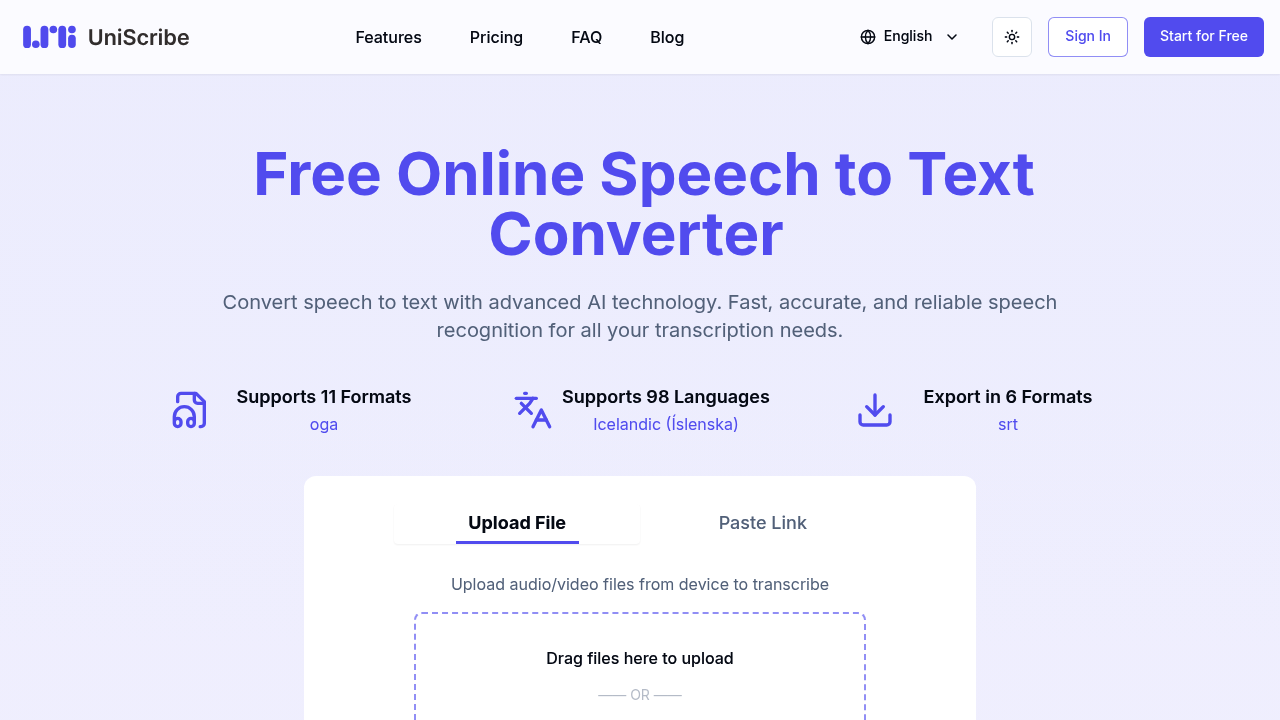
UniScribe screenshot

A podcast producer records a two-hour interview with three guests and needs it transcribed by morning. She drops the MP3 into UniScribe, and the transcript appears in under two minutes with each speaker labeled separately. She exports it as a Word doc for her editor and generates a summary to pull quote highlights for social media. The mind map feature gives her a visual breakdown of topics discussed, which she uses to plan episode timestamps.

UniScribe converts audio and video files into text across 98 languages. It handles 11 different file formats from MP3s to MOV files, processes a one-hour file in under a minute, and spits out transcripts in six formats including SRT for subtitles and VTT for web video. You can paste a YouTube link directly instead of downloading the video first.

A market researcher conducts 40 customer interviews per month in Spanish and English. She uploads all the recordings at once using bulk transcription, gets speaker-labeled transcripts for each, and uses the Q&A extraction to automatically pull out every question she asked with the corresponding answer. The API integration feeds transcripts directly into her analysis software. Without bulk upload and speaker ID, she'd be manually sorting through hours of mixed voices.

The automatic summary and mind map features work best for structured content like interviews, lectures, or presentations. A creative writing professor records his lectures and uses the mind map to see how he covered different literary concepts throughout the semester. But these features struggle with casual conversations or rambling podcast discussions where topics bounce around.

Free tier problems show up fast. You get 120 minutes monthly, but files can't exceed 30 minutes each and you're capped at three files daily. Upload one file at a time only. The basic transcription model works fine for clear audio but misses nuances in accented speech or noisy environments. Media files disappear after 30 days, so you can't revisit old transcripts. No summaries, mind maps, Q&A extraction, speaker identification, YouTube links, or API access on free.

A legal assistant transcribing depositions needs the Premium model's better accuracy and speaker identification, which only comes with paid plans. The Basic plan at $6 monthly includes 1200 minutes, premium transcription, all the analysis features, and no file retention limits. That's $0.005 per minute. Standard runs $12 for 3000 minutes at $0.004 per minute. Pro gives 6000 minutes for $18 at $0.003 per minute. All paid tiers let you upload 50 files simultaneously with a 10-hour, 5GB cap per file. Annual plans cut costs by 40%.

A freelance video editor who transcribes maybe five short client videos monthly won't hit the free plan's limits. A content agency burning through hundreds of interview hours needs Pro or will rack up overage charges.

UniScribe doesn't integrate with project management software or cloud storage. No mobile app means you can't start transcriptions on the go. A journalist recording interviews in the field has to wait until she's back at her laptop. The shareable transcript links help collaboration, but there's no real-time editing or team workspace features.

UniScribe works if you need fast, multilingual transcription with automated content analysis. It doesn't work if you need tight integration with existing workflows or collaborative transcript editing. The free plan tests the waters. The paid tiers make sense once you're transcribing more than two hours weekly.


UniScribe alternatives

See all →

Frequently asked

7 questions
Does UniScribe work with YouTube videos?
A social media manager repurposing YouTube content pastes video links directly into UniScribe instead of downloading files first. The transcript appears with timestamps, which she exports as SRT files for adding captions to her own video edits. This only works on paid plans—the free tier blocks YouTube transcription entirely. She also uses the automatic summary feature to create video descriptions and pull quotes for promotional posts.
How accurate is UniScribe with multiple speakers?
A research interviewer recording focus groups with five participants gets each person's dialogue labeled separately on paid plans, which use the premium transcription model and speaker identification. The free plan lumps all voices into one undifferentiated block of text using the basic model, forcing her to manually figure out who said what. Accuracy holds up with clear audio and distinct voices but gets messy when people talk over each other or the recording quality drops. She found the Q&A extraction feature pulls her questions and responses into a separate document, saving hours of manual coding.
What are UniScribe's limits on the free plan?
A grad student transcribing thesis interviews hits three walls immediately: 120 minutes total per month, 30 minutes maximum per file, and only three files per day. She can upload just one file at a time, so batch processing five interviews means waiting. Her audio files sit in UniScribe's system for 30 days before deletion, which caught her off guard when she needed to re-export an old transcript. The basic transcription model misses technical terminology her premium-plan classmate's transcripts catch accurately. No speaker labels, summaries, mind maps, or API access means she's doing all analysis work manually.
How much does UniScribe cost per hour of transcription?
A documentary filmmaker transcribing 50 hours of footage monthly pays $18 for the Pro plan, which includes 6000 minutes at $0.003 per minute—that's 18 cents per hour. The Standard plan costs $12 for 3000 minutes, working out to 24 cents per hour. Basic runs $6 for 1200 minutes, which is 30 cents per hour. Annual subscriptions knock 40% off these prices. She needs Pro because she regularly uploads entire day-long shoots at once, using the 50-file bulk upload and 10-hour file limit. The free plan's 30-minute file cap would force her to chop footage into unusable segments.
Can UniScribe transcribe languages other than English?
A translation agency handling client calls in French, German, Mandarin, and Arabic transcribes all of them through UniScribe's 98-language support. An account manager uploads a two-hour German business meeting and gets a transcript in under two minutes, then exports it as a Word doc for the translator. The mind map feature visualizes discussion topics across languages, though it works better with structured presentations than wandering conversations. She's found accuracy varies—clear Parisian French transcribes nearly perfectly while regional dialects and heavy accents introduce more errors that translators need to clean up.
Does UniScribe have a mobile app?
A journalist recording interviews on her phone can't transcribe them until she's back at her computer because UniScribe lacks a mobile app. She records a city council meeting on her iPhone, emails the file to herself, then uploads it through the web browser at her desk an hour later. This delay kills her workflow when she needs quick quotes for breaking news. The drag-and-drop upload works smoothly on desktop, and shareable transcript links let her send results to editors from her phone, but she can't start the actual transcription process while mobile.
What's the difference between UniScribe's basic and premium transcription models?
A medical transcriptionist comparing the free plan's basic model against a paid plan's premium model sees the difference immediately with technical vocabulary. The premium model on her $6 Basic plan correctly captures pharmaceutical names and medical procedures her doctor clients dictate, while the basic model mangles them into nonsense words requiring heavy editing. Speaker identification only activates with the premium model, so her multi-physician consultation recordings get properly attributed. The premium model also handles her doctor's Indian accent more accurately. Free users stuck with the basic model save money upfront but spend significantly more time correcting errors in specialized content.

Traffic

Estimated monthly website visits · last 9 months

1.3M visits/mo
Monthly visits
1.3M
↑ 13.4% MoM
Global rank
#41,632
NG #1,184
Category rank
#13
AI Transcription
1.7M 1.5M 1.4M 1.2M 1M Dec 2025: 1M visits Dec 2025 Jan 2026: 1.3M visits Jan 2026 Feb 2026: 1.2M visits Feb 2026 Mar 2026: 1.7M visits Mar 2026 Apr 2026: 1.5M visits Apr 2026 May 2026: 1.4M visits May 2026 Jun 2026: 1.2M visits Jun 2026 Jul 2026: 1.1M visits Jul 2026 Aug 2026: 1.3M visits Aug 2026

Reviews (0)

Write review

No reviews yet. Be the first to share your experience.