
Transcribe to Text logo
AI Transcription FREEMIUM from $15/mo

Transcribe to Text

Transcribe to Text is an AI-powered audio to text converter tool aimed at providing fast and accurat

Drop an audio file and wait. That's it. Transcribe to Text handles 15+ formats. MP3. WAV. FLAC. No technical setup required. Processing speed hits different than most transcription tools. A one-hour audio file converts…

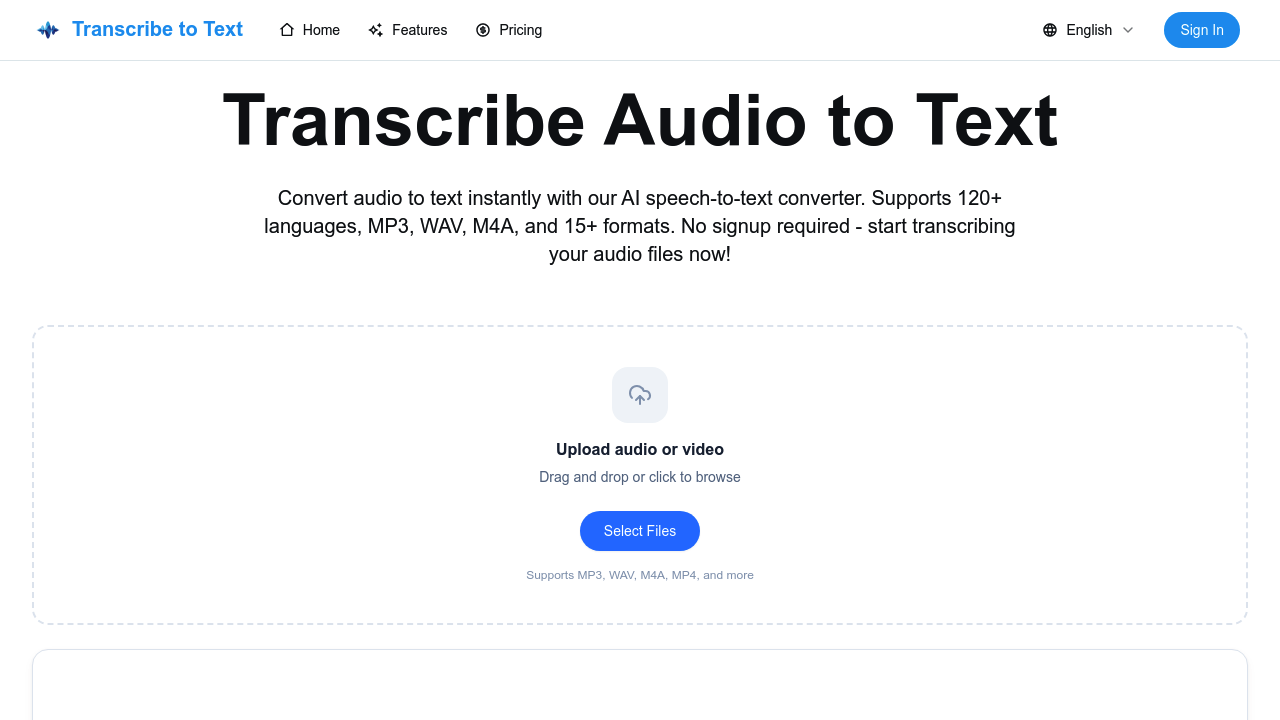
Transcribe to Text screenshot

Drop an audio file and wait. That's it. Transcribe to Text handles 15+ formats. MP3. WAV. FLAC. No technical setup required.

Processing speed hits different than most transcription tools. A one-hour audio file converts in 2-5 minutes — beats typing everything yourself. Speaker identification comes with the Pro plan, along with word-level timestamps that developers can use for syncing subtitles or building interactive media players.

Language support covers 120+ options with automatic detection. Useful for podcast producers working with international guests who might switch languages mid-conversation. Export formats include TXT, SRT, and VTT files.

Free users hit a wall at 80% of their transcribed content. You'll need Pro to access everything, plus unlimited transcriptions and priority processing. Files can't exceed 5GB or 10 hours duration.

Audio quality affects accuracy more than you'd expect. Background noise and heavy accents will trip up the AI, same as any speech-to-text system. Transcribe to Text automatically deletes your files after transcription for privacy — removes one security concern but means you can't re-download later.

No signup barrier exists for testing it out.

Maximum file size reaches 5GB, so most audio projects fit within limits. The 4.8 rating from 1000 reviews suggests it delivers on basic transcription needs without the complexity of enterprise solutions.


Transcribe to Text alternatives

See all →

Frequently asked

7 questions
Why can I only see 80% of my transcription for free?
Free users get a preview -- but that's it. You can't see the full text without upgrading to Pro. This way you can check if the accuracy's good before paying for everything.
How accurate is Transcribe to Text with accented speech or background noise?
Here's the deal: messy audio = messy results. Heavy accents and background noise will trip up the AI (same as any other tool). Clean recordings with clear voices work best. Got background chatter or a crappy mic? Expect some mistakes.
Can I get my audio files back after Transcribe to Text processes them?
Nope -- they're gone for good. The platform wipes your files automatically after transcription (privacy thing). Keep your own backups if you need the originals later.
What's the difference between TXT, SRT, and VTT export formats?
TXT is just plain text -- no timestamps. Perfect for blog posts. SRT and VTT both include timing info for subtitles, but SRT works with most video players while VTT's more for web stuff. Pro users get word-level timestamps too (handy for developers).
Does Transcribe to Text work if speakers switch languages during recording?
Yeah, it handles language switching automatically. Supports 120+ languages and works great for international interviews or multilingual meetings. The AI figures out the language changes on its own.
How long does it take to process a typical podcast episode?
Way faster than real-time. A one-hour file usually takes 2-5 minutes to process. Pro users get priority processing -- even faster during peak times. Compare that to manual transcription (4-6 hours for the same content).
What's the maximum file size I can upload to Transcribe to Text?
5GB max, or 10 hours duration -- whichever comes first. That covers most projects including long podcasts. Works with 15+ formats like MP3, WAV, FLAC. You won't hit these limits unless you're uploading days of audio or massive uncompressed files.

Traffic

Estimated monthly website visits · last 9 months

285 visits/mo
Monthly visits
285
↓ 75.5% MoM
Global rank
#14,822,394
Category rank
#63
AI Transcription
1.5K 1.1K 738 369 0 Nov 2025: 0 visits Nov 2025 Dec 2025: 0 visits Dec 2025 Jan 2026: 24 visits Jan 2026 Feb 2026: 0 visits Feb 2026 Mar 2026: 0 visits Mar 2026 Apr 2026: 717 visits Apr 2026 May 2026: 1.5K visits May 2026 Jun 2026: 1.2K visits Jun 2026 Jul 2026: 285 visits Jul 2026

Reviews (0)

Write review

No reviews yet. Be the first to share your experience.