TranscribeToText.AI logo

TranscribeToText.AI

You land on the homepage and immediately see upload options scattered across different use cases

31 views
TranscribeToText.AI screenshot

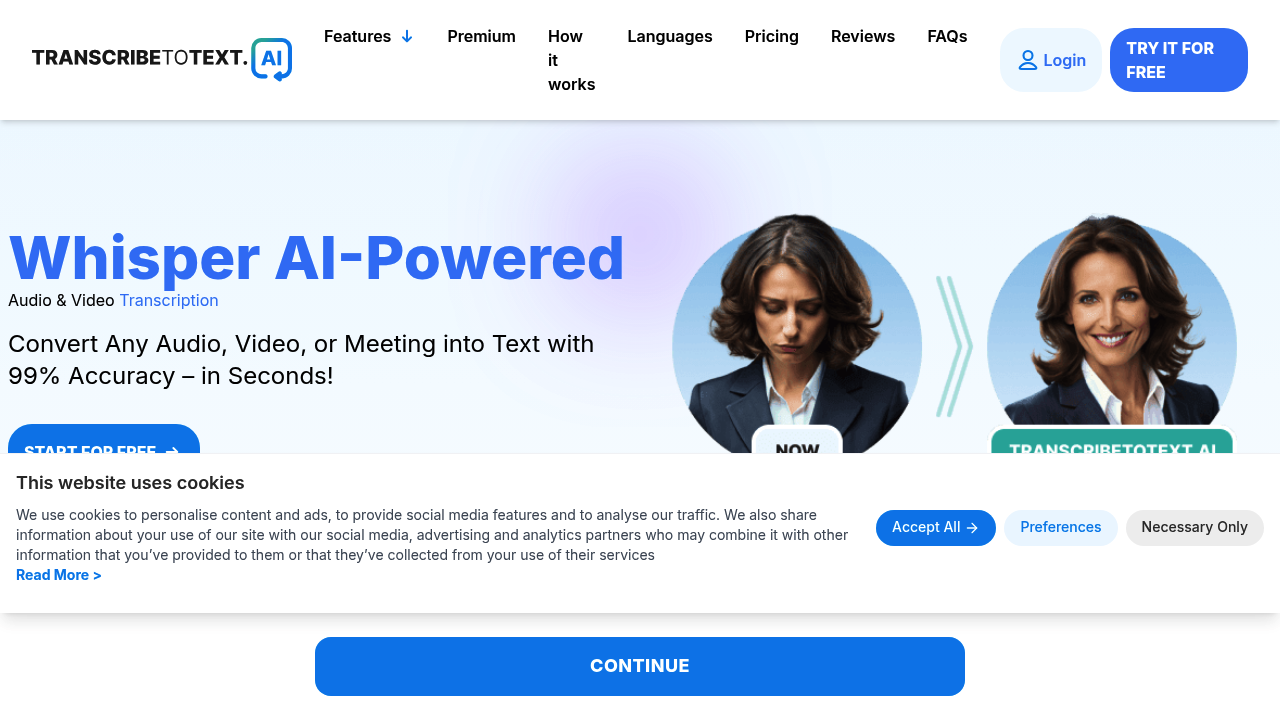
You land on the homepage and immediately see upload options scattered across different use cases. There's a drag-and-drop zone for audio and video files, but you can also paste a YouTube URL, connect your Google Drive or Dropbox, or join a live meeting through Google Meet, Zoom, or Microsoft Teams. The interface doesn't force you down one path, which feels freeing until you realize you're choosing between eight different entry points.

Upload an audio file and the system accepts anything up to ten hours long or 5GB in size. That's generous compared to most transcription tools that cap you at an hour or two. The processing starts immediately. No progress bar, just a spinning indicator that doesn't tell you how much longer you'll wait. For a twenty-minute podcast interview, transcription takes about three minutes. Longer files stretch that wait considerably.

The transcript appears in a basic text editor. Accuracy sits around 99% according to the service, powered by Whisper AI technology. In practice, that means most words land correctly but you'll still catch errors with technical terms, uncommon names, or heavy accents. The editor doesn't offer inline editing tools or speaker identification features. You're looking at raw text.

Export options include DOCX, PDF, TXT, and subtitle formats like SRT and VTT. The subtitle export works well for YouTube creators who need timed captions. Download happens instantly, no rendering delay.

The real breadth shows in language support. You can transcribe content in 117 languages and dialects, from mainstream options like Spanish and Mandarin to less common choices. This matters for international teams or content creators working across markets.

Meeting transcription integration proves to be the most practical feature. Connect your Zoom or Teams account and the service joins meetings to record and transcribe automatically. No need to manually upload files after every call. But setup requires granting calendar access and meeting permissions, which some users avoid for security reasons.

The service emphasizes end-to-end encryption and privacy guarantees. Your files supposedly delete after processing. There's also a satisfaction guarantee offering refunds if you're unhappy with transcript quality, though the exact refund process isn't detailed upfront.

The service handles unlimited transcriptions once you're in, and you can upload multiple files simultaneously. Useful for batch processing interviews or lecture recordings. The workflow feels designed for volume users rather than occasional transcribers. Over 55,000 people apparently use the service, suggesting it handles scale reasonably well.


Frequently asked

7 questions
How accurate is TranscribeToText.AI?
The service claims 99% accuracy using Whisper AI technology. Most words come through correctly, but you'll still spot errors with technical terminology, uncommon names, or speakers with heavy accents. A twenty-minute podcast takes about three minutes to process, and you get raw text without speaker labels or timestamps in the main editor. The accuracy holds up well for standard speech, but plan on manual cleanup for specialized content.
Does TranscribeToText.AI have a free plan?
The service operates on a freemium model, but specific free tier limits aren't detailed upfront. You can upload files up to 10 hours long or 5GB each, and the service supports unlimited transcriptions once you're subscribed. There's a satisfaction guarantee offering refunds if transcript quality doesn't meet expectations, though the exact refund process isn't spelled out clearly.
Can I transcribe Zoom meetings automatically with TranscribeToText.AI?
You connect your Zoom, Google Meet, or Microsoft Teams account and the service joins meetings to record and transcribe without manual file uploads. Setup requires granting calendar access and meeting permissions, which raises privacy concerns for some users. The integration works smoothly once configured, handling meeting transcription in the background while you focus on the conversation.
What languages does TranscribeToText.AI support?
The service handles 117 languages and dialects, covering everything from mainstream options like Spanish and Mandarin to less common regional variants. You upload your file, select the language, and processing happens the same way regardless of which one you choose. This breadth matters for international teams or creators working across multiple markets.
How do I transcribe a YouTube video with TranscribeToText.AI?
You paste the YouTube URL directly into the interface instead of downloading and uploading the video file. The service pulls the audio, processes it through Whisper AI, and delivers the transcript in your chosen format. Export as DOCX, PDF, TXT, or subtitle files like SRT and VTT if you need timed captions for your own videos.
Does TranscribeToText.AI have speaker identification?
The transcript comes out as raw text without automatic speaker labels or timestamps in the main editor. You're looking at one continuous block of text that you'll need to manually separate into speakers if that matters for your workflow. The subtitle export formats include timestamps, but the basic transcript editing experience lacks the inline tools found in more polished transcription platforms.
Can I upload multiple files at once to TranscribeToText.AI?
The service supports batch uploading, letting you drop multiple audio or video files simultaneously. Each file can run up to 10 hours or 5GB, making it practical for processing entire interview series or lecture recordings in one session. The workflow feels built for volume users who regularly transcribe dozens of files rather than occasional one-off transcriptions.

Traffic

Estimated monthly website visits · last 3 months

142.5K visits/mo
Monthly visits
142.5K
↓ 10.7% MoM
Global rank
#212,499
US #67,497
Category rank
#56
Voice & Speech
159.6K 144.2K 128.8K 113.5K 98.1K Dec 2025: 98.1K visits Dec 2025 Jan 2026: 159.6K visits Jan 2026 Feb 2026: 142.5K visits Feb 2026

Data from SimilarWeb · Updated monthly.

Reviews (0)

Write review

No reviews yet. Be the first to share your experience.

Similar tools

See all →