Tool.Video logo
AI Video Editor FREEMIUM from $4/mo

Tool.Video

Every AI video tool in one toolkit

There's a 40% discount running with code TOOLVIDEOSP40 if you're looking to test this. Tool.Video bundles multiple AI engines into one platform for video creation. You get Sora 2 for text-to-video generation. Nano…

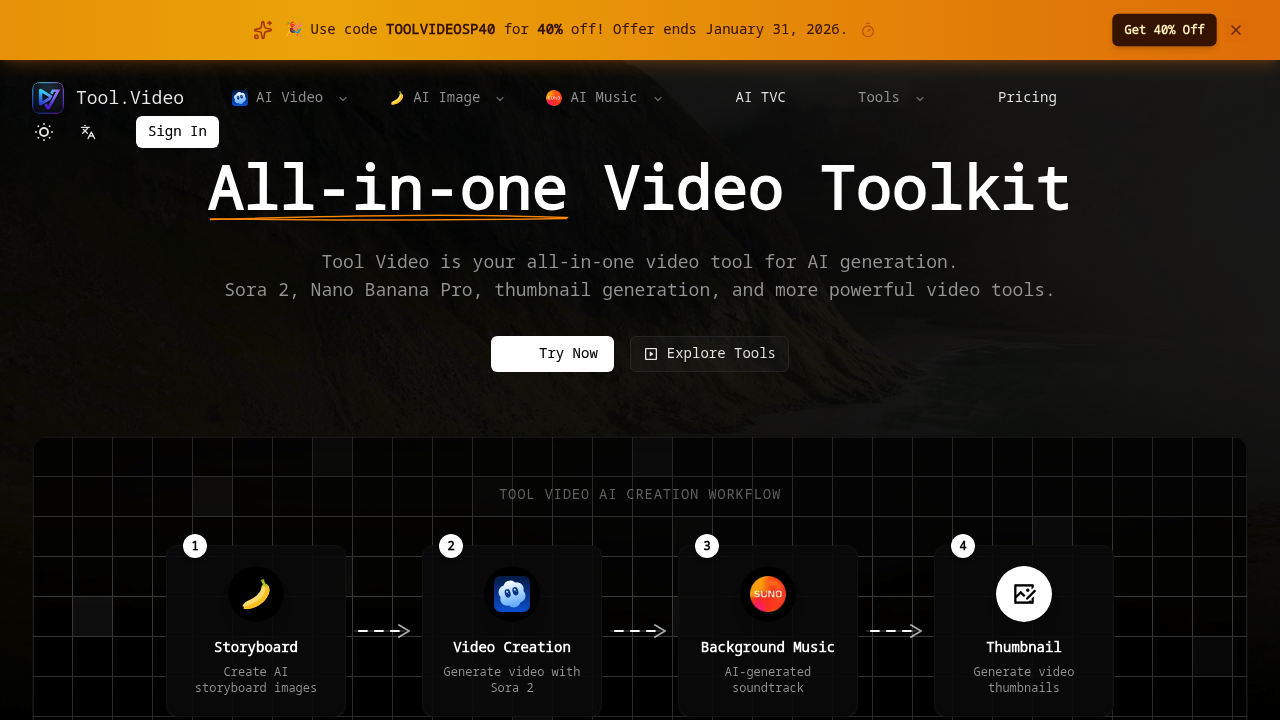
Tool.Video screenshot

There's a 40% discount running with code TOOLVIDEOSP40 if you're looking to test this. Tool.Video bundles multiple AI engines into one platform for video creation.

You get Sora 2 for text-to-video generation. Nano Banana Pro for images. Suno 5 for music production. The workflow connects these pieces through four steps: storyboard creation, video generation, background music, and thumbnail creation. Social media managers launching product campaigns could generate a complete video package in minutes — no need to coordinate with separate designers and composers.

Tool.Video handles both basic edits and AI generation. You can trim videos, add watermarks, or remove them from AI-generated content. The TV commercial generator targets business users who need professional-looking ads without production teams.

HD export comes standard.

Multiple AI engines mean you're not locked into one company's limitations. The unified approach speeds up workflows that normally require switching between tools. You won't find deep customization options that specialized software offers, but Tool.Video gets content done fast. The Sora 2 integration puts newer AI capabilities in reach without technical setup.

The 4-step workflow keeps projects organized. Content creators who juggle tight deadlines will appreciate having video, audio, and thumbnail generation connected. No jumping between platforms to piece together multimedia projects.

Tool.Video alternatives

See all →

Frequently asked

7 questions
How does Tool.Video's 4-step workflow actually work?
You'll start by creating a storyboard -- that's your planning phase. Then Sora 2 generates your actual video content. After that, Suno 5 handles the background music. Finally, Nano Banana Pro creates your thumbnails. The cool part? Everything connects automatically, so you won't be stuck exporting and importing files between different platforms.
Can I use my own music instead of Suno 5 for background audio?
The platform's really focused on that integrated AI workflow with Suno 5. You can do basic stuff like trimming videos, but Tool.Video's main strength is those connected AI engines -- not manual uploads. If you want custom music, you'd probably need to handle that outside the platform.
What video quality does Tool.Video export and are there size limits?
HD export comes standard with everything you generate. They don't spell out exact resolution numbers or file size limits in their main features though. Since it's using Sora 2 for video generation, you're working within whatever quality limits that engine currently supports.
Is Tool.Video better than using Sora directly for video creation?
Tool.Video gives you Sora 2 access without the technical setup headaches -- plus it bundles music and thumbnail creation together. Going direct might work if you only need text-to-video. But for complete video packages with audio and thumbnails? Tool.Video saves you from juggling multiple separate tools.
Does the TOOLVIDEOSP40 discount code work for all plans?
There's a 40% discount available with code TOOLVIDEOSP40. They don't specify which plans it works for or how long it lasts. You'll need to test it at checkout to see the exact savings on whatever plan you pick.
What can't Tool.Video do compared to specialized video editing software?
You won't find those deep customization options that dedicated editing software offers. Tool.Video's all about speed and AI generation -- not manual control. It's built for getting content done fast, not frame-by-frame editing or complex visual effects work.
How long does it typically take to generate a complete video package with Tool.Video?
The platform claims social media managers can generate complete video packages in minutes. Real time depends on your video length and complexity, plus processing time for each AI engine. That 4-step workflow's designed to be way faster than traditional production methods though.

Traffic

Estimated monthly website visits · last 9 months

2.5K visits/mo
Monthly visits
2.5K
↓ 19.4% MoM
Global rank
#6,631,018
IN #854,796
Category rank
#34
AI Video Editor
3.1K 2.4K 1.6K 785 0 Nov 2025: 0 visits Nov 2025 Dec 2025: 0 visits Dec 2025 Jan 2026: 0 visits Jan 2026 Feb 2026: 265 visits Feb 2026 Mar 2026: 898 visits Mar 2026 May 2026: 145 visits May 2026 Jun 2026: 1.2K visits Jun 2026 Jul 2026: 3.1K visits Jul 2026 Aug 2026: 2.5K visits Aug 2026

Reviews (0)

Write review

No reviews yet. Be the first to share your experience.