
Stepper logo
AI Workflow FREEMIUM from $19/mo

Stepper

Building automated workflows traditionally requires either coding skills or wrestling with complex visual builders

Stepper takes a different approach by letting users describe what they want in plain language, then generating the workflow automatically. This tool combines a conversational AI editor with a visual interface for manual…

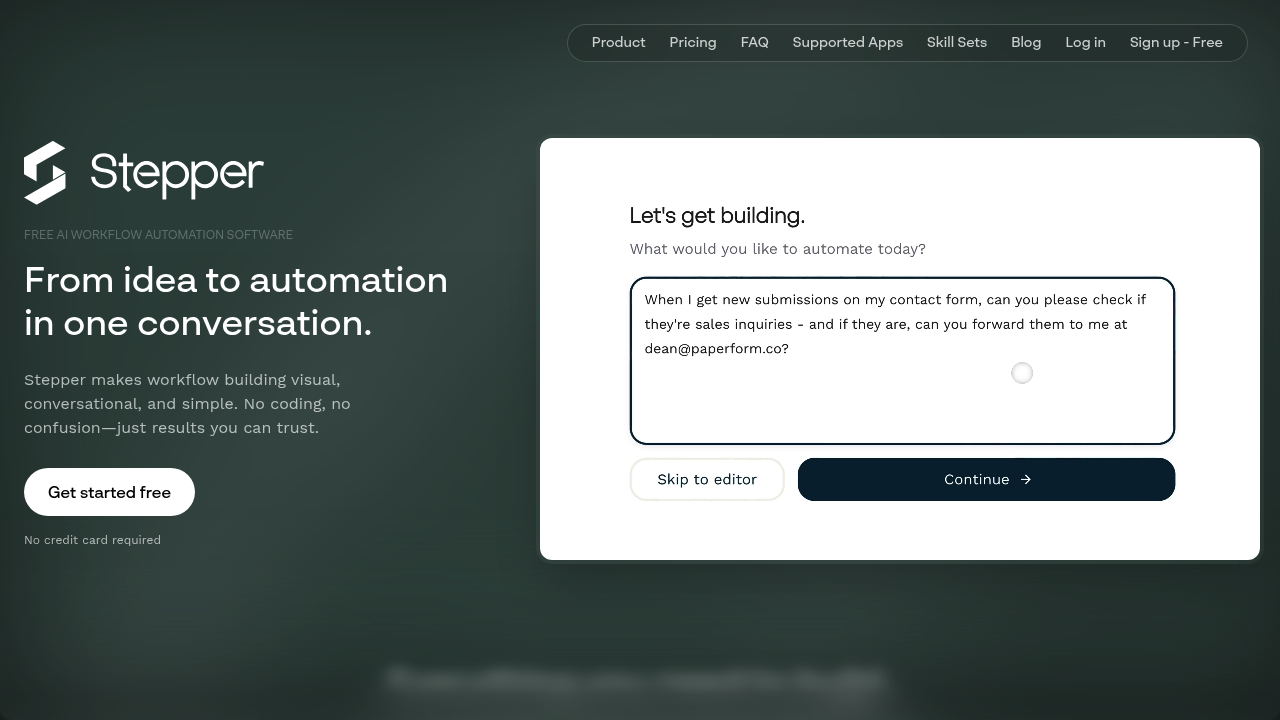
Stepper screenshot

Building automated workflows traditionally requires either coding skills or wrestling with complex visual builders. Stepper takes a different approach by letting users describe what they want in plain language, then generating the workflow automatically. This tool combines a conversational AI editor with a visual interface for manual tweaking, allowing teams to create automation through natural language commands or drag-and-drop components. It connects to 227 applications including Gmail, Airtable, Slack, Asana, and ClickUp. The free plan includes unlimited workflows and 200 steps per month with 5,000 credits, while the $19 monthly Pro plan removes step limits and adds 15,000 credits. Users can bring their own API keys for AI services and email to cut costs further, and purchased credits never expire.

Stepper fits operations teams, sales coordinators, customer success managers, and small business owners who need to automate repetitive tasks but lack technical resources. It works for marketing teams handling content distribution and lead qualification, finance departments processing receipts and managing approvals, and support teams routing tickets and tracking responses. This solution suits companies looking for a more affordable alternative to traditional automation tools, particularly those running high-volume workflows where per-step pricing becomes expensive. Both technical and non-technical users can build workflows, though the conversational editor makes it especially accessible for those uncomfortable with traditional automation builders.

Stepper handles common business scenarios like qualifying inbound leads through AI analysis, automatically processing and categorizing expense receipts, sending notifications when tracked data changes, routing approval requests based on amount or type, and distributing meeting summaries to participants. Sales teams use it for pipeline automation and CRM updates, while customer success teams automate onboarding sequences and survey response analysis. HR departments build workflows for webinar registrations and employee onboarding, and legal teams manage contract reviews and signature routing. The modular component library means authentication flows, data lookups, and transformation logic can be built once and reused across multiple workflows, reducing setup time for similar processes.

Stepper alternatives

See all →

Frequently asked

6 questions
How does Stepper automate workflows?
Stepper lets you build automated workflows by describing what you want in plain language, and its AI generates the automation for you. You can also use the visual editor to manually build or tweak workflows with drag-and-drop components. The platform connects 227 apps like Gmail, Slack, Airtable, and Asana, allowing you to chain actions across different tools without writing code.
Who should use Stepper?
Operations teams, sales coordinators, customer success managers, and small business owners benefit most from Stepper, especially those who need automation but lack technical resources. Marketing teams handling lead qualification, finance departments processing receipts, and support teams routing tickets all find practical uses. Both technical and non-technical users can build workflows, though the conversational editor makes it particularly accessible for people uncomfortable with traditional automation tools.
Can Stepper automatically process expense receipts?
Stepper can automate receipt processing by extracting data from uploaded receipts, categorizing expenses, and routing them for approval based on amount or department. The workflow can connect to your accounting software, email system, and approval tools to handle the entire process. You build this using either natural language commands or the visual editor with reusable components for authentication and data transformation.
Does Stepper have a free plan?
The free plan includes unlimited workflows, 200 steps per month, and 5,000 credits at no cost. The Pro plan costs $19 monthly and removes step limits while adding 15,000 credits, with additional credits available at $1 per 1,000. Credits you purchase never expire, and you can bring your own API keys for AI services and email to reduce costs further.
What are Stepper's limitations?
The free plan caps usage at 200 steps per month, and workflows pause automatically if you run out of credits. Team collaboration features aren't available yet, with the Team plan marked as coming soon. Pro plan unlimited steps are subject to a fair use policy, though specific thresholds aren't disclosed.
What apps does Stepper integrate with?
Stepper connects to 227 applications including Gmail, Airtable, Slack, Discord, Asana, ClickUp, Dropbox, HubSpot, Notion, and Trello. The platform also integrates with AI services like Anthropic, Cohere, and DeepSeek, communication tools like Twilio and Customer.io, and document platforms like DocuSign and Google Drive. You can start building workflows immediately after signing up using the conversational AI editor or visual builder.

Traffic

Estimated monthly website visits · last 6 months

49.9K visits/mo
Monthly visits
49.9K
↑ 34.2% MoM
Global rank
#677,321
US #898,946
Category rank
#17
AI Workflow
49.9K 39.5K 29K 18.5K 8.1K Feb 2026: 8.1K visits Feb 2026 Mar 2026: 15.4K visits Mar 2026 Apr 2026: 20.2K visits Apr 2026 May 2026: 27K visits May 2026 Jun 2026: 37.2K visits Jun 2026 Jul 2026: 49.9K visits Jul 2026

Reviews (0)

Write review

No reviews yet. Be the first to share your experience.