
Stacks logo

Stacks

Stacks is a personal AI workspace that gathers what you find online into one searchable place.

A browser extension saves pages, links, notes and files, and Stacks records the intent behind each save so later searches match what you meant rather than just a keyword. It aims to replace a mix of Google Drive,…

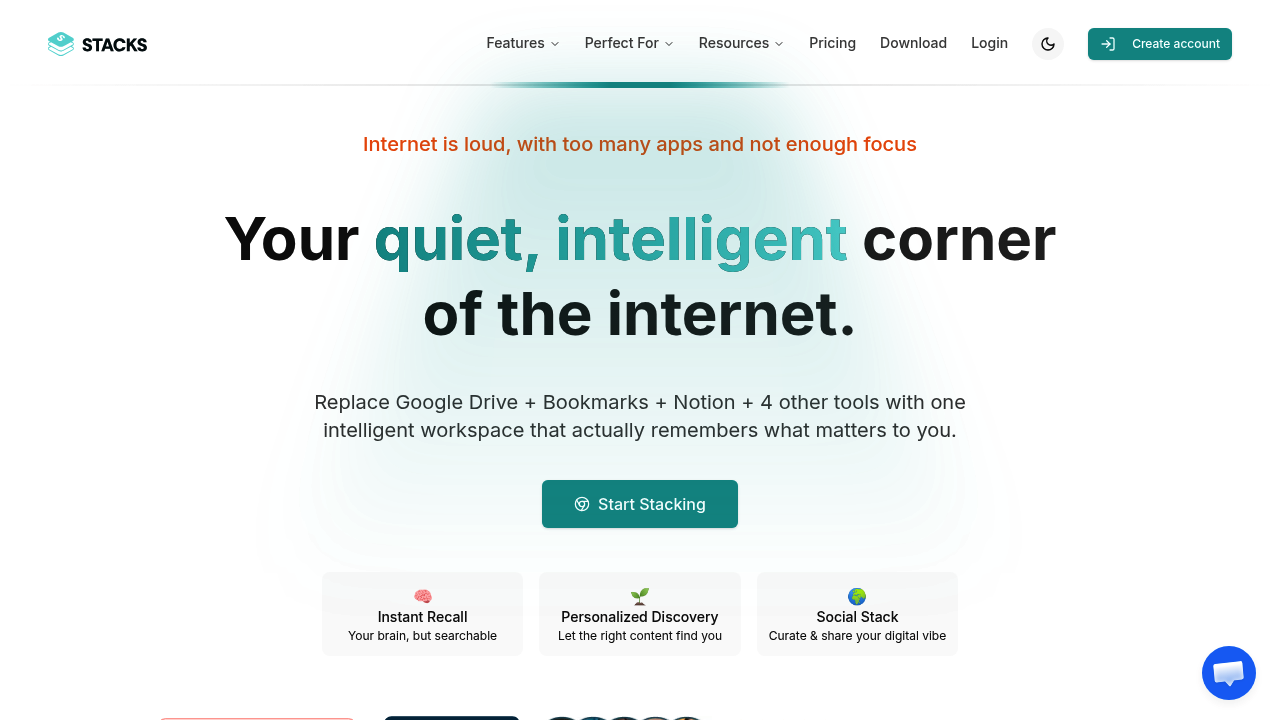
Stacks screenshot

Stacks is a personal AI workspace that gathers what you find online into one searchable place. A browser extension saves pages, links, notes and files, and Stacks records the intent behind each save so later searches match what you meant rather than just a keyword. It aims to replace a mix of Google Drive, browser bookmarks, Notion, Pocket, Raindrop, Instapaper and screenshots folders. Collections can stay private or be shared publicly, and the AI surfaces links between items saved at different times.

Stacks suits people whose research happens across dozens of browser tabs. Students and academics writing a thesis can collect sources without building folder trees. Creators and indie builders can gather inspiration, references and competitor pages, then connect them into a body of work. Lifelong learners who follow niche topics can build a personal knowledge base just by browsing as usual. Small teams of two or twenty can use shared workspaces to keep a common library of links and notes instead of passing them around in chat.

A common routine is installing the extension, saving articles and pages while reading, and letting Stacks attach context to each one. Later, a natural-language search retrieves items by what you were trying to do, such as a startup idea, a literature topic or a gift list. Curators publish collections to share a reading list or reference set with an audience, while teams keep private stacks for project research. The mobile apps on the App Store and Play Store extend saving to a phone. Because content is organized by intent, scattered saves turn into reference material ready for writing or planning.


Stacks alternatives

See all →

Frequently asked

6 questions
What does Stacks do with saved content?
Saved items include links, notes, bookmarks and files, and Stacks records the intent behind each save. Its AI search then finds items by meaning and surfaces connections between content saved at different times.
Who should use Stacks?
Students and researchers, creators and builders, and lifelong learners who collect information online. Teams of 2 to 200 can also use shared workspaces.
How could Stacks replace several apps?
It combines file storage, bookmarking, note-taking and read-later features in one workspace. The product names Google Drive, Notion, Pocket, Raindrop, Instapaper, browser bookmarks and Apple Notes as the apps it folds together.
Can I keep my Stacks collections private?
Collections can be public or private, with visibility controlled at every level. Shared team workspaces are available for collaboration.
Does Stacks work outside the browser?
Alongside the browser extension there are iOS and Android apps, listed on the App Store and Play Store. The extension remains the main route for saving web pages.
How do I start using Stacks?
Install the browser extension, then save pages and notes as you browse. The AI search and connections build up from what you save.

Traffic

Estimated monthly website visits · last 8 months

6.3K visits/mo
Monthly visits
6.3K
↓ 8.4% MoM
Global rank
#3,182,249
US #1,681,311
Category rank
#18
AI Knowledge Management
12.8K 10.8K 8.9K 7K 5.1K Dec 2025: 7K visits Dec 2025 Jan 2026: 12.2K visits Jan 2026 Feb 2026: 12.8K visits Feb 2026 Mar 2026: 8.7K visits Mar 2026 Apr 2026: 5.7K visits Apr 2026 May 2026: 5.1K visits May 2026 Jun 2026: 6.8K visits Jun 2026 Jul 2026: 6.3K visits Jul 2026

Reviews (0)

Write review

No reviews yet. Be the first to share your experience.