
Pinster AI logo
AI Knowledge Management FREEMIUM from $7/mo

Pinster AI

Your browser bookmarks become a searchable knowledge base

Everything you've read—remembered. Pinster saves links, documents, and images. Then AI summarizes the content. You can chat with it later. You're building a personal library that answers questions. The chat feature?…

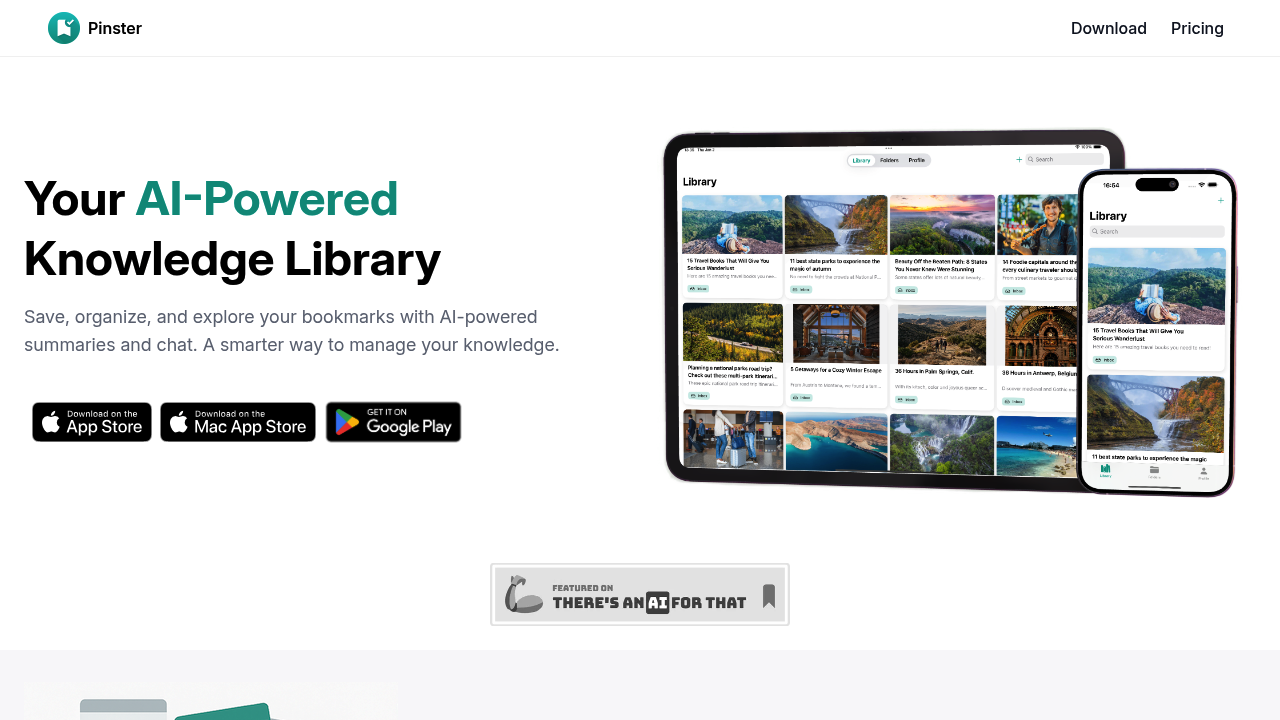
Pinster AI screenshot

Your browser bookmarks become a searchable knowledge base. Everything you've read—remembered. Pinster saves links, documents, and images. Then AI summarizes the content. You can chat with it later. You're building a personal library that answers questions.

The chat feature? It's like having a research assistant who's read everything you saved. Ask it to find that fermentation article from three months ago. Ask it to compare arguments across different sources. The AI pulls from your saved content—no digging through folders required. Teachers juggling research papers and lesson planning materials get real use here. Students drowning in reference material can finally find things.

Organization happens automatically. Smart tags and nested folders do the work. Pinster categorizes bookmarks as you save them. Smart Lists sort items by metadata (no manual sorting needed). Web Archive preserves pages so links don't die later. You can add notes to items if the AI summary misses something important.

The free version lets you save unlimited items. Organize them into folders with tags. That's decent. But the useful features—chatting with your knowledge base, PDF uploads, auto-summarization, advanced search—require the Pro plan. It's $6.99 monthly or $59.99 yearly. Browser extensions work with Safari, Chrome, and Firefox. Everything syncs across devices.

If you save five links a month and rarely revisit them? This is overkill. But content creators and researchers who accumulate hundreds of sources actually need this kind of retrieval system.


Pinster AI alternatives

See all →

Frequently asked

7 questions
How much does Pinster AI cost?
Pinster offers a free plan with unlimited saves, folders, and tagging. Pro costs $6.99/month or $59.99/year and unlocks AI chat, PDF uploads, auto-summarization, and advanced search. The free version's solid for basic bookmarking, but you'll need Pro for the AI features that actually make it useful.
Can I use Pinster AI for free?
Yes, but with limits. The free plan lets you save unlimited items, organize with folders and tags, and preview web pages. You can't chat with your saved content, upload PDFs or images, or get automatic summaries without paying for Pro.
What browsers work with Pinster AI?
Pinster has extensions for Safari, Chrome, and Firefox. You can save content from any of these browsers using the share menu or extension. Everything syncs across your devices once you log in with Apple or Google.
Can I chat with my saved PDFs in Pinster?
Only with the Pro plan. The AI chat feature that lets you ask questions about your saved content requires the $6.99/month subscription. Free users can save and organize items but can't interact with them through AI.
Is Pinster AI good for students?
It's really helpful if you're juggling tons of research sources. Instead of digging through bookmarks, you can ask the AI to find specific articles or compare arguments across different papers. The auto-categorization saves time, and Web Archive prevents dead links during semester breaks.
Does Pinster AI automatically organize my bookmarks?
Yep. It auto-categorizes and tags items as you save them. Smart Lists sort bookmarks by metadata without manual work. You can still create custom folders and add your own tags if you want more control.
What's the difference between Pinster free and Pro?
Free gets you unlimited saves, folders, tags, and in-app previews. Pro adds the AI chat assistant, PDF and image uploads, automatic content summaries, and advanced search filters. The free version's basically a bookmark manager—Pro turns it into an AI-powered research tool.

Traffic

Estimated monthly website visits · last 0 months

Not enough historical data for a chart yet.

Reviews (0)

Write review

No reviews yet. Be the first to share your experience.