
Sleekio logo

Sleekio

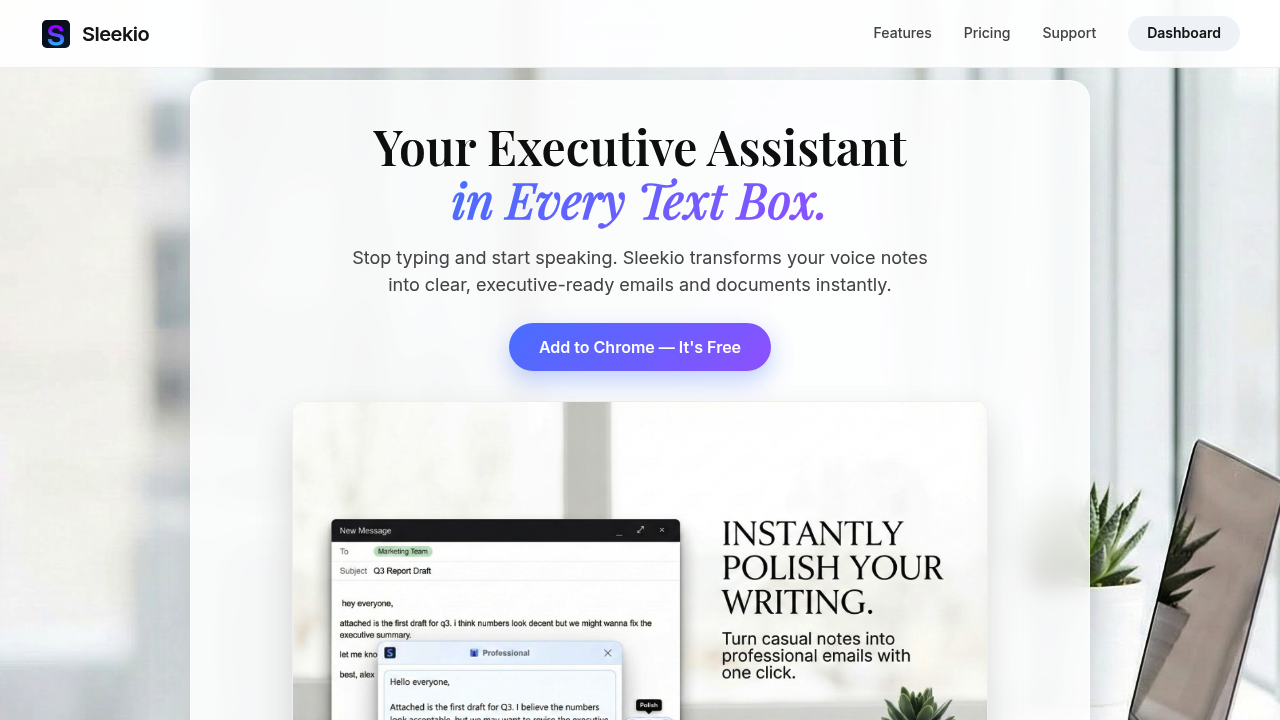
This Chrome extension turns voice recordings into text and polishes existing writing inside any text box on the web

35 views
Visit sleekio.io
Sleekio screenshot

This Chrome extension turns voice recordings into text and polishes existing writing inside any text box on the web. The extension operates as a browser layer that intercepts text input fields, letting users either dictate content or refine what they've already typed without switching between applications.

The voice recording component captures audio through the browser's microphone API, processes it through speech recognition models, and outputs transcribed text directly into the active text field. Users click the extension icon in any text box, start recording, and watch their speech appear as written text. The transcription runs on remote servers rather than locally, which means recording quality depends on network speed and server load.

Text polishing works through a separate AI model that analyzes grammar, tone, and clarity. Users highlight existing text, trigger the polishing function, and receive suggested improvements. The system doesn't just check spelling. It restructures sentences and adjusts phrasing based on context patterns learned from training data.

Both functions consume credits from a user's account balance. Recording burns one credit per thirty seconds of audio. Polishing costs one credit per roughly 150 words of text. This creates a predictable usage pattern where a three minute recording costs six credits, and polishing a 600 word draft costs four credits.

Processing speed varies by subscription tier. Standard speed routes requests through regular processing queues. Priority speed jumps ahead in line but still shares infrastructure with other priority users. Fastest lane gets dedicated processing resources with minimal wait time. The difference matters during peak usage when standard requests might queue for several seconds.

The extension doesn't integrate with specific platforms. It works universally across web applications because it hooks into the browser's text input handling rather than connecting to individual services through APIs. This means it functions in Gmail, Slack, Google Docs, content management systems, and any other web interface with text fields.

Free accounts start with 100 welcome credits plus 50 monthly credits that reset. Standard plans provide 750 credits monthly for $4, which translates to roughly twelve notes per day if each note involves both recording and polishing. Pro tier costs $8 monthly for 2,500 credits, supporting around forty notes daily. Unlimited plans run $14 monthly with uncapped credits but include a fair use policy capping usage around 100 hours per month. Annual billing cuts costs by 33 percent across all paid tiers.

The credit system creates hard limits on free and lower paid tiers. Running out of credits mid-month means either upgrading or waiting for the monthly reset. The fair use policy on unlimited plans isn't precisely defined beyond the 100 hour guideline, which could cause friction for truly heavy users who expect completely unlimited access.

Recording quality depends on microphone input and background noise since the system processes raw audio without sophisticated noise cancellation. Accents and speech patterns outside the training data distribution may produce transcription errors. Text polishing suggestions reflect the model's training biases, which means recommended changes might not match specific style guides or industry terminology.

The extension requires Chrome or Chromium-based browsers. No mobile app exists. Pro tier includes priority support, but response times and support channels aren't specified. Processing happens on external servers, so the extension requires internet connectivity and sends audio data off-device for transcription.


Frequently asked

7 questions
Does Sleekio have a free plan?
Sleekio offers a free tier that includes 100 welcome credits upfront plus 50 credits that reset each month. The free plan provides access to all features including voice recording and text polishing, though it processes requests at standard speed rather than priority or fastest tiers. With the credit system where recording costs one credit per 30 seconds and polishing costs one credit per 150 words, the monthly 50 credits translate to roughly 25 minutes of recording or polishing about 7,500 words. Once credits run out, users need to wait for the monthly reset or upgrade to a paid plan.
How much does Sleekio cost?
Sleekio's paid plans start at $4 monthly for Standard with 750 credits, $8 monthly for Pro with 2,500 credits, and $14 monthly for Unlimited with uncapped credits. The Standard plan supports roughly 12 notes per day if each involves both recording and polishing, while Pro handles around 40 notes daily at that usage pattern. Annual billing reduces costs by 33 percent across all tiers. The Unlimited plan includes a fair use policy that caps usage around 100 hours per month despite the unlimited credit label.
How does Sleekio work in different apps?
Sleekio operates as a Chrome extension that hooks into the browser's text input handling rather than integrating with specific platforms through APIs. This universal approach means it functions in any web application with text fields, including Gmail, Slack, Google Docs, and content management systems, without requiring individual app connections. Users click the extension icon within any text box to activate voice recording or text polishing features. The extension intercepts text input fields at the browser layer, so it doesn't depend on whether the underlying application supports third-party integrations.
What happens when you run out of Sleekio credits?
Running out of credits on Free, Standard, or Pro plans means the extension stops processing new recordings and polishing requests until credits reset at the monthly renewal date. The system enforces hard limits rather than allowing overage usage or pay-as-you-go top-ups based on the available information. Users facing mid-month depletion need to either upgrade to a higher tier with more monthly credits or wait for the reset cycle. The Unlimited plan avoids this constraint with uncapped credits, though it still enforces a fair use policy around 100 hours monthly.
Can Sleekio transcribe accents accurately?
Sleekio processes audio through speech recognition models trained on specific data distributions, which means transcription accuracy varies with accents and speech patterns outside that training set. The system handles raw audio input without sophisticated noise cancellation, so background noise and microphone quality directly affect results. Recording happens through the browser's microphone API and processes on remote servers rather than locally, adding network latency as another variable in transcription quality. Users with non-standard accents or working in noisy environments may see more transcription errors compared to clear audio with mainstream speech patterns.
Is Sleekio really unlimited on the Unlimited plan?
The Unlimited plan provides uncapped credits but enforces a fair use policy that caps usage around 100 hours per month, which contradicts the unlimited label. This means truly heavy users who expect completely unrestricted access may hit soft limits despite paying for the top tier. The fair use policy details beyond the 100 hour guideline aren't precisely defined in the available information. Processing still requires internet connectivity and sends data to external servers, so network speed affects performance regardless of plan tier.
What can you use Sleekio for?
Sleekio handles two primary tasks: converting voice recordings into text and polishing existing writing inside any web text box. The voice recording function works for dictating emails, messages, documentation, or any written content without typing, with transcription appearing directly in the active text field. Text polishing analyzes grammar, tone, and clarity to restructure sentences and adjust phrasing based on learned patterns rather than just checking spelling. Professionals writing frequent communications, heavy writers producing documentation, and everyday users who prefer speaking over typing all fit the target use case, though the credit system limits how much daily usage lower tiers support.

Traffic

Estimated monthly website visits · last 0 months

Not enough historical data for a chart yet.

Data from SimilarWeb · Updated monthly.

Reviews (0)

Write review

No reviews yet. Be the first to share your experience.

Similar tools

See all →