Google Colab logo

Google Colab

A data science student needs to train a neural network for her thesis but her laptop overheats after 20 minutes

She opens Google Colab in her browser, pastes her Python code into a notebook, and switches to a GPU runtime. No installation, no configuration. She's training her model on Google's hardware while her laptop sits cool.…

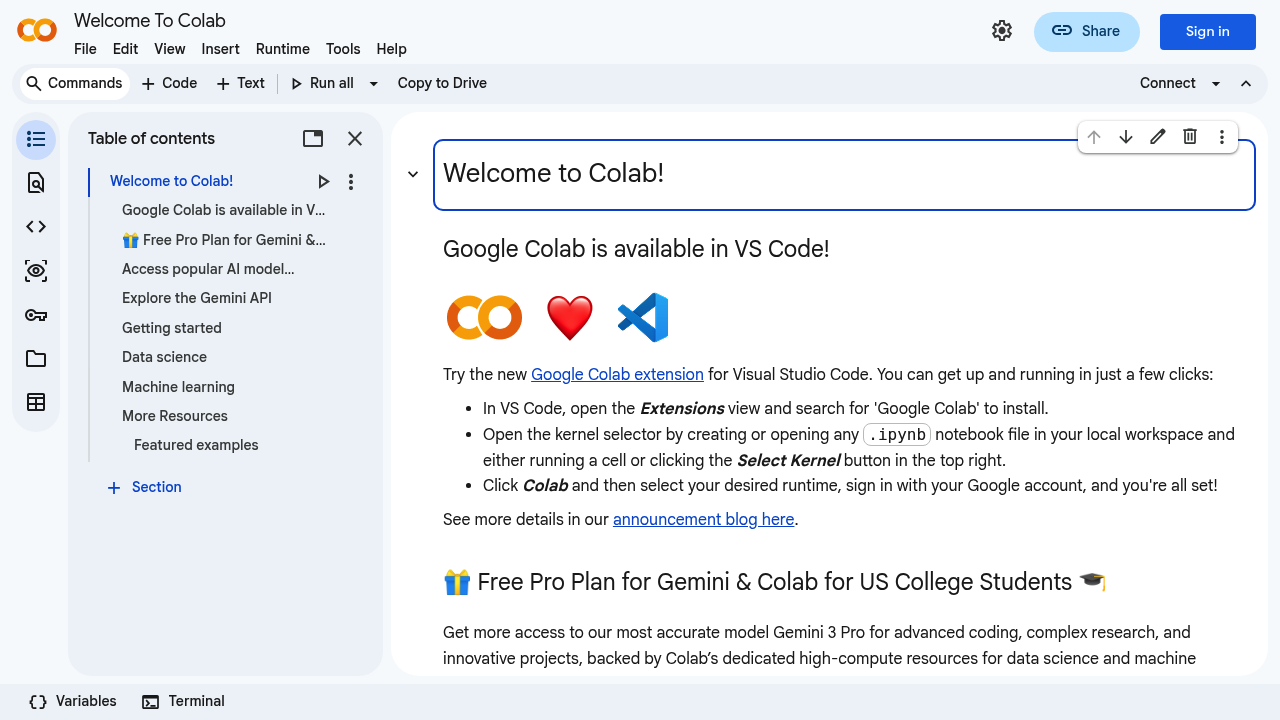
Google Colab screenshot

A data science student needs to train a neural network for her thesis but her laptop overheats after 20 minutes. She opens Google Colab in her browser, pastes her Python code into a notebook, and switches to a GPU runtime. No installation, no configuration. She's training her model on Google's hardware while her laptop sits cool.

This cloud-based coding environment runs entirely in your browser. You write Python code in interactive notebooks, execute it line by line, and see results immediately. The zero-setup approach means you skip environment configuration, dependency hell, and hardware limitations. Free access to GPUs solves the biggest barrier in machine learning work: compute power costs nothing.

A research team at a university collaborates on climate modeling. They share a single Colab notebook, each member adding code blocks and visualizations. Changes appear in real time. The notebook format mixes code, outputs, charts, and markdown explanations in one document. It's executable documentation.

The google-colab-ai library gives free users access to language models without API keys. A professor demonstrates sentiment analysis to 200 students simultaneously. Everyone runs the same code. Nobody pays. The integration adds multimodal capabilities for projects combining text, images, and other data types.

VS Code users can work in their preferred editor through an extension. The kernel selector lets you switch runtimes based on project needs. Files save as standard .ipynb notebooks that work across platforms.

US college students get a free Pro plan with access to advanced models and dedicated high-compute resources. A graduate student running complex simulations gets hardware usually locked behind paywalls. This student-specific offering recognizes that computational research shouldn't require grant funding.

Where it falls short: paid users access a wider selection of AI models than free users. The exact model limitations aren't transparent. A startup building production ML pipelines hits these walls fast. Colab works for experimentation and education, less so for deployment.

Free users get GPUs, the google-colab-ai library, and sharing features. The Pro plan exists but pricing isn't public.

This isn't for teams shipping code to customers. It's not version control. A software engineer building a production API should look elsewhere. But for students learning machine learning, researchers prototyping algorithms, or data scientists exploring datasets, it removes the barrier between idea and execution. You need a browser. That's it.


Google Colab alternatives

See all →

Frequently asked

7 questions
Does Google Colab cost money?
A biology researcher analyzing genomic data gets full access to GPUs, the google-colab-ai library for language models, and sharing capabilities without paying anything. The free plan requires zero configuration and lets her run computationally intensive tasks her laptop couldn't handle. A Pro plan exists with access to more AI models and dedicated high-compute resources, but Google doesn't publish pricing publicly. US college students qualify for a free Pro plan that includes the Gemini 3 Pro model and advanced hardware normally behind paywalls.
Can I use Google Colab without knowing how to code?
An economics professor wanting to visualize datasets needs Python knowledge to write code in Colab notebooks. The environment executes Python code line by line, so someone without programming experience can't operate it through clicks or menus. A teaching assistant could share a pre-written notebook where the professor only changes variable values, but that still requires understanding what the code does. Colab assumes you're writing or modifying Python, making it unsuitable for non-programmers seeking no-code analysis tools.
What can I actually do with Google Colab?
A data science student trains neural networks on free GPUs while her laptop stays off. A linguistics researcher processes thousands of text documents through language models via the google-colab-ai library without API costs. A physics team collaborates on simulation code in shared notebooks where everyone sees changes in real time. The interactive format mixes code, outputs, visualizations, and explanations in one document that executes in the browser. It handles machine learning experiments, data analysis, algorithm prototyping, and educational demonstrations where compute power matters more than deployment infrastructure.
Does Google Colab work with Visual Studio Code?
A software engineer comfortable in VS Code installs the Colab extension to write Python notebooks in her preferred editor instead of the browser interface. The extension connects to Colab's cloud runtime, so she gets the GPU access and zero-configuration benefits while keeping her familiar keyboard shortcuts and layout. Code still executes on Google's servers, not locally. A developer who lives in VS Code for all projects can stay there for Colab work rather than switching contexts to a web interface.
What's the difference between free and paid Google Colab?
A graduate student on the free plan accesses GPUs, shares notebooks with collaborators, and uses popular language models through the google-colab-ai library. A startup data scientist with Pro gets a wider selection of AI models and dedicated high-compute resources for intensive machine learning tasks. Google doesn't specify which models remain locked to free users, creating uncertainty for researchers planning complex projects. US college students receive Pro features at no cost, including the Gemini 3 Pro model and advanced hardware typically restricted to paying users.
Can I use Google Colab for production machine learning?
A fintech startup building a fraud detection API that serves real customers needs deployment infrastructure, version control integration, and service-level guarantees that Colab doesn't provide. The platform excels at experimentation where a data scientist tests five different models in an afternoon, but it's not designed for code that runs continuously in production. A research lab prototyping algorithms before handing them to engineering teams finds Colab perfect for the exploration phase. The gap appears when you need reliability, automated deployments, and the infrastructure that customer-facing applications require.
Do I need to install Python to use Google Colab?
An undergraduate taking her first programming course opens Colab in Chrome and starts writing Python immediately without downloading interpreters or managing libraries. The zero-configuration approach means the Python environment, common data science packages, and GPU drivers already exist in the cloud. A researcher switching between three different projects avoids the dependency conflicts that plague local installations. Everything runs in the browser, so a student on a Chromebook has the same capabilities as someone with a high-end workstation.

Reviews (0)

Write review

No reviews yet. Be the first to share your experience.