
GestionFlow logo
AI Accounting FREEMIUM from $20/mo

GestionFlow

A freelance graphic designer wraps up five projects in a month and needs to bill three different clients, track which expenses belong to which project, and remember to follow up on that invoice fro...

M two weeks ago that still hasn't been paid. GestionFlow centralizes invoicing, expense tracking, client management, and payment processing in one system built specifically for freelancers, consultants, and small…

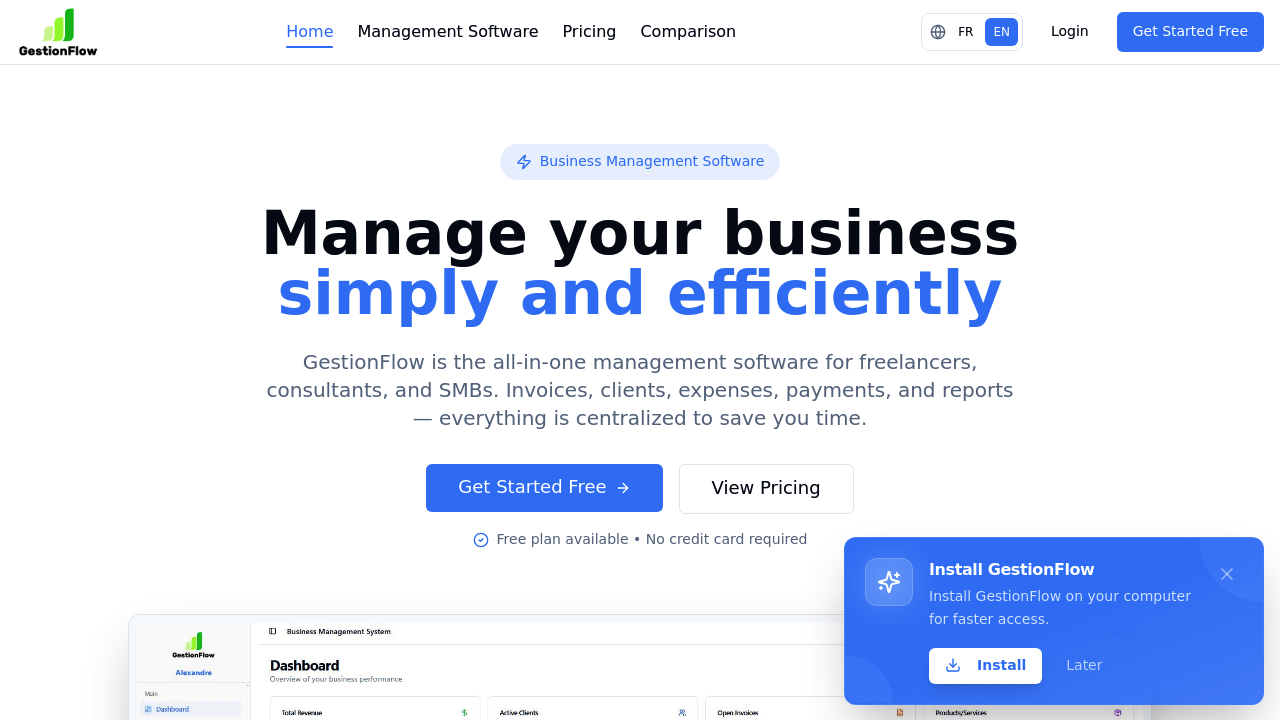
GestionFlow screenshot

A freelance graphic designer wraps up five projects in a month and needs to bill three different clients, track which expenses belong to which project, and remember to follow up on that invoice from two weeks ago that still hasn't been paid. GestionFlow centralizes invoicing, expense tracking, client management, and payment processing in one system built specifically for freelancers, consultants, and small businesses.

The software handles the full billing cycle. Create professional invoices and quotes with customizable templates, send them via email directly from the system, and track payment status in real time. Automatic reminders go out for unpaid invoices without manual follow-up. Stripe integration processes online payments, and the software records which invoices got paid when. A freelance consultant managing three separate business entities can handle all of them from a single account rather than logging into separate systems.

Expense management connects directly to projects and companies. Categorize expenses by type and associate them with specific business entities. Time tracking converts hours worked into billable invoices automatically. The inventory system updates stock levels when products get added to invoices, useful for agencies that sell physical goods alongside services. Reports break down revenue by product, client spending patterns, tax obligations, and expense categories. Export everything to PDF or Excel files for accountants.

The customization goes beyond basic branding. Choose color themes, design custom invoice templates, and create email templates for different client types. Set unique hourly rates for individual clients and maintain their full history in one place. Multi-factor authentication and audit logs add security layers that matter when handling financial data.

The free plan works for getting started: one company, ten clients, fifteen invoices monthly, and fifteen expenses monthly. But it stamps GestionFlow branding on PDFs and charges a 2% fee on top of Stripe's standard processing fees. That 2% adds up fast. A freelancer billing $5,000 monthly pays an extra $100 just in GestionFlow fees. Premium costs $19.99 monthly, removes the branding, drops the fee to 1%, and provides unlimited clients and invoices. Pro runs $29.99 monthly with 0.5% fees and unlimited companies for entrepreneurs juggling multiple ventures.

Where it doesn't fit: teams needing collaboration features won't find much here. There's no indication of multi-user accounts, role permissions, or team workflows. A design agency with five employees all needing access hits a wall. The single integration with Stripe means businesses using other payment processors need workarounds. Companies requiring accounting software integration face manual data transfer since connections to QuickBooks, Xero, or similar platforms aren't listed. The free plan's fifteen-invoice monthly limit works for slow months but breaks during busy periods.

An independent consultant billing two to three clients monthly gets everything needed without paying. A web developer handling ten to fifteen projects monthly justifies Premium. An entrepreneur running a consulting firm, an e-commerce shop, and a coaching business needs Pro for the multi-company setup. But a growing agency with staff, complex accounting needs, or team workflows should look at business management platforms built for collaboration. The fees on Stripe payments remain regardless of plan level, just at different rates, so high-volume businesses processing tens of thousands monthly need to calculate whether that percentage matters more than subscription costs elsewhere.


GestionFlow alternatives

See all →

Frequently asked

7 questions
Does GestionFlow have a free plan?
GestionFlow offers a free plan that supports one company, ten clients, fifteen invoices monthly, and fifteen expenses monthly. The free tier includes PDF invoice and quote generation, revenue reports, time tracking, and Stripe payment processing. Two significant limitations apply: all PDFs display GestionFlow branding, and Stripe transactions carry an additional 2% GestionFlow fee on top of standard Stripe processing fees. A freelancer processing $3,000 monthly through Stripe pays an extra $60 just in GestionFlow fees, which adds up quickly compared to the $19.99 monthly Premium plan that drops fees to 1%.
Can GestionFlow handle multiple businesses?
A consultant running three separate business entities can manage all of them from a single GestionFlow account, but only on the Pro plan at $29.99 monthly. The free and Premium plans both restrict users to one company, forcing entrepreneurs with multiple ventures to either upgrade or maintain separate accounts. Pro provides unlimited companies with dedicated expense tracking, client management, and reporting for each business entity. The multi-company setup also reduces the Stripe fee to 0.5% compared to 2% on the free plan or 1% on Premium, which matters for entrepreneurs processing payments across several businesses.
What does GestionFlow do for freelancers?
A freelance web developer finishing eight client projects monthly uses GestionFlow to create and send professional invoices, track which expenses belong to which project, and monitor payment status without spreadsheets. The system sends automatic reminders for unpaid invoices, processes online payments through Stripe, and converts tracked hours directly into billable invoices. Time tracking records work sessions that transform into line items with preset hourly rates per client. Reports show which clients generate the most revenue, what expenses cut into profits, and which invoices remain outstanding, replacing the scattered combination of email, payment apps, and manual record-keeping most freelancers start with.
Does GestionFlow integrate with QuickBooks or Xero?
GestionFlow connects only to Stripe for payment processing and doesn't list integrations with accounting software like QuickBooks, Xero, FreshBooks, or similar platforms. A small business owner using QuickBooks for tax preparation needs to manually export data from GestionFlow as PDF or Excel files, then import or manually enter transactions into their accounting system. The software handles invoicing, expense tracking, and basic financial reports internally, but businesses requiring synchronized accounting workflows face duplicate data entry. Companies with established accounting software ecosystems should verify whether manual export and import processes fit their workflow before committing to GestionFlow.
How much does GestionFlow cost per month?
GestionFlow charges $19.99 monthly for Premium or $29.99 monthly for Pro, with a free plan available for limited use. Premium provides one company with unlimited clients, unlimited invoices and expenses, inventory management, and tax reports while reducing the Stripe payment fee from 2% to 1%. Pro adds unlimited companies, all invoice designs, advanced customization, audit logs, and priority support while dropping the Stripe fee to 0.5%. The Stripe fees matter significantly for payment processing volume—a freelancer billing $10,000 monthly pays $200 in extra fees on the free plan, $100 on Premium, or $50 on Pro, which can exceed the subscription cost itself.
Can teams use GestionFlow together?
A design agency with four employees all needing access to client invoices, expense records, and project tracking won't find team collaboration features in GestionFlow's listed capabilities. The system doesn't mention multi-user accounts, role-based permissions, task assignments, or collaborative workflows that teams require. A solo entrepreneur managing multiple businesses through the Pro plan works fine, but a growing agency where the owner, account manager, and two designers all need simultaneous access hits limitations. Businesses transitioning from solo operations to team structures should examine whether GestionFlow supports multiple user logins and permission controls before onboarding staff who need system access.
What happens when you exceed the free plan limits?
A freelance photographer hitting sixteen invoices in a busy month after the free plan's fifteen-invoice limit can't create additional invoices until the next monthly cycle or until upgrading to Premium. The free tier caps at one company, ten clients, fifteen invoices monthly, and fifteen expenses monthly, with hard stops when limits hit. Premium removes these restrictions entirely with unlimited clients, invoices, and expenses for $19.99 monthly. Freelancers with inconsistent workloads face a choice between staying constrained during peak months or upgrading permanently, though the 1% Stripe fee reduction on Premium often covers the subscription cost for anyone processing over $2,000 monthly in payments.

Traffic

Estimated monthly website visits · last 0 months

Not enough historical data for a chart yet.

Reviews (0)

Write review

No reviews yet. Be the first to share your experience.