
Clint logo
AI Accounting FREEMIUM from $7/mo

Clint

Clint connects to Gmail and Google Drive to automatically extract invoice data from your email threads and stored documents

The system scans incoming messages for invoice patterns, pulls relevant financial information, and structures it into searchable records without requiring manual data entry or spreadsheet maintenance. The AI processes…

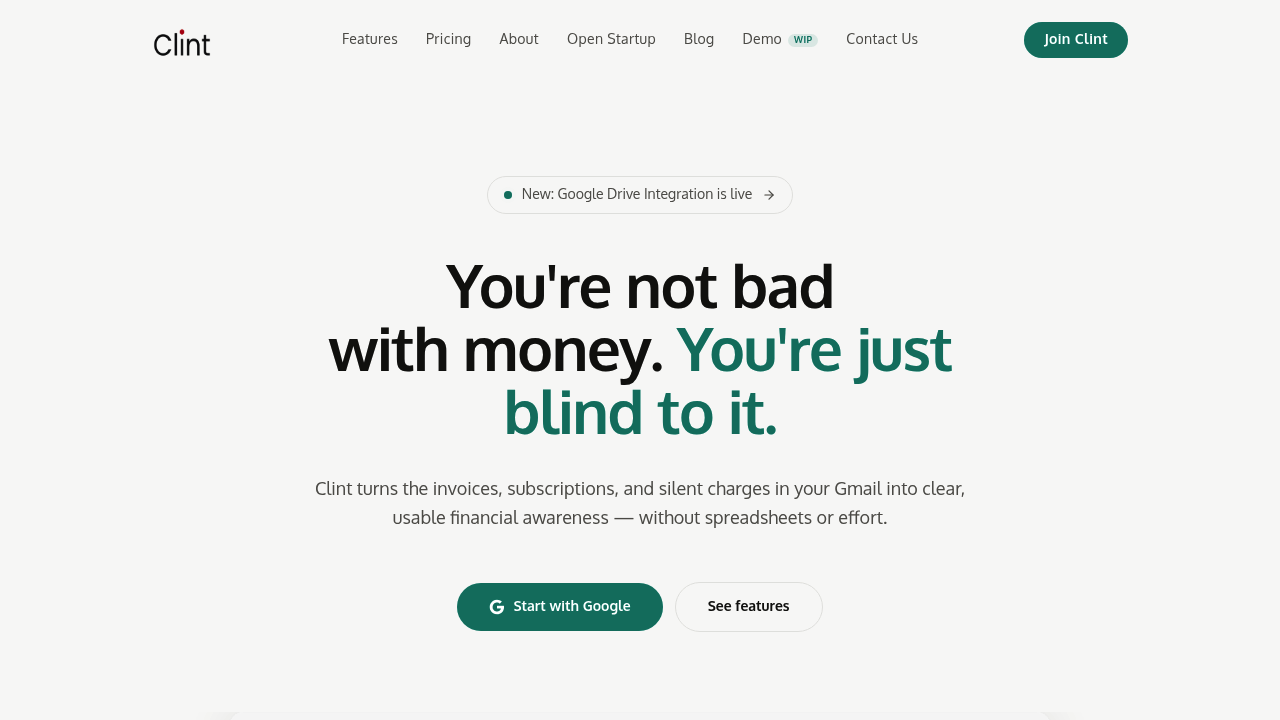
Clint screenshot

Clint connects to Gmail and Google Drive to automatically extract invoice data from your email threads and stored documents. The system scans incoming messages for invoice patterns, pulls relevant financial information, and structures it into searchable records without requiring manual data entry or spreadsheet maintenance. The AI processes invoice text to identify amounts, vendors, dates, and transaction types, then organizes everything into a unified interface.

The data pipeline works by authenticating with your Google account and monitoring specified email addresses for invoice-related content. When Clint detects an invoice, it extracts the structured data and categorizes the expense using AI classification. You can override these automatic categories with custom labels. The system's processed 17.6K invoices totaling $6.6M in volume, which gives some indication of its real-world usage patterns.

Subscription tracking operates as a separate monitoring layer. Clint identifies recurring charges and sends real-time notifications before renewals hit. This works by pattern-matching invoice sequences and detecting payment schedules from historical data. It's not pulling directly from bank feeds or credit card APIs, it's inferring subscriptions from the invoice trail in your email.

Three canvas views present the data differently. Speed Tour shows invoices in a swipeable card interface. Timeline arranges expenses chronologically. Map view plots spending geographically if vendor locations are available. These gesture-driven interfaces work on mobile, where you swipe through invoices rather than clicking through lists.

Search functionality runs full-text queries across all invoice content, not just vendor names or amounts. You can filter by specific vendors, date ranges, or spending thresholds. The system supports commenting on individual invoices and grouping them into collections for organization.

The AI spending categories attempt to classify expenses automatically, but accuracy depends entirely on how clearly vendors present information in their invoices. If an invoice has ambiguous line items or the vendor name doesn't clearly indicate the service type, categorization can miss. Custom categories let you correct this manually.

Google Drive integration means Clint can process invoices you've saved as PDFs or documents, not just those arriving via email. This expands the data source beyond your inbox but requires separate authentication for Drive access.

Analytics track spending trends over time and generate monthly reports. Excel download lets you export the structured data for external analysis. Manual upload handles invoices from sources outside Gmail and Drive.

The free plan supports one email account with three months of history and data retention. That's a hard technical limit on how far back you can search. Paid plans at seven dollars monthly or 84 dollars yearly expand this to two email accounts and 12 months of history with unlimited data retention. The yearly plan saves 20 percent. A 15-day trial lets you test the paid features.

Technical limitations are significant. Two email accounts max on paid plans means this won't scale for businesses with multiple team inboxes. The three-month window on free accounts makes historical analysis impossible for longer-term patterns. There's no API access, so you can't pipe this data into other financial tools programmatically. No team features exist, so sharing access or collaborating on expense tracking isn't supported. The system relies entirely on email-based invoices, which means cash transactions, paper receipts, or purchases without email confirmations won't appear unless manually uploaded.


Clint alternatives

See all →

Frequently asked

7 questions
Does Clint work with multiple Gmail accounts?
The free plan connects to one email account and tracks three months of invoice history. Paid plans at seven dollars monthly or 84 dollars yearly support two email accounts with 12 months of history and unlimited data retention. There's no option to add more than two accounts even on paid tiers, which makes this tool unsuitable for businesses managing multiple team inboxes or individuals juggling several separate email addresses. The system authenticates separately with each Gmail account and aggregates invoice data from both into a single dashboard.
How does Clint automatically categorize expenses?
Clint's AI reads invoice text to identify vendor names, amounts, dates, and transaction types, then assigns spending categories based on pattern recognition from those data points. The system's processed 17.6K invoices totaling $6.6M, which trains its classification logic on real-world invoice formats. Accuracy depends on how clearly vendors present information, so ambiguous line items or generic vendor names can lead to miscategorization. Custom categories let you override the AI's decisions and manually label expenses when automatic classification misses the mark.
Can I export my invoice data from Clint?
Paid plans include Excel download functionality that exports all structured invoice data for external analysis in spreadsheets or other financial tools. The free plan doesn't offer export capabilities, so your data stays locked within Clint's interface. There's no API access on any tier, which means you can't programmatically integrate this data with accounting software, business intelligence platforms, or custom financial dashboards. Manual upload works in reverse, letting you add invoices from sources outside Gmail and Drive, but this requires paid access as well.
Does Clint track subscriptions and recurring charges?
Clint identifies recurring charges by pattern-matching invoice sequences in your email history and detecting payment schedules from past transactions. The system sends real-time notifications before subscription renewals hit, which helps catch unwanted charges before they process. This works by analyzing the invoice trail in Gmail rather than connecting directly to bank feeds or credit card APIs, so it only catches subscriptions that send email invoices. Cash subscriptions, charges without email confirmations, or services that don't invoice regularly won't appear in subscription tracking unless you manually upload documentation.
How far back can Clint search my invoice history?
The free plan provides three months of history and data retention, which limits historical analysis to recent spending patterns. Paid plans extend this to 12 months of searchable invoice history with unlimited data storage going forward. These are hard technical limits on the data pipeline, not just feature restrictions, so upgrading won't retroactively recover invoices older than your current plan's window. Full-text search runs across all available invoice content within your retention period, including vendor names, amounts, line items, and dates.
What happens to invoices from non-Gmail sources?
Clint processes invoices stored in Google Drive as PDFs or documents, which expands coverage beyond your Gmail inbox to include files you've saved separately. Manual upload on paid plans handles invoices from other email providers, paper receipts you've photographed, or any financial documents outside the Gmail and Drive ecosystem. Cash transactions, purchases without email confirmations, and receipts that never existed digitally won't appear unless you manually photograph and upload them. The system doesn't connect to bank accounts, credit card feeds, or other email providers directly, so Gmail and Drive remain the only automated data sources.
Is there a free trial for Clint's paid features?
Paid plans include a 15-day free trial that lets you test two email account support, 12 months of history, Google Drive sync, Excel downloads, and manual invoice uploads before committing. The trial gives full access to paid features without requiring immediate payment. After the trial period, plans cost seven dollars monthly or 84 dollars yearly, with the annual option saving 20 percent. The free plan remains available permanently with one email account and three-month history limits if you decide not to upgrade.

Traffic

Estimated monthly website visits · last 0 months

728 visits/mo
Monthly visits
728

Not enough historical data for a chart yet.

Reviews (0)

Write review

No reviews yet. Be the first to share your experience.