#7 in AI Accounting Smart Clerk logo
AI Accounting PAID from $29/mo

Smart Clerk

Small and medium-sized businesses spend countless hours converting bank statements into usable accounting data

Smart Clerk tackles this through AI that reads statements from any bank or card, automatically categorizes every transaction, and generates the financial reports businesses need for tax filing and decision-making. This…

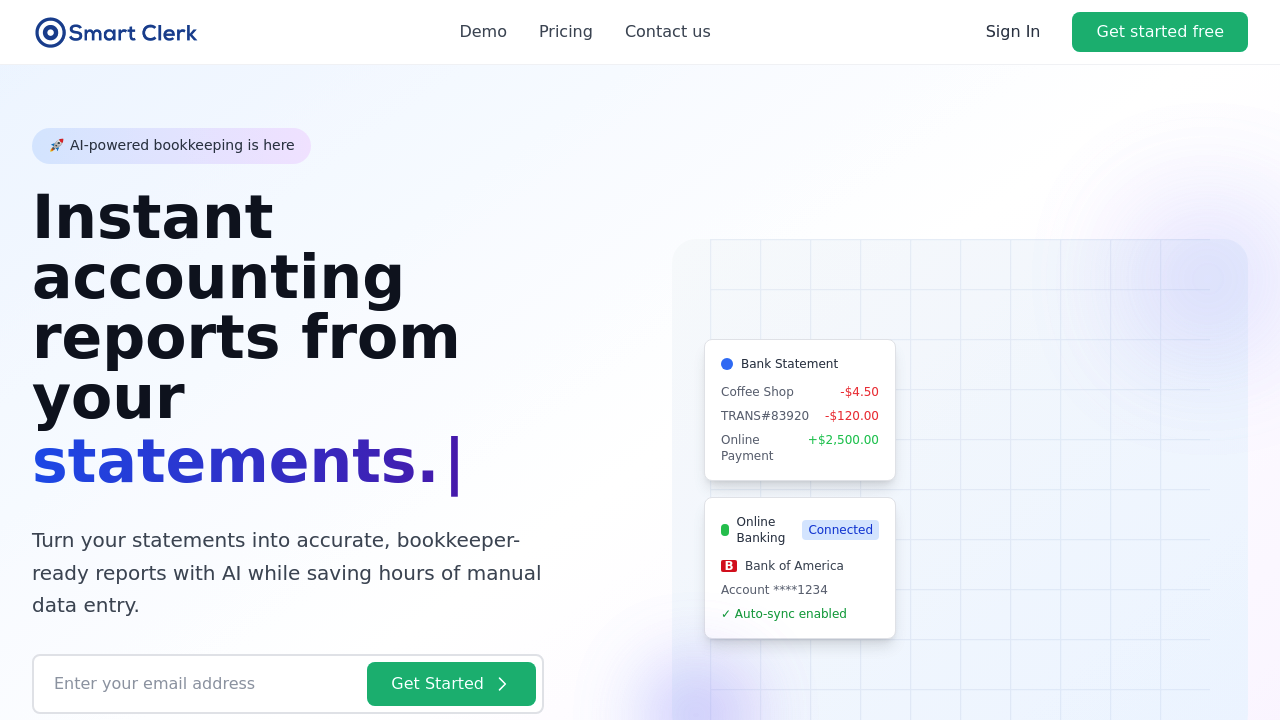
Smart Clerk screenshot

Small and medium-sized businesses spend countless hours converting bank statements into usable accounting data. Smart Clerk tackles this through AI that reads statements from any bank or card, automatically categorizes every transaction, and generates the financial reports businesses need for tax filing and decision-making.

This software handles statements in PDF, JPG, and PNG formats from banks in any country. You can upload historical statements or connect accounts directly for real-time synchronization. Once connected, transactions flow automatically from banks and credit cards into the system. The AI categorization runs at 99.9% accuracy according to the company, learning from each business's specific patterns over time. This learning algorithm means the system gets better at recognizing vendor names, transaction types, and spending categories the longer you use it.

Transaction categorization goes beyond simple automation. Smart Clerk consolidates vendors across different banks, cards, and invoices into unified entries. If your business pays the same supplier through multiple payment methods, Smart Clerk recognizes this and groups those transactions together. The system generates profit and loss statements, balance sheets, and tax-ready reports from the categorized data. Invoice processing adds another layer, pulling information from uploaded invoices to match against bank transactions.

Smart Clerk serves over 5,000 small businesses and claims to save users 10 hours per week on average. That translates to more than 500,000 hours saved monthly across their user base. The 4.9 out of 5 rating suggests most users find the time savings real. Security runs through 256-bit encryption with read-only bank connections, meaning Smart Clerk can view transaction data but can't initiate transfers or payments. The company states explicitly that uploaded data never gets used for AI training or shared with third parties. Demo uploads get deleted after processing.

Smart Clerk offers two pricing tiers. The Growth plan costs $29 monthly and supports two bank accounts with 100 invoices per month. You get the auto-categorization engine, the learning algorithm, and P&L report generation at this level. The Professional plan runs $49 monthly and expands capacity to six bank accounts and 250 invoices per month. This tier adds multiple company support, letting accountants or business owners managing several entities work within one account. Priority support comes with the Professional tier.

Account and invoice limits create clear boundaries for each plan. Businesses with more than two bank accounts can't use the Growth plan effectively. The 100-invoice monthly cap on Growth might restrict companies with high vendor counts or frequent purchasing. Professional's six-account limit means larger operations with complex banking structures would hit ceilings. The 250-invoice cap on the top tier could constrain businesses processing hundreds of vendor bills monthly.

Smart Clerk maintains 99.9% uptime according to company data. Bank integrations include Bank of America specifically and general online banking connections through standard protocols. Credit card connections work similarly. The system doesn't appear to offer API access for custom integrations or mobile apps for on-the-go bookkeeping based on available information.

Accountants handling multiple client books and small business owners doing their own bookkeeping form the core user base. The automation particularly benefits businesses that previously manually entered bank transactions into spreadsheets or accounting software. Companies with straightforward banking setups and moderate invoice volumes fit best within the plan constraints.


Smart Clerk alternatives

See all →

Frequently asked

7 questions
Does Smart Clerk offer a free trial or free plan?
Smart Clerk doesn't provide a free trial or free plan based on available information. The entry point starts at $29 monthly for the Growth plan, which includes two bank accounts and 100 invoices per month. This means you'll need to commit to a paid subscription to test the platform with your actual banking data. Businesses wanting to evaluate the software before paying would need to rely on demos or contact sales for alternative trial arrangements not publicly advertised.
How accurate is Smart Clerk's transaction categorization?
Smart Clerk claims 99.9% accuracy for its AI-powered transaction categorization. The system uses a learning algorithm that adapts to your specific business patterns over time, meaning categorization should improve as it processes more of your transactions. When vendors appear across different banks, cards, or invoices, Smart Clerk consolidates them into unified entries rather than treating each as separate. The learning component matters because the AI recognizes your recurring vendors, typical expense types, and spending patterns more reliably after analyzing historical data from your accounts.
What are the bank account limits on Smart Clerk plans?
The Growth plan at $29 monthly restricts you to two bank accounts and 100 invoices per month. Professional at $49 monthly expands this to six bank accounts and 250 invoices per month. These hard limits mean businesses with complex banking structures hit ceilings quickly—if you operate with three checking accounts, two savings accounts, and multiple credit cards, you'd need Professional at minimum. Companies with more than six connected accounts or those processing over 250 vendor invoices monthly would exceed even the top tier's capacity, making Smart Clerk unsuitable without custom arrangements.
Can Smart Clerk connect directly to my bank for automatic updates?
Smart Clerk supports real-time bank account and credit card connections with automatic synchronization. Once you connect accounts, transactions flow automatically without manual statement uploads. The system uses read-only connections with 256-bit encryption, meaning it can view transaction data but can't initiate transfers or payments from your accounts. Bank of America gets mentioned specifically as an integration, and the platform works with general online banking connections and credit card providers through standard protocols, though you can also upload statements manually in PDF, JPG, or PNG formats from any bank worldwide.
What financial reports does Smart Clerk generate?
Smart Clerk produces profit and loss statements, balance sheets, and tax-ready reports from your categorized transaction data. The system pulls information from both bank transactions and uploaded invoices to create these reports. Both the Growth and Professional plans include P&L report generation as a core feature. The automation means these reports update as new transactions sync from your connected accounts, giving you current financial snapshots without manual data entry or spreadsheet work.
Is Smart Clerk suitable for accountants managing multiple clients?
Accountants can use Smart Clerk, but only the Professional plan at $49 monthly offers multiple company support. This feature lets you manage several client books within one account rather than needing separate subscriptions for each business. The Professional tier's limits of six bank accounts and 250 invoices per month apply per company profile, though specifics on how many company profiles you can maintain aren't detailed in available information. Accountants with clients who have complex banking setups or high invoice volumes might find the per-company limits restrictive depending on their client mix.
How much time does Smart Clerk actually save on bookkeeping?
Smart Clerk claims users save 10 hours per week on average, with over 500,000 hours saved monthly across their 5,000+ business user base. The time savings come from eliminating manual transaction entry and categorization that businesses typically do in spreadsheets or accounting software. The learning algorithm means the system requires less correction over time as it adapts to your vendor patterns and expense categories. The 4.9 out of 5 average rating from users suggests most businesses experience meaningful time reductions, though actual savings would depend on your current bookkeeping process complexity and transaction volume.

Traffic

Estimated monthly website visits · last 8 months

2.7K visits/mo
Monthly visits
2.7K
↓ 23.7% MoM
Global rank
#6,297,794
CA #704,651
Category rank
#7
AI Accounting
6.6K 5.6K 4.6K 3.7K 2.7K Dec 2025: 3.3K visits Dec 2025 Jan 2026: 3.6K visits Jan 2026 Feb 2026: 3.8K visits Feb 2026 Mar 2026: 6.6K visits Mar 2026 Apr 2026: 5K visits Apr 2026 May 2026: 3.4K visits May 2026 Jun 2026: 3.5K visits Jun 2026 Jul 2026: 2.7K visits Jul 2026

Reviews (0)

Write review

No reviews yet. Be the first to share your experience.