Dictly logo
AI Transcription FREEMIUM from $5/mo

Dictly

A consultant records meeting notes while switching between her email client and Notion workspace

She hits ⇧⌘D mid-thought, speaks naturally with a few "umms" scattered in, and watches structured text appear in real time—fillers stripped out, sentences formatted to match whichever app she's typing in. The Quick…

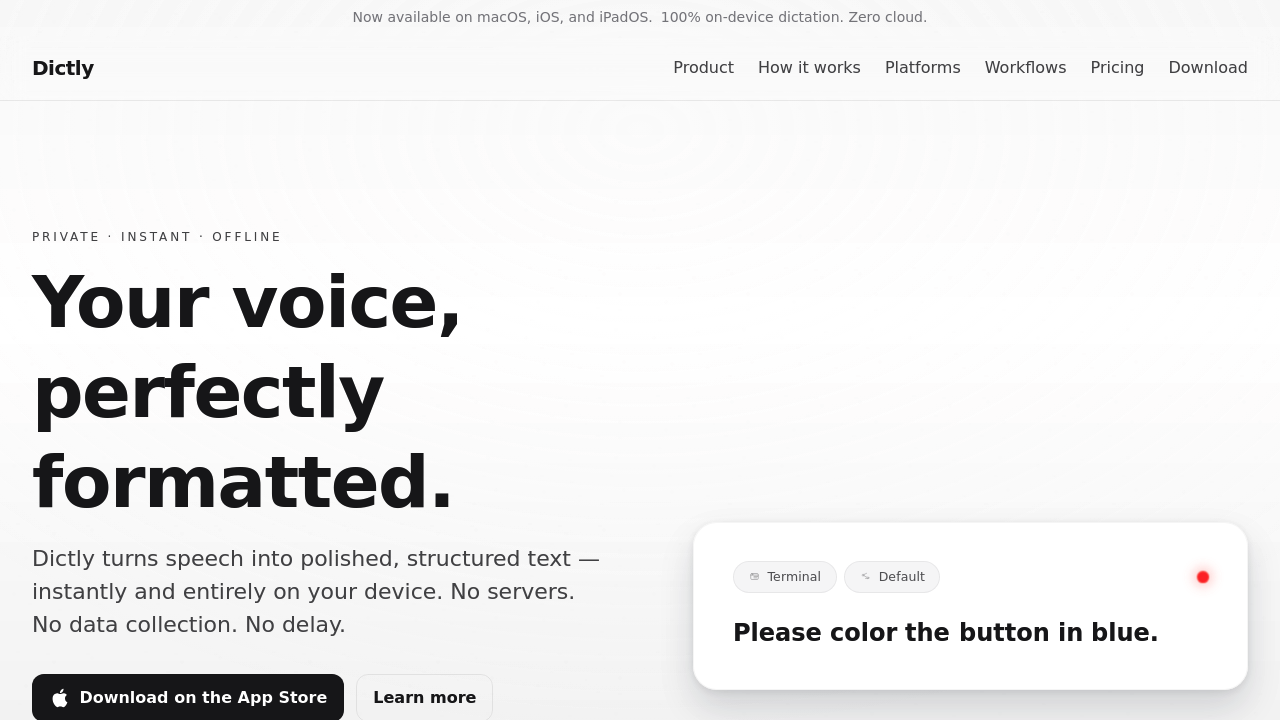
Dictly screenshot

A consultant records meeting notes while switching between her email client and Notion workspace. She hits ⇧⌘D mid-thought, speaks naturally with a few "umms" scattered in, and watches structured text appear in real time—fillers stripped out, sentences formatted to match whichever app she's typing in. The Quick Capture overlay disappears after she pauses, text already inserted. She works on a plane with no WiFi. Same speed, same quality.

Dictly runs speech recognition entirely on-device for macOS and iOS. No cloud processing. The app converts speech to polished text in about 100 milliseconds on Apple Silicon, using roughly 50 MB of RAM and zero network bandwidth. A developer dictates code comments in VS Code, then switches to Mail to draft a response. Per-App Profiles detect the context switch and adjust formatting automatically—technical snippets get minimal processing, emails get full sentence structure and punctuation cleanup.

The processing pipeline works in stages. Raw speech chunks get cleaned first, then assembled into sentences, finally formatted at document level. Users customize this workflow through a visual pipeline editor, deciding which transformations apply when. Multiple insertion modes handle different scenarios: Type-out simulates keystrokes for apps that need it, Paste works for standard text fields, Clipboard copies without inserting. Auto-Submit pushes completed dictation into chat apps and productivity tools without manual confirmation.

Custom dictionaries let users add names, domain terms, and jargon that standard recognition misses. Full transcription history sits local with search functionality. Optional analytics track dictation trends and goals, also stored on-device. Markdown formatting support means technical writers can speak structure directly.

The app runs offline with identical performance. A macOS Network Inspector shows zero network calls during operation. Download size hits under 5 MB.

This works only on Apple Silicon for advertised latency, though Intel Macs run it slower. iOS and iPadOS supported, but no Android or Windows versions exist. CloudKit sync between devices isn't available yet, listed as coming soon. Users who need cross-platform dictation or already have cloud-based workflows won't find compatibility here. Teams looking for shared vocabularies or collaborative features should look elsewhere—this targets individual users who prioritize privacy and offline capability.

A security researcher dictates sensitive notes between air-gapped sessions. A writer drafts on long flights. Both get consistent results without connectivity dependencies. People comfortable with cloud services or needing Windows support should skip this entirely.

Dictly alternatives

See all →

Frequently asked

7 questions
Does Dictly work offline?
A consultant drafting client emails during a cross-country flight gets identical transcription speed and accuracy whether the plane has WiFi or not. Dictly processes all speech recognition on the device itself—Apple Silicon handles the conversion from audio to formatted text without touching any server. A macOS Network Inspector running alongside shows zero network activity during dictation sessions. The app uses about 50 MB of RAM and operates at the same ~100 millisecond latency online or offline. Security researchers working with sensitive information in air-gapped environments can dictate without creating network traces.
Can I use Dictly on Windows or Android?
A product manager switching between her work Windows laptop and personal MacBook would need to find another solution—Dictly only runs on macOS and iOS/iPadOS. The app requires Apple Silicon to hit the advertised 100-millisecond first-word latency, though it runs slower on Intel Macs. Android phones and tablets aren't supported at all. Teams working across mixed operating systems can't standardize on this tool. Cross-platform workers who need dictation on both Mac and PC should look at cloud-based alternatives instead.
How much does Dictly cost?
A freelance writer budgeting for productivity tools won't find pricing details listed in publicly available information about Dictly. The app doesn't offer a free tier or trial period that users can test before purchasing. Budget-conscious users who want to evaluate dictation quality before committing money should contact the developer directly for current pricing. Teams needing multiple licenses would also need to inquire about volume pricing since no structured pricing tiers appear in the documentation.
Does Dictly work with Google Docs or Slack?
A support specialist toggling between Slack conversations and Google Docs articles can use Dictly in both—the app integrates at the macOS system level rather than through specific app plugins. She hits ⇧⌘D while her cursor sits in a Slack message thread, speaks her response, and the text appears through simulated keystrokes or paste actions depending on her settings. The same shortcut works when she switches to her browser with Google Docs open. Per-App Profiles automatically adjust formatting style based on which application has focus. Any macOS or iOS app that accepts text input works without requiring individual integration setup.
Can I sync my dictation history between my Mac and iPhone?
A researcher who dictates notes on her iPhone during fieldwork, then wants to access that transcription history on her MacBook later, can't do that yet with Dictly. CloudKit sync between devices appears on the roadmap as "coming soon" but isn't currently available. Each device maintains its own local transcription history and custom dictionaries without cross-device sharing. Users who need their dictation accessible across multiple Apple devices should wait for the sync feature or choose a cloud-based alternative. The app's privacy-focused architecture means adding sync requires careful implementation to maintain the zero-cloud-processing promise.
What happens to filler words when I dictate with Dictly?
A podcast host drafting show notes while thinking out loud would see her "umms" and "uhs" disappear automatically as Dictly processes her speech. The app strips filler words during the cleanup stage of its processing pipeline, before assembling chunks into formatted sentences. A sales rep nervously dictating a follow-up email after a tough call gets clean, professional text even if he pauses and hesitates while speaking. Users can configure how aggressively the app removes fillers through the pipeline editor. The processing happens locally in real time, so speakers see cleaned text appear as they talk rather than waiting for post-processing.
Can I dictate code or technical content with Dictly?
A developer adding inline documentation to a Python function in VS Code can dictate comments that include technical terms, variable names, and API references through Dictly's custom dictionary feature. She adds project-specific terminology once, then speaks naturally while the app recognizes "Kubernetes," "OAuth," and her custom function names accurately. Per-App Profiles detect when VS Code has focus and apply minimal formatting—preserving technical structure rather than forcing conversational punctuation. Markdown formatting support means technical writers drafting documentation can speak structure like "hash hash section title" to create headers. The local processing means proprietary code comments never leave the device during dictation.

Traffic

Estimated monthly website visits · last 0 months

Not enough historical data for a chart yet.

Reviews (0)

Write review

No reviews yet. Be the first to share your experience.