VoiceTypr logo
AI Transcription FREEMIUM from $69/mo

VoiceTypr

A content writer spends eight hours drafting blog posts, switching between research tabs, Google Docs, and a CMS

She's been using online dictation tools but hates the lag and worries about sending client content to servers. VoiceTypr runs entirely on her laptop. She hits a hotkey, speaks a paragraph, and text appears in whatever…

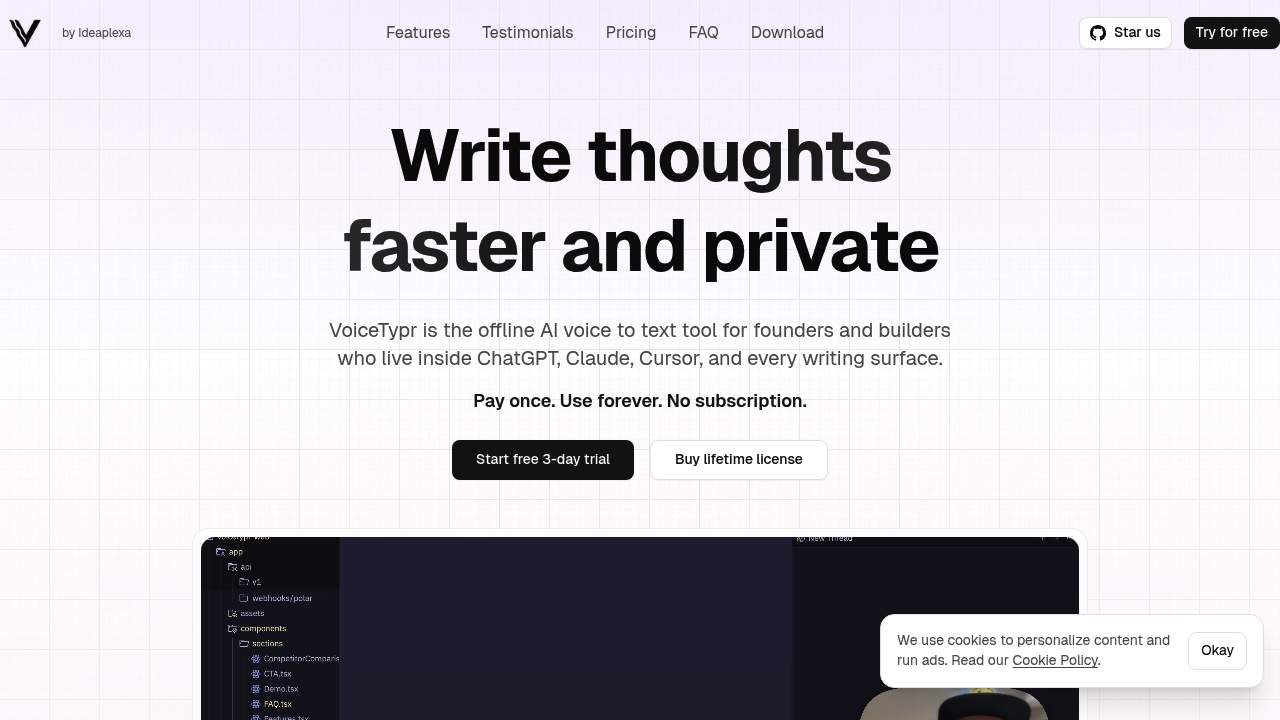
VoiceTypr screenshot

A content writer spends eight hours drafting blog posts, switching between research tabs, Google Docs, and a CMS. She's been using online dictation tools but hates the lag and worries about sending client content to servers. VoiceTypr runs entirely on her laptop. She hits a hotkey, speaks a paragraph, and text appears in whatever window she's in. No upload delay. No privacy concerns. The AI model sits on her hard drive.

A developer codes in Cursor for 12 hours straight. His wrists ache from typing. He needs to dictate function descriptions, commit messages, and documentation without breaking flow. VoiceTypr works inside his code editor the same way it works in email or chat. He can switch between casual mode for Slack messages and formal mode for client emails. Five formatting options handle different contexts. When he's explaining complex logic to an AI coding assistant, he pushes a hotkey and talks through the problem instead of typing three paragraphs.

VoiceTypr converts speech to text with 99% accuracy across 99+ languages. You download whichever language models you need. Each model stays local. Nothing reaches the internet. A founder who builds products while traveling picks the fastest model when internet's spotty, then switches to the most accurate model when working from home. Multiple downloadable models let you trade speed for precision based on what you're doing.

It works system-wide. Any application. A customer support rep types responses in Zendesk, Help Scout, and Intercom throughout the day. She doesn't need separate transcription windows or copy-paste workflows. She activates VoiceTypr, speaks, and text appears wherever her cursor was. The same setup works in AI chat interfaces, text editors, browsers, and messaging apps.

File transcription handles MP3, WAV, M4A, MP4, and MOV formats. A podcaster drags interview recordings into VoiceTypr and gets text transcripts without uploading 90-minute files to cloud services. A researcher transcribes focus group videos on her laptop between flights. The drag-and-drop upload processes everything locally.

Smart history tracks every transcription with search and JSON export. Progress stats show streaks and typing speed improvements. The founder claims users write three times faster than typing. Hotkeys are fully customizable.

Where it falls short: you can't use it on your phone. There's no mobile app. A sales rep who does most of her work from her phone while traveling can't use this. The device limits matter too. Pro covers one computer. If you work from a desktop and laptop, you need Plus for two devices. Max handles four devices. Someone who wants transcription on a tablet, phone, laptop, and desktop hits a wall.

You also need to download models for each language separately. A translator who switches between six languages throughout the day has to manage multiple large model files. That eats storage.

The 3-day free trial lets you test it. After that, it's $50 for Pro with one device, $80 for Plus with two devices, or $140 for Max with four devices. All lifetime access. The founder built this after deciding $15 monthly for basic dictation felt wrong. Seven-day money-back guarantee if it doesn't work out.

Skip this if you need mobile dictation or work primarily from phones and tablets. Skip it if you want cloud sync across unlimited devices. The local-only approach means better privacy and zero latency, but worse flexibility for people who jump between many machines or need to dictate on the go.

VoiceTypr alternatives

See all →

Frequently asked

7 questions
Does VoiceTypr work offline without internet?
A freelance writer working from coffee shops with spotty WiFi runs VoiceTypr completely offline. The AI models download once to her laptop and process everything locally. No internet connection needed after initial setup. Her client contracts and draft articles never touch external servers because transcription happens entirely on her machine. The founder built it specifically so voice data stays on your computer with zero cloud dependency.
Can I use VoiceTypr in Cursor and other code editors?
A backend developer dictates function documentation directly into Cursor while his hands rest. VoiceTypr works system-wide in any application where text input happens. He switches between writing code comments in his editor, explaining problems to Claude in a browser tab, and drafting commit messages in his terminal. The same hotkey activates transcription regardless of which window has focus. ChatGPT, Cursor, email clients, and messaging apps all work identically.
Is VoiceTypr free or does it cost money?
A startup founder tests VoiceTypr during the 3-day free trial before deciding. After that, lifetime access costs $50 for Pro on one device, $80 for Plus on two devices, or $140 for Max on four devices. No monthly subscription. She pays once and owns it permanently with all future updates included. The seven-day money-back guarantee covers her if accuracy disappoints after real-world testing.
How accurate is VoiceTypr compared to other dictation tools?
A content strategist who tried Dragon and Google's dictation finds VoiceTypr hits 99% accuracy with the right model selected. She downloaded the most accurate model for English and speaks naturally while drafting blog posts. Technical terms and client names occasionally miss, but correction takes seconds. Multiple downloadable models let her pick faster transcription when she needs speed or the most accurate option when precision matters for formal client communications.
Does VoiceTypr have a mobile app for iPhone or Android?
A sales manager who handles most emails from her phone during client visits can't use VoiceTypr. No mobile app exists. The tool only runs on desktop computers as a native application. Someone who splits work between an iPad for travel and a laptop for office days would only get transcription on the laptop. Device limits apply to computers only, making this a poor fit for anyone whose primary work happens on phones or tablets.
Can VoiceTypr transcribe audio files and recordings?
A market researcher drags hour-long interview recordings straight into VoiceTypr and gets full transcripts without cloud uploads. MP3, WAV, M4A, MP4, and MOV files all work through drag-and-drop. She processes focus group videos locally on her laptop between meetings. A podcaster transcribes guest interviews offline during flights. The same 99% accuracy applies whether speaking live or uploading pre-recorded files.
How many languages does VoiceTypr support?
A bilingual customer support specialist who handles inquiries in English and Spanish downloads models for both languages. VoiceTypr supports 99+ languages total. Each language requires a separate model download that lives on her hard drive. Someone juggling six languages throughout the day manages multiple large model files and switches between them manually. Storage requirements add up fast for polyglots, but accuracy remains consistent across supported languages.

Traffic

Estimated monthly website visits · last 8 months

4.5K visits/mo
Monthly visits
4.5K
↑ 95.1% MoM
Global rank
#6,092,239
US #2,778,217
Category rank
#50
AI Transcription
5.4K 4.6K 3.8K 3.1K 2.3K Jan 2026: 3.9K visits Jan 2026 Feb 2026: 3.8K visits Feb 2026 Mar 2026: 4K visits Mar 2026 Apr 2026: 4.6K visits Apr 2026 May 2026: 5.4K visits May 2026 Jun 2026: 4K visits Jun 2026 Jul 2026: 2.3K visits Jul 2026 Aug 2026: 4.5K visits Aug 2026

Reviews (0)

Write review

No reviews yet. Be the first to share your experience.