WooTechy VoxDo logo

WooTechy VoxDo

Opening WooTechy VoxDo drops you into a text-to-speech generator with over 3000 voices spread across more than 100 languages

You type or paste text into the input box, pick a voice from the library, and hit generate. The voice selection process involves scrolling through categories and previewing samples until you find something that matches…

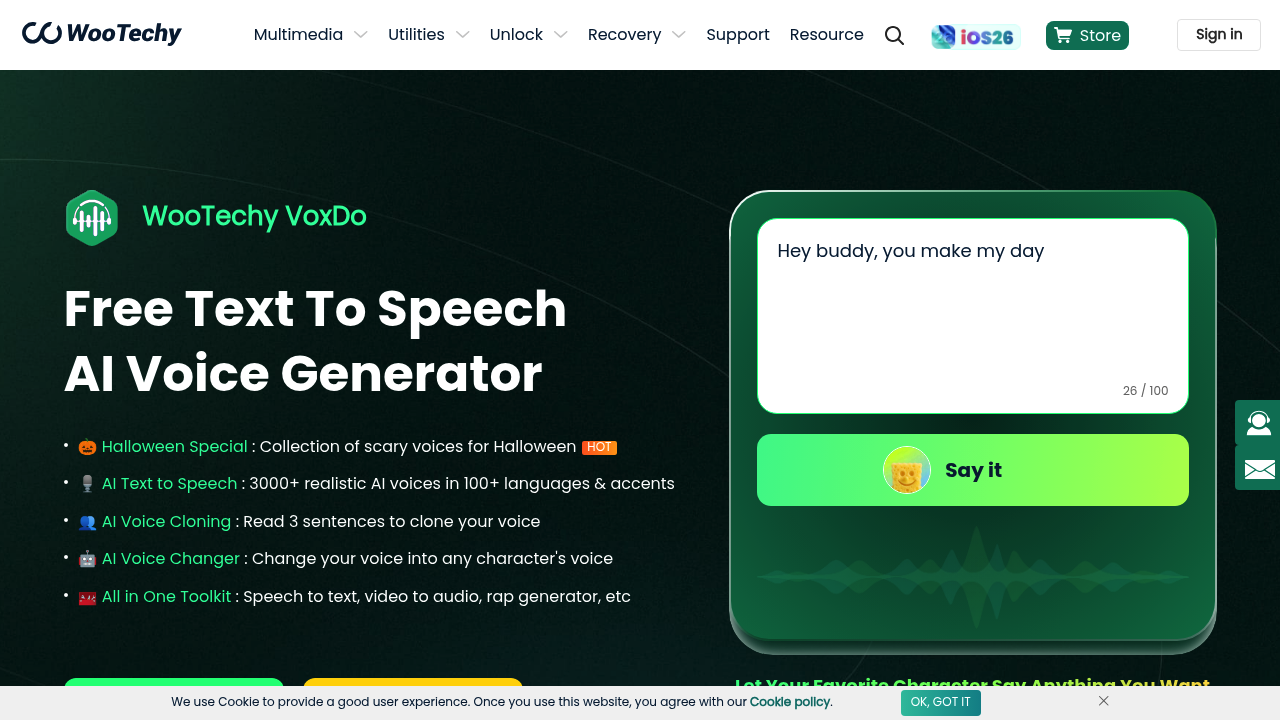
WooTechy VoxDo screenshot

Opening WooTechy VoxDo drops you into a text-to-speech generator with over 3000 voices spread across more than 100 languages. You type or paste text into the input box, pick a voice from the library, and hit generate. The voice selection process involves scrolling through categories and previewing samples until you find something that matches what you're going for. With 3000 options, that's a lot of clicking.

The text-to-speech engine handles multiple languages and accents, so you can generate a voiceover in Spanish with a Mexican accent or English with a British inflection. The output plays back immediately after generation. Download the file and you're done. The interface doesn't require audio editing knowledge, which matters for teachers and content creators who just need quick voiceovers for YouTube videos or online courses.

Voice cloning sits in a separate section. You record yourself reading three sentences aloud, upload the audio, and the system analyzes your voice to create a custom clone. Three sentences isn't much. The speed there is notable compared to other voice cloning tools that demand longer recordings. Once cloned, you can type any text and hear it in your own voice without recording again. Podcasters and advertisers use this to batch-produce content without sitting in front of a microphone for hours.

The voice changer feature takes an existing audio file and transforms it into a character voice. Upload a recording, select a character from the library, and the software processes it. There's a Halloween collection with scary voices for seasonal content. The system also converts speech back to text and pulls audio from video files, though these feel tacked on rather than core to the experience.

Over 800,000 people use VoxDo, with millions of voiceovers generated. The marketing targets social media bloggers, TikTok creators, animation studios, and online educators who'd otherwise hire voiceover artists or record everything themselves. A free tier exists with a "Try For Free" button, though the exact limitations aren't spelled out upfront. You'll discover what's locked once you start using it.

The rap generator adds rhythmic vocal patterns to text, which feels niche but useful for music content creators experimenting with AI-generated vocals. The friction comes from navigating the massive voice library and figuring out which features live where in the interface. Everything works, but the layout doesn't guide you smoothly between text-to-speech, voice cloning, and voice changing modes.

WooTechy VoxDo alternatives

See all →

Frequently asked

7 questions
How many voices does WooTechy VoxDo have?
WooTechy VoxDo offers over 3000 AI voices covering more than 100 languages and accents. You scroll through categories in the voice library and preview samples until you find what works. The selection includes everything from Spanish with a Mexican accent to English with British inflection. The massive library means lots of clicking to find the right voice, though the variety handles most content needs.
Does WooTechy VoxDo have a free version?
WooTechy VoxDo offers a free tier that you access through a 'Try For Free' button on the site. The specific limitations aren't detailed upfront, so you discover what's locked once you start generating voiceovers. You'll hit restrictions as you use features, but the free version exists for testing before committing to payment.
How does voice cloning work in WooTechy VoxDo?
You record yourself reading three sentences aloud, upload the audio file, and VoxDo analyzes your voice to create a clone. After that, you type any text and hear it in your own voice without recording again. Three sentences is notably faster than other voice cloning tools that require longer samples. Podcasters use this to batch-produce episodes without sitting at a microphone for hours.
Can WooTechy VoxDo change existing audio into different voices?
You upload an existing audio file to the voice changer section, select a character voice from the library, and the software processes the transformation. The tool includes character voices and a Halloween collection with scary voices for seasonal content. The feature works for transforming recorded dialogue into cartoon characters or themed voices, though it lives in a separate section from the main text-to-speech generator.
What can WooTechy VoxDo generate besides text-to-speech?
Beyond converting text to speech, VoxDo converts speech back to text, extracts audio from video files, and generates rap vocals with rhythmic patterns. The rap generator adds AI vocal patterns to text, which works for music creators experimenting with generated vocals. These extra features feel secondary to the core text-to-speech and voice cloning tools, and they're scattered across different interface sections rather than integrated smoothly.
Who uses WooTechy VoxDo?
Content creators, teachers, YouTube and TikTok creators, podcasters, and online educators make up the core user base of over 800,000 people. Animation studios use it for voiceover work without hiring voice actors. Social media bloggers generate quick voiceovers for videos without recording equipment or audio editing skills. The tool eliminates costs of professional voiceover artists and removes the hassle of re-recording when you need changes.
Is the voice library in WooTechy VoxDo hard to navigate?
Scrolling through 3000 voices to find the right one involves considerable clicking and previewing. The library breaks into categories, but with that many options, you'll spend time sampling voices until something matches your content. The interface doesn't guide you smoothly between text-to-speech, voice cloning, and voice changing modes, so you hunt for where each feature lives. Everything functions once you find it, but the layout creates friction when switching between tools.

Traffic

Estimated monthly website visits · last 8 months

186.5K visits/mo
Monthly visits
186.5K
↓ 0.4% MoM
Global rank
#246,046
HK #7,575
Category rank
#22
AI Text-to-Speech
288.1K 261.8K 235.5K 209.2K 182.9K Dec 2025: 287.2K visits Dec 2025 Jan 2026: 288.1K visits Jan 2026 Feb 2026: 186.8K visits Feb 2026 Mar 2026: 231.5K visits Mar 2026 Apr 2026: 214.9K visits Apr 2026 May 2026: 182.9K visits May 2026 Jun 2026: 187.2K visits Jun 2026 Jul 2026: 186.5K visits Jul 2026

Reviews (0)

Write review

No reviews yet. Be the first to share your experience.