VoxTap logo
AI Transcription FREEMIUM from $39/mo

VoxTap

Hit a hotkey—your voice turns into text right where your cursor sits

VoxTap runs completely offline on your Mac. Uses on-device AI. Zero cloud uploads. No account setup required. Your voice data never leaves your machine. Built for developers using AI coding agents (Cursor, Claude Code).…

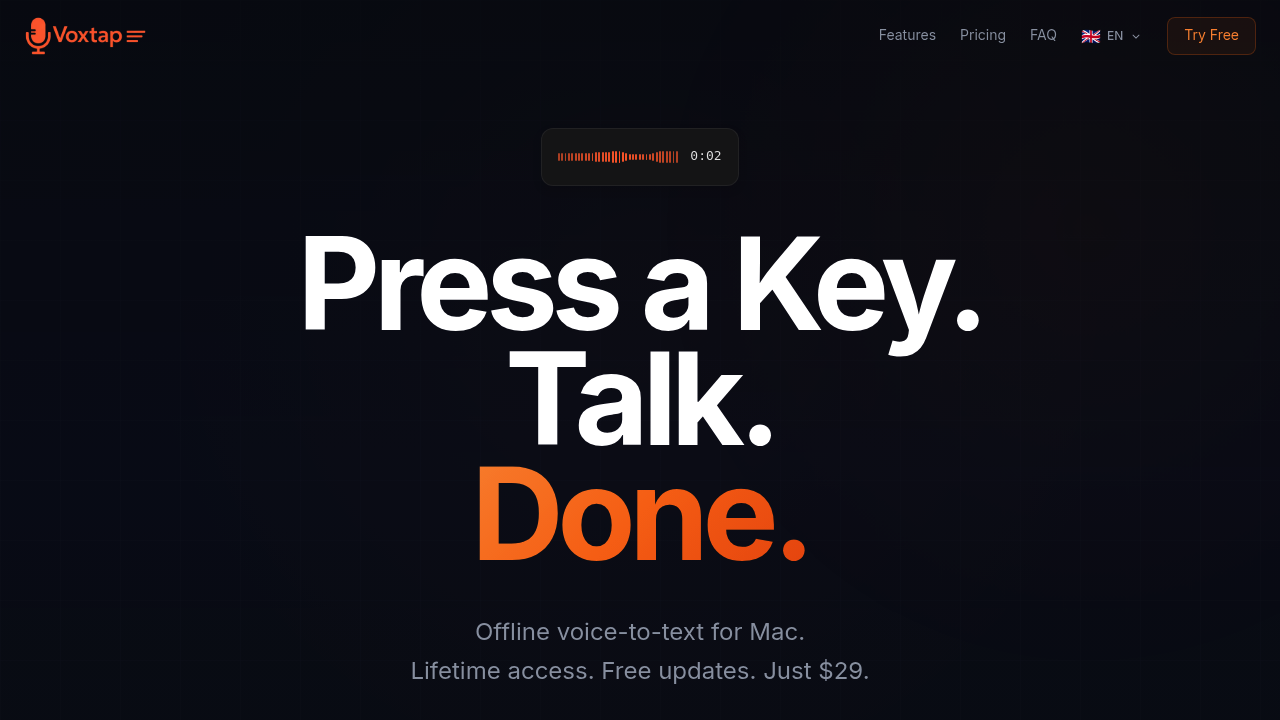
VoxTap screenshot

Hit a hotkey—your voice turns into text right where your cursor sits. VoxTap runs completely offline on your Mac. Uses on-device AI. Zero cloud uploads. No account setup required. Your voice data never leaves your machine.

Built for developers using AI coding agents (Cursor, Claude Code). You dictate lengthy, context-heavy prompts instead of typing them out. AI output quality jumps when you feed it detailed instructions rather than vague one-liners. Freelance developers handling proprietary client code can dictate complex refactoring instructions. No worry about voice recordings landing on external servers.

English accuracy exceeds 95%. Handles technical terminology and code-related speech better than generic dictation software. Filler words? Stripped automatically. Text appears in under a second—from hotkey press to characters showing up in VS Code, Terminal, Slack, wherever you're working.

Transcription history includes timestamps and full-text search. Previous dictations copy with one click. Matters less than the core function, but helps when you're repeating similar instructions across multiple files.

You get 45 minutes free (no signup). Paid version runs $29—lifetime access on one Mac. Competitors charge $849 lifetime or $15 monthly. The catch: you need macOS 14 or newer. Apple Silicon performs best. Intel Macs technically work. Windows and Linux users can't use it.

VoxTap alternatives

See all →

Frequently asked

7 questions
Does VoxTap work offline or does it send my voice to the cloud?
VoxTap runs completely offline on your Mac using on-device AI. Your voice recordings never leave your machine—no cloud uploads, no external servers. This makes it safe for dictating proprietary code or sensitive client work.
How much does VoxTap cost?
You get 45 minutes free with no signup required. The paid version is $29 for lifetime access on one Mac, with a 14-day money-back guarantee. That's way cheaper than competitors who charge $849 lifetime or $15/month.
Will VoxTap work on my Windows PC or Linux machine?
No, VoxTap only works on Mac. You'll need macOS 14 (Sonoma) or newer. It performs best on Apple Silicon Macs (M1 or newer), though Intel Macs are supported but not optimal.
How accurate is VoxTap for technical and coding terminology?
VoxTap hits 95%+ accuracy for English and handles code-related speech better than generic dictation tools. It's specifically optimized for technical terminology, and it automatically strips out filler words so your text comes out clean.
Can I use VoxTap to dictate prompts in Cursor or Claude Code?
Absolutely—that's what it's built for. You press a hotkey, dictate detailed instructions, and text appears right in your AI coding agent. Giving AI tools rich context instead of vague one-liners gets you better output on the first try.
How fast does VoxTap convert speech to text?
Text appears in under a second from the moment you press the hotkey. You speak, release the key, and the transcription shows up instantly at your cursor—whether you're in VS Code, Terminal, Slack, or anywhere else.
Does VoxTap save my transcription history?
Yes, it keeps a searchable history of your previous dictations with timestamps and duration tracking. You can search through old transcriptions and copy any of them with one click, which is handy when you're repeating similar instructions across files.

Traffic

Estimated monthly website visits · last 0 months

Not enough historical data for a chart yet.

Reviews (0)

Write review

No reviews yet. Be the first to share your experience.