Harker logo
AI Transcription FREEMIUM from $6/mo

Harker

Press command-shift-space and start talking

Whatever you're saying gets transcribed directly into whatever text field you've got open. Email, code editor, chat window, doesn't matter. The text just appears where your cursor sits. Harker runs entirely on your…

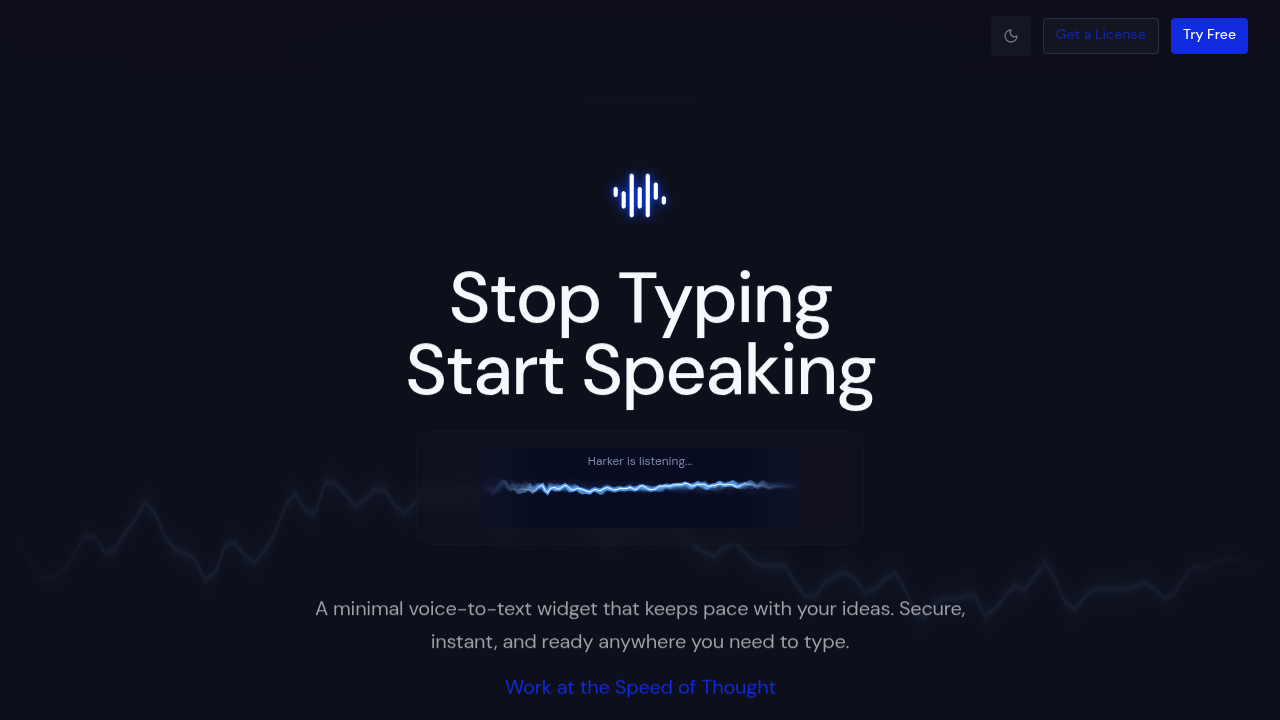
Harker screenshot

Press command-shift-space and start talking. Whatever you're saying gets transcribed directly into whatever text field you've got open. Email, code editor, chat window, doesn't matter. The text just appears where your cursor sits.

Harker runs entirely on your machine. No audio leaves your computer. Everything processes locally, which means your voice recordings stay private and the transcription happens fast. You can speak naturally and it figures out punctuation and context without you spelling things out.

The whole thing lives as a lightweight widget that activates with that global shortcut. You're not switching between apps or opening a separate interface. Hit the keys, speak, and the text flows into whatever you're working on. No copying from one window and pasting into another.

Most people type around 70 words per minute when they're moving quickly. Speaking clocks in above 150 words per minute without much effort. That gap matters when you're drafting documentation, writing emails, or explaining something complex. Harker lets you outpace your keyboard by using your voice instead.

The offline processing means there's zero lag from sending audio to a server and waiting for a response. Everything happens on device, so transcription keeps up with how fast you're actually speaking. You see words appearing in real time rather than watching a progress bar.

Where things get tricky: Intel-based Macs aren't supported. If you're on older hardware, you're out of luck. The Windows situation isn't clear either, so this seems built specifically for Apple Silicon machines.

The one-time purchase model is notable since most transcription tools run on subscriptions. You buy it once and own it. There's a seven day trial to test whether the transcription quality and speed work for your voice and accent before committing.

Harker targets people who write constantly. Developers documenting code, designers explaining concepts, anyone juggling multiple apps throughout the day. It's built for workflows where you're already thinking out loud or talking through problems, just channeling that into text instead of letting it evaporate.

The privacy angle matters more than it might seem. Voice data staying local means you can transcribe sensitive work stuff, client information, or personal notes without wondering where that audio ends up. No cloud storage, no third party processing, no data retention policies to worry about.

Harker alternatives

See all →

Frequently asked

6 questions
Is Harker free?
Harker uses a one-time purchase model rather than offering a free version. You pay once and own it permanently instead of dealing with a recurring subscription. There's a seven day trial available so you can test the transcription quality and speed with your actual voice before buying. The exact price isn't publicly listed, but the trial gives you full access to see if it works for your workflow.
How does Harker voice typing work?
You press command-shift-space from anywhere on your Mac, start speaking, and text appears directly in whatever field your cursor sits in. The transcription happens completely offline on your machine, so there's no lag from sending audio to servers. You're not copying and pasting between windows or opening a separate app. The text just flows into your email draft, code editor, chat window, or whatever you're working in as you speak.
Does Harker work on Windows?
The Windows version availability isn't clear from what Harker shares publicly. What's confirmed is that Intel-based Macs aren't supported either, which suggests the tool is built specifically for Apple Silicon machines. If you're on Windows or an older Mac with Intel chips, you're likely out of luck. The seven day trial would let you test compatibility before purchasing, but it seems aimed squarely at newer Mac hardware.
Is Harker better than typing?
Speaking hits 150+ words per minute without much effort while typing typically caps around 70 words per minute even when you're moving fast. That gap adds up when you're drafting documentation, writing emails, or explaining complex ideas. Harker converts your speech into text instantly wherever your cursor sits, so you're essentially doubling your output speed. The offline processing keeps transcription moving as fast as you talk without waiting for server responses.
Does Harker save my voice recordings?
Everything processes locally on your machine with zero audio leaving your computer. There's no cloud storage, no server processing, and no data getting retained anywhere outside your device. This means you can transcribe sensitive work content, client information, or personal notes without wondering where that voice data ends up. The privacy model is complete offline processing, which also eliminates the lag you'd get from sending audio externally.
What apps does Harker work with?
Harker works in any application where you can place a cursor and type. Email clients, code editors, chat windows, document editors, web forms, whatever. You press the global shortcut and speak, then text appears in whichever field you've got active. There's no list of specific integrations because it functions at the system level rather than connecting to individual apps.

Traffic

Estimated monthly website visits · last 8 months

1.1K visits/mo
Monthly visits
1.1K
↓ 22.3% MoM
Global rank
#13,373,589
US #4,758,903
Category rank
#59
AI Transcription
1.9K 1.5K 1.2K 805 445 Dec 2025: 1.2K visits Dec 2025 Jan 2026: 1.2K visits Jan 2026 Feb 2026: 708 visits Feb 2026 Mar 2026: 1.8K visits Mar 2026 Apr 2026: 1.9K visits Apr 2026 May 2026: 445 visits May 2026 Jun 2026: 1.5K visits Jun 2026 Jul 2026: 1.1K visits Jul 2026

Reviews (0)

Write review

No reviews yet. Be the first to share your experience.