Unscreen Pro logo

Unscreen Pro

You've got video content but no green screen setup

59 views
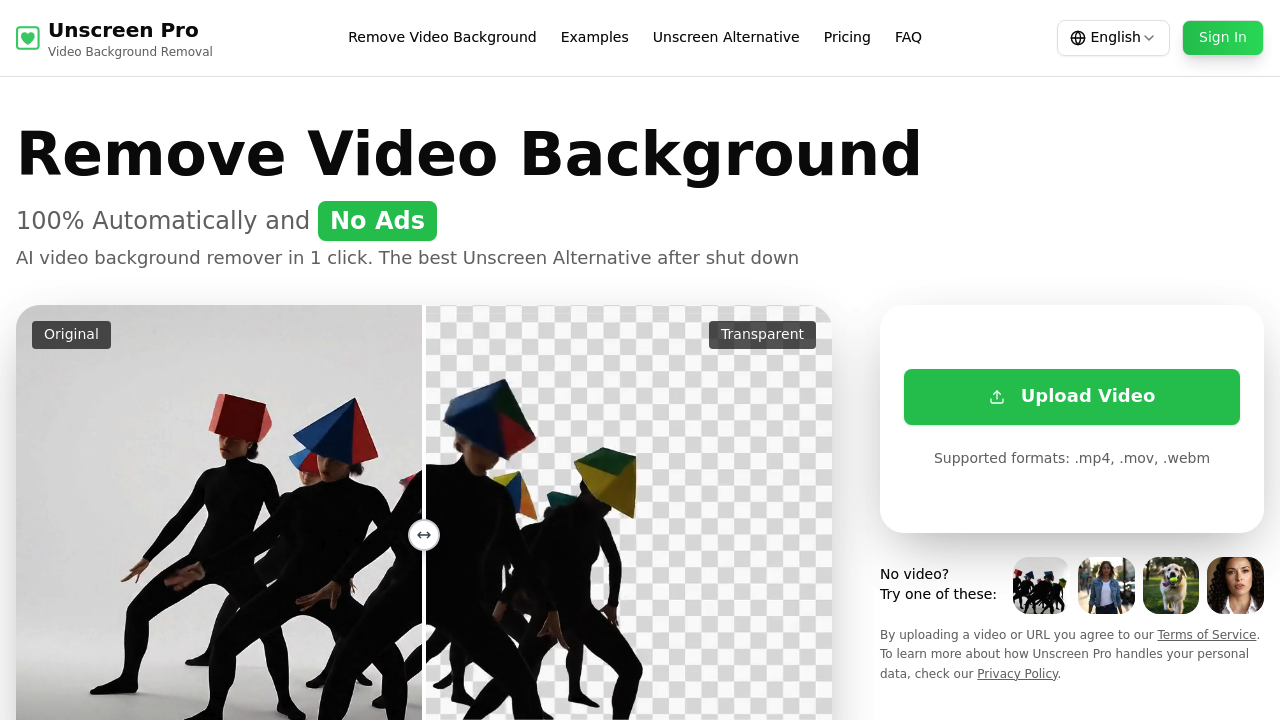
Unscreen Pro screenshot

You've got video content but no green screen setup. Unscreen Pro strips backgrounds from your footage automatically—no manual masking work required.

AI handles the heavy lifting here. It detects subjects and removes everything behind them. Upload a video file and it processes the whole thing without you clicking around individual frames. Supports .mp4, .mov, and .webm files (up to 30 minutes long). Live preview shows you what you're getting before finalizing.

YouTube creators filming product reviews can shoot against any wall. Swap in clean backgrounds later. TikTok creators get that polished look without investing in studio gear. Unscreen Pro recognizes people, pets, and objects equally well.

Over a million creators use it. Many migrated after Unscreen shut down. Unscreen Pro positions itself as the direct replacement—with faster processing times. There's an API available. Build background removal into your own workflow or handle batch processing for clients.

A free tier exists (restricted to personal projects only). Commercial use requires a paid plan. No fiddling with tolerance sliders. No refining edges manually. You either get clean results or you don't. This automated approach works great for standard talking-head footage. Complex hair or motion blur can still trip things up—same as any background removal software.

Over 200 bucks saved on backdrops and lighting rigs if this handles your needs.

Frequently asked

7 questions
Is Unscreen Pro free?
There's a free tier, but it's limited to personal, non-commercial projects only. If you're creating content for business, social media monetization, or client work, you'll need a paid plan. The free version still gives you full background removal features—just can't use it commercially.
What happened to the original Unscreen?
Unscreen shut down, and Unscreen Pro was built as its replacement. Over a million creators have already made the switch. Many former Unscreen users migrated here because it offers the same quality with faster processing and more flexible pricing options.
What video formats does Unscreen Pro support?
It works with .mp4, .mov, and .webm files up to 30 minutes long. That covers pretty much everything you'd shoot on a phone, camera, or screen recording software. Upload your file and the AI handles the rest automatically.
Can Unscreen Pro remove backgrounds from videos with pets or objects?
Yep, it works with people, pets, and objects equally well. Whether you're filming your dog, showcasing products, or doing talking-head content, the AI detects the subject and strips out the background. No manual masking needed for any of these.
Does Unscreen Pro have an API?
Yes, there's an API available for developers and businesses. You can build background removal directly into your own tools or handle batch processing for multiple videos. Most migrations from other services get completed in about 2 days.
How long does it take to process a video?
Processing happens automatically once you upload, and Unscreen Pro claims faster times than the original Unscreen. You'll see a live preview while it works, so you know what you're getting before finalizing. Exact time depends on your video length and complexity.
What are the limitations of Unscreen Pro?
Complex hair details and heavy motion blur can still cause issues—that's true for any automated background removal tool. The free tier only allows personal, non-commercial use. For professional content creation, you'll need to upgrade to a paid plan.

Traffic

Estimated monthly website visits · last 3 months

10.5K visits/mo
Monthly visits
10.5K
↑ 49.5% MoM
Global rank
#2,168,549
US #1,715,703
Category rank
#57
Video Editing
10.5K 8.3K 6.2K 4.1K 2K Nov 2025: 2K visits Nov 2025 Dec 2025: 7K visits Dec 2025 Jan 2026: 10.5K visits Jan 2026

Data from SimilarWeb · Updated monthly.

Reviews (0)

Write review

No reviews yet. Be the first to share your experience.

Similar tools

See all →