#9 in AI Background Remover Airbrush AI Background Remover logo

Airbrush AI Background Remover

A social media manager preparing product posts for an online boutique uploads 15 shoe photos with cluttered warehouse backgrounds

Airbrush AI Background Remover analyzes each image and strips away the background in seconds, leaving clean transparent PNGs ready for Instagram. She replaces some with solid white backgrounds for a minimalist look,…

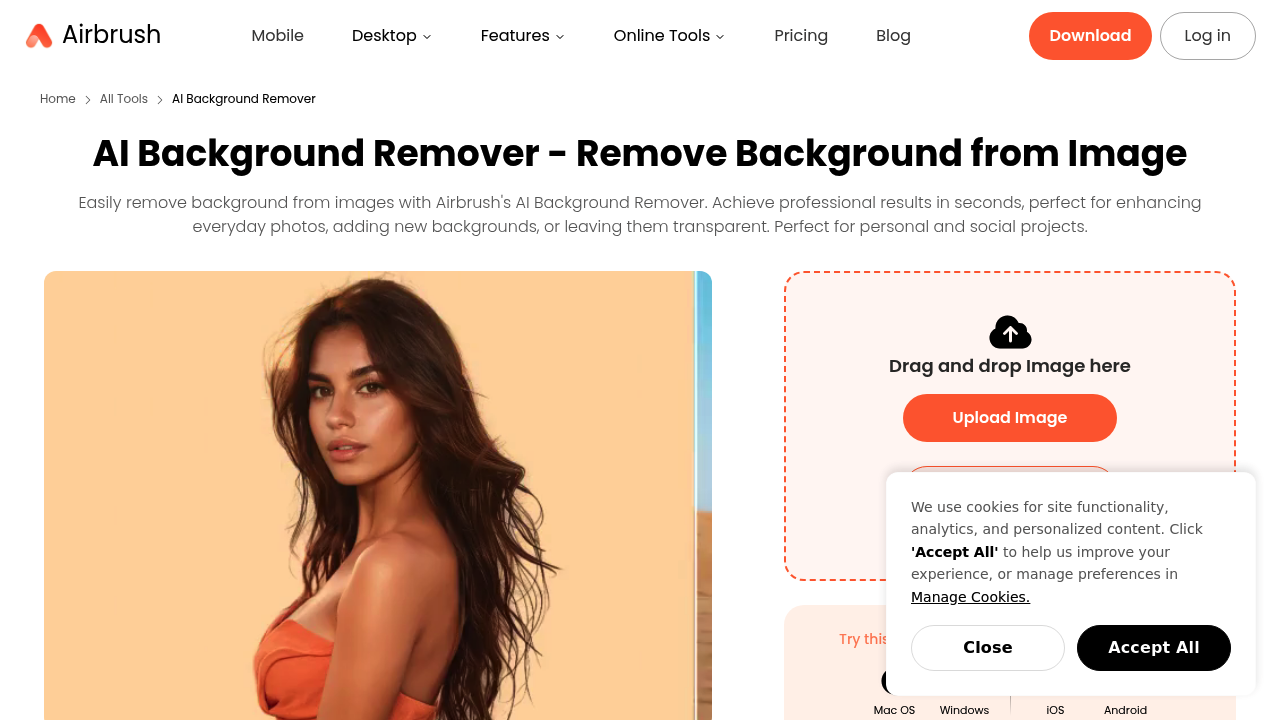
Airbrush AI Background Remover screenshot

A social media manager preparing product posts for an online boutique uploads 15 shoe photos with cluttered warehouse backgrounds. Airbrush AI Background Remover analyzes each image and strips away the background in seconds, leaving clean transparent PNGs ready for Instagram. She replaces some with solid white backgrounds for a minimalist look, others with pre-designed gradients that match her brand colors. The whole batch gets done in minutes instead of hours in traditional editing software.

This service works through drag-and-drop uploads or directly from mobile devices. One click triggers the AI to separate foreground subjects from backgrounds automatically. Works with portraits, product shots, handwritten signatures, and vector graphics. After removal, you can keep the transparent background as a PNG, swap in a solid color like white or black, choose from pre-designed backgrounds, or generate custom realistic backgrounds using AI. Preview shows results before downloading.

A food blogger photographing recipes in her cramped kitchen uses it to remove distracting countertops and appliances, then adds clean white backgrounds that make her dishes pop. The AI handles complex edges like lettuce leaves and sauce drips without manual masking. She uploads images straight from her phone between cooking sessions.

An advertising professional creates mock campaigns by placing himself in front of brand logos without needing graphic design expertise. This addresses a specific advertising use case where quick visual concepts matter more than pixel-perfect compositing.

Airbrush AI struggles with similar tones. A photographer shooting glass products on white surfaces finds the AI can't distinguish edges cleanly when foreground and background colors nearly match. Complex hair strands or fur sometimes show artifacts. No batch processing means handling 50 product images requires 50 separate uploads and downloads.

You get 3 free uses total. That's enough to test whether the AI handles your specific image types well, but nowhere near sufficient for ongoing work. A small business owner photographing 30 items for an online store burns through the free allowance immediately and hits a paywall.

Mobile upload matters for creators working on phones, but there's no dedicated mobile app for iOS or Android. No API means you can't build this into automated workflows. No team features for agencies juggling client projects.

Skip this if you need batch processing for large catalogs, work with tricky subjects like transparent objects, or want unlimited free processing. It fits quick one-off social posts and testing whether AI background removal works for your image style before committing to a paid solution.


Airbrush AI Background Remover alternatives

See all →

Frequently asked

6 questions
Is Airbrush AI background remover free?
Airbrush AI gives you 3 free uses total, then requires payment. A graphic designer testing it on three client headshots can see if the AI handles her typical image quality, but that allowance disappears fast. Someone launching an Etsy shop with 40 product photos will burn through the free tier on the first few items and hit the paywall immediately. The free uses work as a trial to test whether the AI processes your specific image types cleanly before committing to paid plans.
Can Airbrush AI remove backgrounds from multiple images at once?
Airbrush AI requires separate uploads for each image with no batch processing capability. A photographer editing 50 wedding photos needs to drag, process, preview, and download each one individually, turning a potential 5-minute task into an hour-long slog. An online store owner adding 30 new products faces the same repetitive workflow for every single listing photo. Tools like Remove.bg or Photoshop's batch actions handle bulk processing far better for catalog-scale work.
How accurate is Airbrush AI background remover?
A product photographer shooting white ceramics on white backgrounds finds Airbrush AI struggles to distinguish edges when subject and background colors match closely. The AI handles high-contrast situations well—a person in dark clothing against a bright wall processes cleanly in seconds. Complex details like flyaway hair, pet fur, or intricate jewelry sometimes show artifacts or rough edges. A food blogger photographing salads discovers lettuce leaves and herb garnishes mostly work, though occasionally thin stems get clipped off.
What can I do with images after removing the background in Airbrush AI?
After removal, you download transparent PNGs, swap in solid colors like white or black, choose pre-designed backgrounds, or generate custom realistic backgrounds using AI. A social media manager creates consistent product grids by applying the same gradient background across 20 shoe photos. An advertising professional places himself in front of brand logos for quick campaign mockups without touching Photoshop. A wedding photographer replaces distracting venue backgrounds with elegant bokeh effects through the pre-designed options, though custom AI-generated backgrounds sometimes look artificial on close inspection.
Does Airbrush AI work on phone images?
You can upload images directly from mobile devices through the web interface, but there's no dedicated iOS or Android app. A food blogger shooting recipes on her iPhone uploads photos straight from her camera roll between cooking sessions. An Instagram influencer photographing outfits on her phone can process images immediately without transferring to a computer. The mobile web interface works, though dragging and positioning replacement backgrounds on a small touchscreen feels clunkier than desktop editing.
Can I use Airbrush AI for commercial projects?
An Etsy seller removes backgrounds from handmade jewelry photos for product listings, and a real estate agent cleans up property photos for marketing materials without restrictions mentioned in the provided details. The tool specifically markets itself for advertising use cases, online stores, and professional prints. A freelance designer creating social media ads for small business clients processes images through Airbrush AI as part of paid projects. The 3 free uses limit commercial viability more than licensing restrictions—serious commercial work needs more processing capacity than the free tier provides.

Traffic

Estimated monthly website visits · last 8 months

2.5M visits/mo
Monthly visits
2.5M
↓ 8.6% MoM
Global rank
#18,810
RU #3,075
Category rank
#9
AI Background Remover
4.8M 4.2M 3.6M 3M 2.5M Jan 2026: 4.8M visits Jan 2026 Feb 2026: 3.9M visits Feb 2026 Mar 2026: 4.1M visits Mar 2026 Apr 2026: 3.9M visits Apr 2026 May 2026: 3.8M visits May 2026 Jun 2026: 3.3M visits Jun 2026 Jul 2026: 2.7M visits Jul 2026 Aug 2026: 2.5M visits Aug 2026

Reviews (0)

Write review

No reviews yet. Be the first to share your experience.