ToneMatch logo
AI Beauty FREEMIUM from $3/mo

ToneMatch

AI color analysis and skin tone detection

Upload a clear selfie. ToneMatch tells you your color season within seconds. It analyzes your skin undertone and drops you into Spring, Summer, Autumn, or Winter categories with a 25-color palette that won't make you…

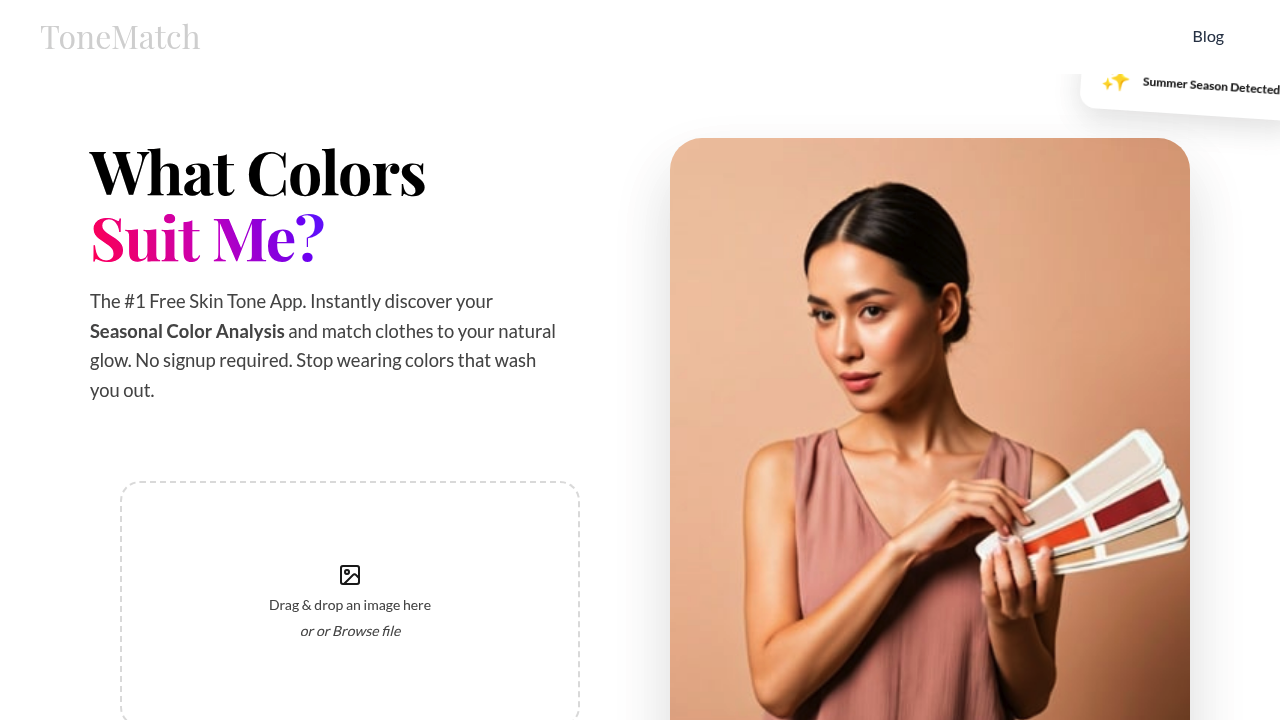
ToneMatch screenshot

Upload a clear selfie. ToneMatch tells you your color season within seconds. It analyzes your skin undertone and drops you into Spring, Summer, Autumn, or Winter categories with a 25-color palette that won't make you look washed out.

Results come fast. ToneMatch determines if you're Cool, Warm, or Neutral, then hands you colors that actually work with your natural glow. The free version covers basics through established systems like Zyla and Color Me Beautiful.

A fashion stylist prepping for client consultations could snap photos and instantly know which color families to pull. ToneMatch's celebrity matching feature shows you stars who share your exact skin tone and season — though you'll need the $2.99 Pro plan for that. The upgrade also unlocks 60+ premium colors. Advanced systems including Pantone and Munsell come with it too.

Heavy makeup kills the analysis. Poor lighting does the same. You need a clean, well-lit photo for accurate results.

ToneMatch targets people tired of buying clothes that drain their complexion. It promises to end those "why does this look terrible on me" moments by giving you a scientific foundation for color choices. Pro users get access to professional-grade color systems that stylists actually use.


ToneMatch alternatives

See all →

Frequently asked

6 questions
How accurate is ToneMatch's color season analysis?
ToneMatch uses established systems like Zyla and Color Me Beautiful -- so it's built on solid foundations. But here's the thing: your photo quality makes or breaks the results. You'll need clear lighting and minimal makeup, or the skin undertone analysis gets completely thrown off.
What's the difference between ToneMatch's free and Pro versions?
Free gets you basic color season analysis plus a 25-color palette. Pro's $2.99 and way more comprehensive -- celebrity matching shows stars with your exact skin tone, plus you get 60+ premium colors. It also includes professional systems like Pantone and Munsell that actual stylists use.
Can I use ToneMatch if I'm wearing makeup in my selfie?
Heavy makeup? That'll mess up everything since ToneMatch needs your natural skin undertone. Light, natural makeup might work okay. But honestly -- for the best color season results, go with a clean face since the algorithm can't see through foundation properly.
Which celebrities does ToneMatch match me with and why does that matter?
The Pro version ($2.99) matches you with stars who've got your exact skin tone and color season. It's actually pretty helpful -- you can see how certain colors look on people with similar undertones. Gives you real examples instead of just abstract color theory.
How fast does ToneMatch actually analyze my photo?
Seconds. Literally within seconds of uploading your selfie, you've got results. No waiting around for calculations or manual reviews -- the analysis happens almost instantly once your image processes.
What lighting conditions work best for ToneMatch analysis?
You want clear, even lighting -- natural daylight's perfect, or bright indoor lighting without harsh shadows. Dim lighting or colored lighting? That'll skew everything. The more neutral and clean your lighting is, the better your color season results turn out.

Traffic

Estimated monthly website visits · last 0 months

69 visits/mo
Monthly visits
69

Not enough historical data for a chart yet.

Reviews (0)

Write review

No reviews yet. Be the first to share your experience.