
The Drive AI logo

The Drive AI

The Drive AI processes file management through natural language commands, letting you interact with documents, images, audio, and video files through conversational requests

51 views
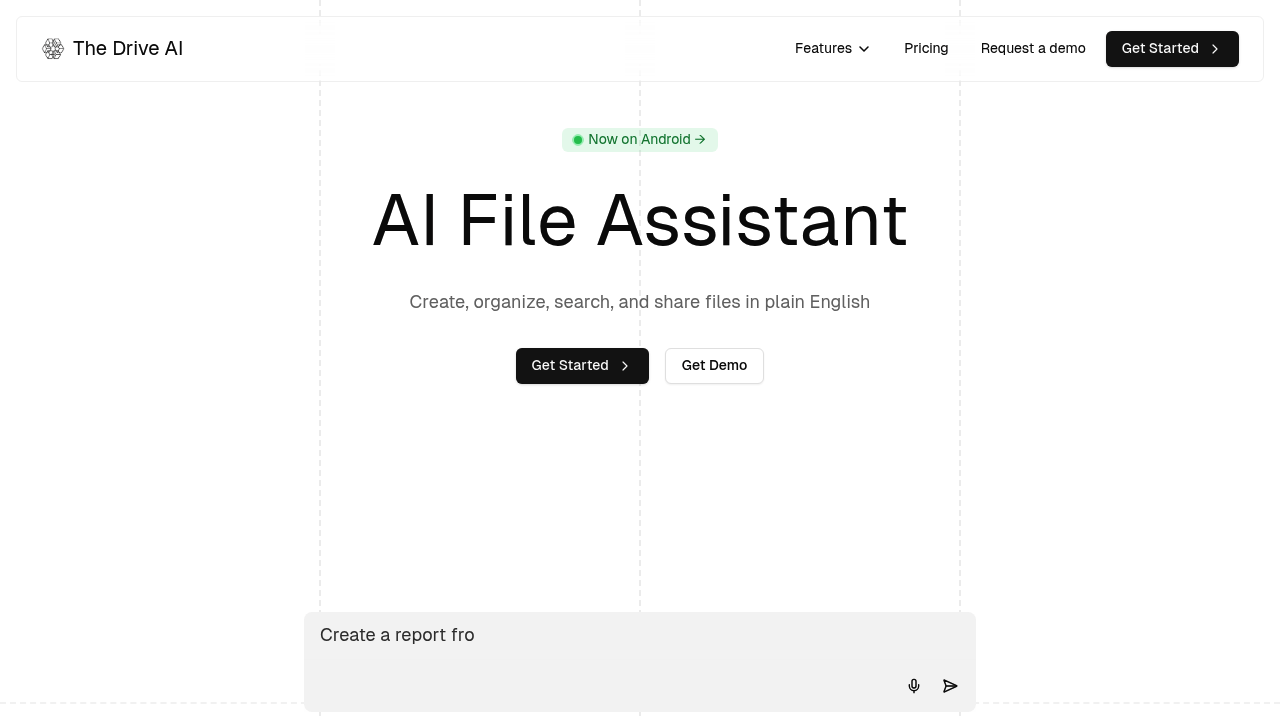
The Drive AI screenshot

The Drive AI processes file management through natural language commands, letting you interact with documents, images, audio, and video files through conversational requests. You can drag files into the system and it'll automatically analyze content, suggest appropriate names, and create nested folder hierarchies based on what it finds inside each file. The command palette, accessible with ⌘K, provides quick access to file operations without navigating menus.

The technical pipeline starts with content analysis. When you upload a PDF, image, audio file, or video, the system extracts text through OCR, identifies objects in images, and transcribes spoken content. For audio and video files, it goes further by identifying different speakers and adding timestamps to segments. This metadata feeds into the organization engine, which determines logical folder structures and naming conventions. The system supports PDF manipulation like merging multiple documents, splitting files into separate pages, filling forms, extracting specific sections, and converting between formats.

File operations happen through natural language. You can type commands like "organize my tax documents from 2023" or "merge these three contracts into one PDF" and the system interprets intent, identifies relevant files, and executes the operation. The writing assistant component understands document context, letting you edit files by describing changes rather than manually making them. It pulls from multiple language models to generate or modify content based on your instructions.

The email integration connects to Outlook and Gmail to automatically process attachments. When emails arrive, the system can extract files, categorize them, rename based on content, and file them into appropriate folders without manual intervention. This runs continuously in the background. The internet browsing capability means the system can search for information or fetch files from web sources when you request specific data.

Sharing works through custom permissions. You can generate secure links with specific access controls for different recipients. The system tracks who has access to what. The workflow automation feature chains multiple operations together, though the specifics of how you configure these workflows aren't detailed in the available information.

The voice agent provides an alternative interface to text commands. You can speak requests instead of typing them. The adaptive autocomplete predicts what you are trying to do based on partial input and file context.

The free plan limits you to five AI actions daily and five auto-organized files monthly. It only processes text files like PDFs and DOCX formats. Storage caps at 5 GB. During high traffic periods, free users face rate limiting and queuing delays. Premium costs $199.99 annually, reduced from the regular $239.88 price. Premium removes the action limits, supports all file formats including images, videos, and audio, provides 100 GB storage, and gives priority access during peak usage times.

Technical constraints on the free tier are significant. Five AI actions means five separate commands or operations per day. Five auto-organized files per month severely restricts the email integration utility. The text-only limitation prevents you from using image analysis, audio transcription, or video processing features. Rate limiting can delay operations when demand spikes.

The system requires you to trust it with file contents for analysis. There's no mention of local processing, which suggests files get uploaded to remote servers for the AI operations to work. The mobile app extends access beyond desktop but processing still happens server-side.


Frequently asked

6 questions
How does The Drive AI organize files automatically?
The Drive AI analyzes file contents through OCR for images, transcription for audio and video, and text extraction for documents. When you drag files in, it reads what's inside, determines logical categories, and suggests both file names and folder structures based on the content it finds. For audio and video files, it identifies different speakers and adds timestamps to segments, which helps with organization. The system can process files from email attachments automatically through Outlook or Gmail integration, categorizing and filing them without manual intervention.
Does The Drive AI have a free version?
There's a free plan that includes 5 AI actions per day, 5 files auto-organized per month, and 5 GB storage. The free tier only supports text files like PDFs and DOCX formats, which means no image analysis, audio transcription, or video processing. During high demand periods, free users face rate limiting and queuing delays. Premium costs $199.99 annually and removes all these restrictions while adding 100 GB storage and priority access.
Can The Drive AI edit PDFs and merge documents?
The system handles PDF manipulation through natural language commands rather than manual editing tools. You can merge multiple PDFs into one file, split documents into separate pages, fill form fields, extract specific sections, and convert between formats. These operations work by typing or speaking what you want done, like 'merge these three contracts into one PDF,' and the system executes the request. The free plan lets you perform five of these operations per day, while premium removes that limit.
What happens to my files when The Drive AI processes them?
Files get uploaded to remote servers for AI processing since the system needs to run OCR, transcription, object detection, and language models on the content. There's no indication of local-only processing, which means your documents, images, audio, and video files leave your device for analysis. The system generates secure sharing links with custom permissions for different recipients and tracks access. This server-side architecture is necessary for the email integration and automatic organization features to work continuously in the background.
How accurate is The Drive AI with legal documents?
The system processes Microsoft contracts in approximately 30 seconds according to the provided example, though this doesn't specify what 'processing' entails or accuracy rates. It can extract text, analyze content, and organize legal files automatically, but there's no mention of legal-specific training or validation. For critical legal work, you'd want to verify the system's outputs rather than trusting them blindly. The natural language interface lets you request specific operations on legal documents, but the underlying accuracy depends on the AI models it uses, which rotate between providers like GPT and Claude.
Can teams share The Drive AI workspaces?
Team features aren't available on either the free or premium plans based on the feature grid. The free plan explicitly provides a 'personal workspace' and the premium plan doesn't list collaborative workspace options. You can share individual files with custom permissions and generate secure links for different recipients, but there's no mention of shared team folders, collaborative organization, or multi-user workspaces. This positions The Drive AI as an individual productivity tool rather than team collaboration software.

Traffic

Estimated monthly website visits · last 3 months

21.3K visits/mo
Monthly visits
21.3K
↓ 18.9% MoM
Global rank
#1,271,046
US #1,134,309
Category rank
#171
Productivity & Office
26.3K 22.9K 19.5K 16.1K 12.6K Dec 2025: 12.6K visits Dec 2025 Jan 2026: 26.3K visits Jan 2026 Feb 2026: 21.3K visits Feb 2026

Data from SimilarWeb · Updated monthly.

Reviews (0)

Write review

No reviews yet. Be the first to share your experience.

Similar tools

See all →