#5 in AI Tattoo Generator Tattoo AI Design | Try On logo
AI Tattoo Generator FREEMIUM from $10/mo

Tattoo AI Design | Try On

Using intelligent image recognition and pattern mapping, Tattoo AI Design | Try On simulates how tattoo designs will appear on your actual body before you commit to permanent ink

Upload a photo of yourself, select or generate a tattoo design through text prompts, and this application overlays the artwork with automatic adjustments for angle, skin tone, and body contours. It recognizes specific…

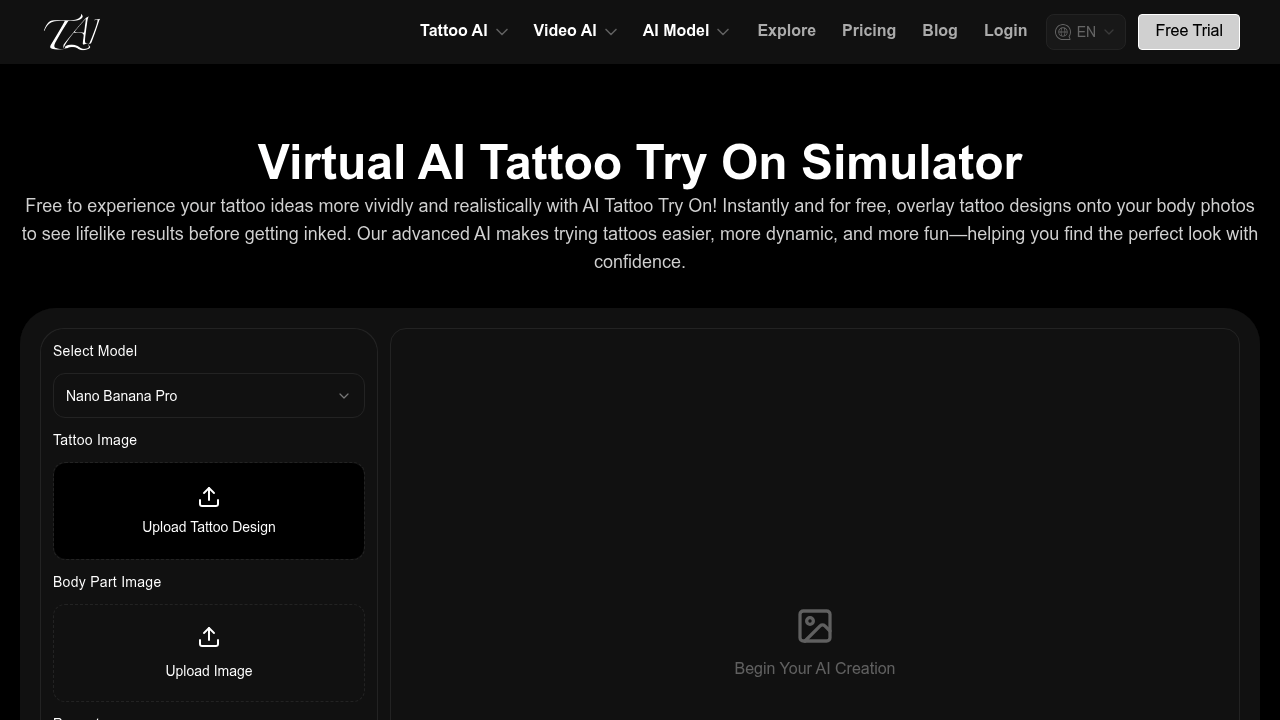
Tattoo AI Design | Try On screenshot

Using intelligent image recognition and pattern mapping, Tattoo AI Design | Try On simulates how tattoo designs will appear on your actual body before you commit to permanent ink. Upload a photo of yourself, select or generate a tattoo design through text prompts, and this application overlays the artwork with automatic adjustments for angle, skin tone, and body contours. It recognizes specific body parts including forearms, upper arms, back, legs, neck, and abdomen, fitting designs precisely to match natural curves and proportions. Beyond try-on capabilities, it generates custom tattoo artwork from text descriptions and even creates tattoo videos. Free users receive 60 initial credits plus 20 daily credits for normal-quality generations, while paid plans start at $9.99 monthly for 4000 credits with high-quality output, watermark removal, and commercial usage rights.

This service serves people considering their first or next tattoo who want confidence before visiting a studio, as well as tattoo artists who need professional presentation tools for client consultations. Artists can showcase multiple design variations quickly, helping clients visualize placement and style options without hand-drawing mockups or relying on verbal descriptions alone. This software also fits independent designers creating tattoo concepts for portfolios or social media content, and individuals exploring body art aesthetically without immediate commitment to the needle.

The try-on simulator works for typical tattoo decision workflows: comparing sleeve designs on your forearm, testing whether a back piece suits your body frame, or evaluating how neck tattoos integrate with existing ink. Tattoo studios can incorporate this system into consultation sessions, letting clients experiment with size adjustments and color variations in real time rather than committing based on flat sketches. The text-to-design generator handles requests for specific styles or symbolic elements, producing custom artwork that feeds directly into the try-on feature. Users maintain 15-day generation history on free accounts or 365-day archives with paid subscriptions, allowing gradual refinement of ideas over weeks or months. The credit system accommodates both casual exploration and professional workflows requiring dozens of iterations per project.


Tattoo AI Design | Try On alternatives

See all →

Frequently asked

6 questions
How does Tattoo AI Design | Try On work?
The platform uses intelligent image recognition and pattern mapping to overlay tattoo designs onto photos of your body. Upload a photo, select or generate a design through text prompts, and the system automatically adjusts the artwork for angle, skin tone, and body contours across specific areas like forearms, back, legs, and neck. The simulator recognizes body part geometry to fit designs precisely to natural curves and proportions.
Who should use Tattoo AI Design | Try On?
This tool serves individuals considering tattoos who want to preview designs before committing to permanent ink, as well as tattoo artists needing professional presentation tools for client consultations. Studios can use it during sessions to show multiple design variations quickly, while independent designers can create portfolio content or social media mockups. Anyone exploring body art aesthetically without immediate commitment to the needle will find value in the virtual try-on capabilities.
Can I compare different tattoo placements on my body?
The platform supports multiple body parts including forearm, upper arm, back, lower leg, thigh, neck, and abdomen, allowing you to test the same design across different placements. Quick design switching enables style comparison, and you can adjust size, color, and positioning to evaluate how each variation suits your body frame. This workflow helps refine placement decisions over days or weeks using the generation history feature.
Is Tattoo AI Design | Try On free?
A free plan provides 60 initial credits plus 20 daily credits for normal-quality generations with 15-day history access. Paid plans start at $9.99 monthly for 4000 credits with high-quality output, watermark removal, 365-day history, and commercial usage rights. The Popular plan offers 13,000 credits per month at $19.99, while the Professional tier provides 21,000 monthly credits at $29.99.
Does Tattoo AI Design | Try On have a mobile app?
The platform does not offer a dedicated mobile application or browser extension. Users access the service through the web interface without mobile-specific features or offline capabilities. Team collaboration features and API access are also unavailable in the current version.
How do I start using Tattoo AI Design | Try On?
Create an account to receive 60 initial credits, then upload a photo of the body area where you want to preview a tattoo. Select a design from the gallery, upload your own artwork, or generate custom designs by entering text descriptions of the style and elements you want. The system automatically overlays the design with adjustments for your specific body contours and skin tone.

Traffic

Estimated monthly website visits · last 1 months

476 visits/mo
Monthly visits
476
Category rank
#5
AI Tattoo Generator

Not enough historical data for a chart yet.

Reviews (0)

Write review

No reviews yet. Be the first to share your experience.