Stmt: Bank Statement Converter logo

Stmt: Bank Statement Converter

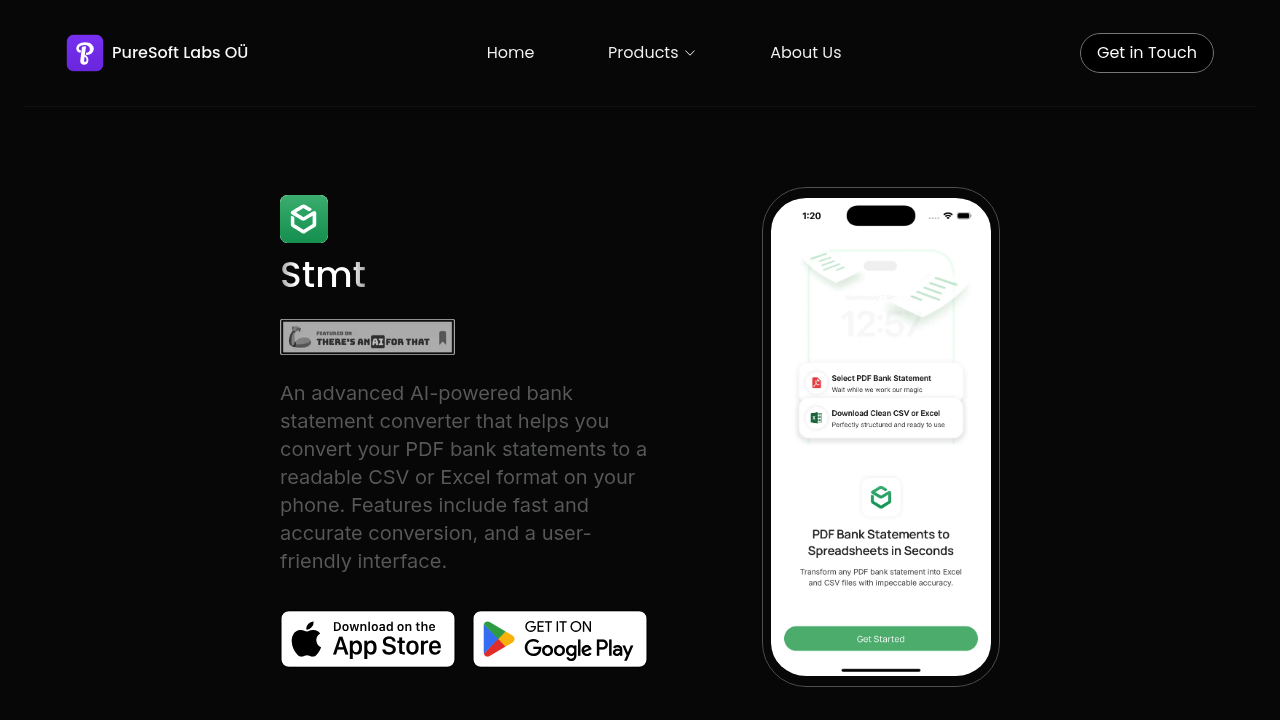
Opening Stmt drops you straight into the conversion interface

No tutorial screens or feature tours blocking the path. You pick a PDF bank statement from your phone's files and it starts processing immediately. The conversion happens fast. Within seconds, the PDF transforms into a…

Stmt: Bank Statement Converter screenshot

Opening Stmt drops you straight into the conversion interface. No tutorial screens or feature tours blocking the path. You pick a PDF bank statement from your phone's files and it starts processing immediately.

The conversion happens fast. Within seconds, the PDF transforms into a clean CSV or Excel file you can actually work with. All those locked-in transactions become editable rows and columns. Numbers sit in their own cells instead of being trapped in paragraph text. You can sort, filter, and calculate without retyping anything.

The mobile-first design makes a difference here. Most bank statement converters assume you're hunched over a laptop, but Stmt works entirely on your phone. You snap a photo of a statement or grab a PDF from email and convert it right there. No need to wait until you're back at a desk.

The interface stays minimal throughout. Upload button. Format selector. Convert. That's basically it. No dropdown menus stuffed with options you'll never touch. Stmt makes one assumption about what you want and nails it most of the time.

Where things get murky is understanding what the AI actually does differently than basic PDF parsing. The conversion feels smooth but it's hard to tell if you're getting smarter recognition or just solid OCR. Stmt doesn't explain how it handles messy statements or unusual bank formats.

Stmt offers a freemium model so you can test it before committing. The exact dividing line between free and paid features isn't spelled out up front, which means you might hit a conversion limit without warning.

For businesses juggling multiple accounts or individuals tired of manual data entry, Stmt solves a genuine pain point. Convert on your phone. Get spreadsheets. Move on.

Stmt: Bank Statement Converter alternatives

See all →

Frequently asked

6 questions
Can I convert bank statements to Excel on my phone with Stmt?
You open Stmt on your phone, select a PDF bank statement from your files, pick Excel as the output format, and tap convert. The PDF processes in seconds and spits out a spreadsheet with transactions in separate cells instead of locked text. Everything happens on your phone without needing a computer. You can grab statements from email or photos and turn them into editable Excel files right there.
Is Stmt free to use for bank statement conversion?
Stmt runs on a freemium model where you can start converting statements without paying upfront. The tool doesn't spell out exactly where the free tier ends, so you might hit a conversion limit or feature restriction without advance warning. You'll likely discover the boundaries by using it rather than reading about them beforehand.
How accurate is Stmt at converting messy bank statements?
Stmt claims fast and accurate conversion but doesn't explain how the AI handles unusual bank formats or poorly scanned statements. The conversion feels smooth when you use it, though it's unclear whether you're getting intelligent recognition that adapts to different statement layouts or just solid optical character recognition. The tool doesn't surface error reports or confidence scores after processing.
What can I do with bank statements after converting them in Stmt?
After conversion, your bank statement becomes a CSV or Excel file with transactions in rows and columns you can actually manipulate. You sort by date or amount, filter specific categories, run calculations, and export data to accounting software without retyping numbers. All those PDF paragraphs turn into spreadsheet cells where each transaction sits in its own editable row.
Does Stmt work with statements from any bank?
Stmt processes PDF bank statements through its converter but doesn't list supported banks or formats on the page. You upload whatever statement you have and see what comes out the other end. The tool doesn't warn you ahead of time if your specific bank's layout might cause problems or require manual cleanup after conversion.
Can I convert multiple bank statements at once in Stmt?
The interface shows a single upload button and conversion flow, suggesting you process one statement at a time. There's no mention of batch uploading or queue management for businesses handling dozens of monthly statements. You'd likely need to repeat the upload-convert cycle for each PDF individually, which gets tedious when dealing with multiple accounts.

Traffic

Estimated monthly website visits · last 5 months

1.8K visits/mo
Monthly visits
1.8K
↑ 151.4% MoM
Global rank
#9,627,897
US #2,981,094
Category rank
#16
AI Document Extraction
2.7K 2K 1.3K 669 0 Dec 2025: 100 visits Dec 2025 Jan 2026: 2.7K visits Jan 2026 Feb 2026: 0 visits Feb 2026 Mar 2026: 733 visits Mar 2026 Apr 2026: 1.8K visits Apr 2026

Reviews (0)

Write review

No reviews yet. Be the first to share your experience.