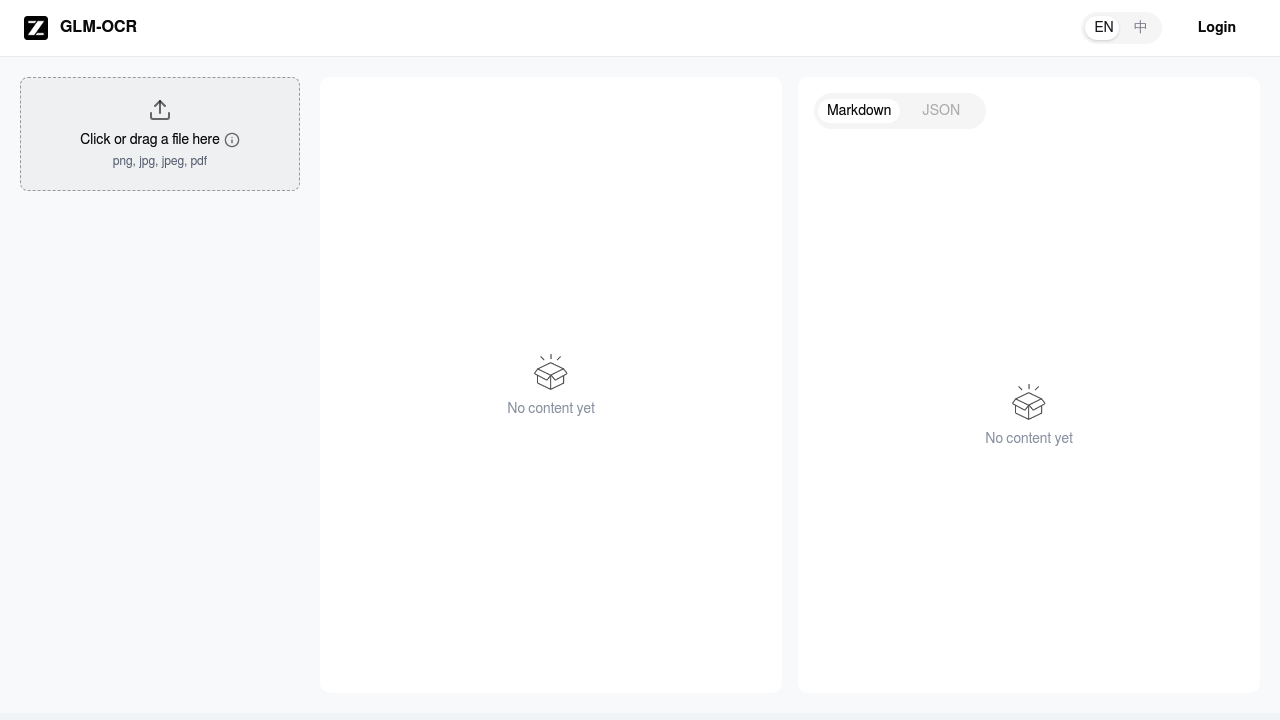
Need to pull text out of images quickly? OCR z.AI (powered by GLM-OCR) does exactly that. Throw any image at it — screenshots, photos of documents, handwritten notes, receipts — and it extracts the text content with solid accuracy. The tool analyzes shapes and patterns of characters in your image and converts them to editable digital text. Works across different languages and can handle various image formats without much fuss. It's free to start with, which is nice for occasional use. If you need heavier usage, paid plans begin at $8/month. The interface is clean and minimal — no bloat, no unnecessary features getting in the way. Pretty useful for students scanning textbook pages, professionals digitizing paper documents, or anyone who just needs to grab text from a screenshot without retyping everything manually. The recognition quality is genuinely decent for a free tool. Nothing flashy here. It does one thing and does it well. If you're looking for a straightforward OCR solution without the complexity of enterprise-level tools, this handles the job nicely.

OCR z.AI
Free OCR tool that extracts text from images, screenshots, documents, and handwritten notes with high accuracy.
Need to pull text out of images quickly? OCR z.AI (powered by GLM-OCR) does exactly that. Throw any image at it — screenshots, photos of documents, handwritten notes, receipts — and it extracts the text content with…
OCR z.AI alternatives




Frequently asked
What's the accuracy like compared to Google's OCR or other free tools?
OCR z.AI uses GLM-OCR tech and it's pretty solid for a free tool. Won't beat enterprise stuff, but it handles everyday tasks well -- screenshots, printed docs, even handwritten notes. Quality depends on your image and how complex the text is. For regular use? It'll do the job.
How many images can I process with OCR z.AI's free plan?
They give you free usage upfront. Specific limits? Not spelled out clearly. Hit the limit and you're looking at $8/month for paid plans. Best bet is testing the free version to see if it covers what you need monthly.
Can it handle handwritten text or just printed documents?
Yep, it does handwritten stuff too. Works decent if your writing's clear and readable. Messy scrawl or fancy cursive? That's where you'll see mixed results.
What image formats does it accept?
Pretty much the usual suspects -- JPG, PNG, screenshots, whatever. Phone photos work fine. Computer files too. No converting needed before you upload.
Does OCR z.AI work with languages other than English?
Sure does. GLM-OCR handles multiple languages beyond English. Great for international docs or when you've got mixed languages in one image. Just remember -- results vary based on the specific language and how clean your text looks.
Is there a file size limit for images I upload?
They don't spell out exact size limits anywhere obvious. Most OCR tools handle regular photos and screenshots just fine. Got huge high-res images? Might want to resize them first to be safe.
How fast is the text extraction process?
Pretty quick since it's focused on doing one thing well. Upload your image, get your text back in seconds for most docs. Speed depends on how complex your image is and how busy their servers are.
Traffic
Estimated monthly website visits · last 0 months
Monthly visits
166.9K
Not enough historical data for a chart yet.
Reviews (0)
No reviews yet. Be the first to share your experience.