Google Stitch logo

Google Stitch

Stitch is a Google Labs experiment that turns simple prompts and image inputs into UI designs and front-end code in minutes.

You describe an application in plain English, including color palettes or the user experience you want, and Stitch produces a matching visual interface. You can also upload sketches, screenshots or rough wireframes and…

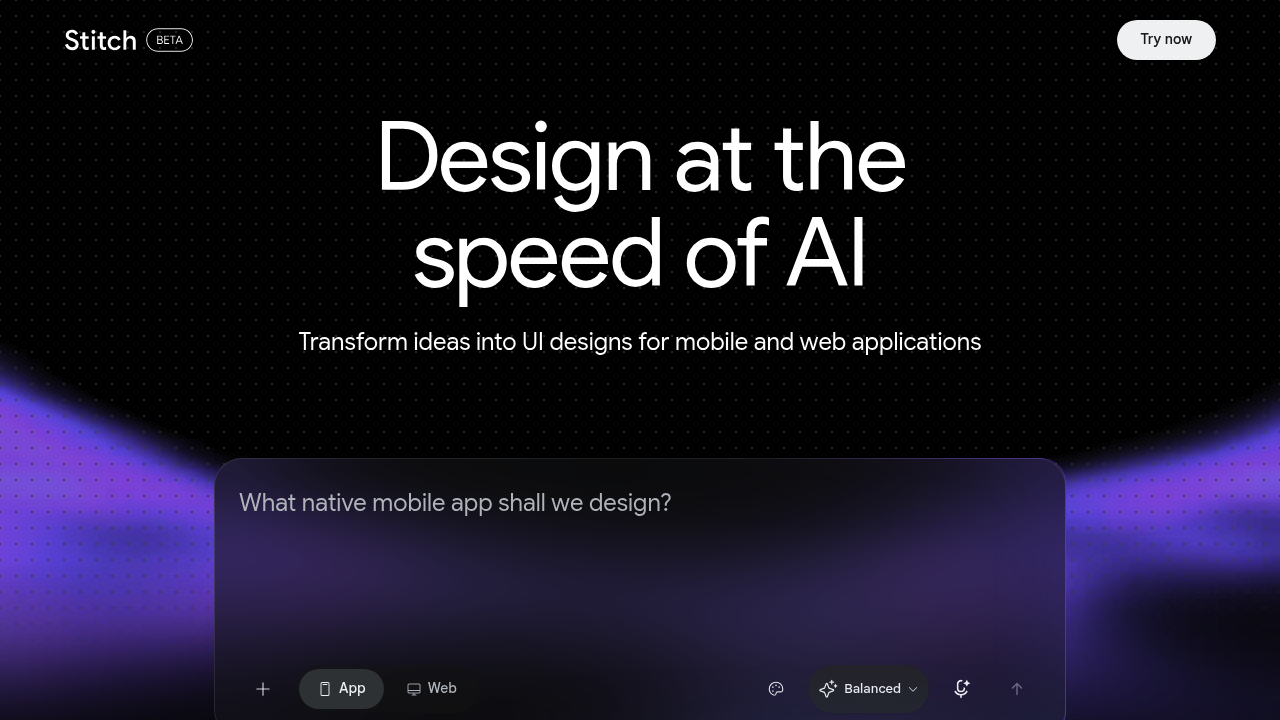
Google Stitch screenshot

Stitch is a Google Labs experiment that turns simple prompts and image inputs into UI designs and front-end code in minutes. You describe an application in plain English, including color palettes or the user experience you want, and Stitch produces a matching visual interface. You can also upload sketches, screenshots or rough wireframes and have them converted into digital UI designs. Results can be refined through image inputs, interactive chat and theme selectors, and generated screens can be pasted into Figma or exported as clean front-end code.

Stitch fits product designers who want to explore layouts quickly before committing to detailed work in a design tool. Front-end developers can use it to get a working starting point instead of translating mockups by hand. Founders and product managers without design training can describe an idea and see a screen to react to, which helps when briefing a team. Small teams that cannot afford long handoffs between designer and engineer get a shared artifact both sides can work from, since Stitch grew out of a collaboration between a designer and an engineer.

Practical uses include sketching a mobile app flow on paper, photographing it and turning it into a digital interface, or typing a description of a dashboard and comparing several generated variants of layout, components and style. A designer can paste a chosen screen into Figma for polish and collaboration, while a developer exports the code for immediate implementation. Teams can run early concept reviews with several design directions in an afternoon, and students or hobbyists can learn interface patterns by iterating on generated results.

Google Stitch alternatives

See all →

Frequently asked

6 questions
What can Stitch generate from a prompt?
Given a plain-English description, Stitch creates UI designs, including preferences such as color palettes or the desired user experience. It also produces matching front-end code. Several interface variants can be generated to compare layouts, components and styles.
Who is Stitch meant for?
Designers, front-end developers and non-designers such as founders or product managers can all use it. It originated from an idea shared between a designer and an engineer. The goal is to shorten the handoff between design and code.
How do I turn a sketch into a UI with Stitch?
Upload a design sketch, screenshot or rough wireframe, and Stitch processes the image into a corresponding digital UI design. You can then refine the result through chat, image inputs or theme selectors. Variants help you explore alternatives.
Can Stitch work with Figma?
Generated designs can be pasted into Figma for refinement and collaboration. Clean, functional front-end code can also be exported for immediate implementation. Both routes are available after a design is generated.
Is Stitch a finished product?
As a new experiment from Google Labs, Stitch may see features change over time. It focuses on UI design and front-end code rather than full back-end applications. Outputs are best treated as a starting point to refine.
Where do I access Stitch?
Stitch runs in the browser at stitch.withgoogle.com. You start by entering a prompt or uploading an image. Refinement happens through the same interface using chat and theme options.

Reviews (0)

Write review

No reviews yet. Be the first to share your experience.