
PixieBrix logo
No-Code & Low-Code FREEMIUM from $10/mo

PixieBrix

Build browser extensions with low-code and AI

Your mobile browser can't run this. PixieBrix only works with Chrome on desktop. That limits where you can use it. That restriction aside, PixieBrix fills a specific niche other automation tools miss. Most workflow…

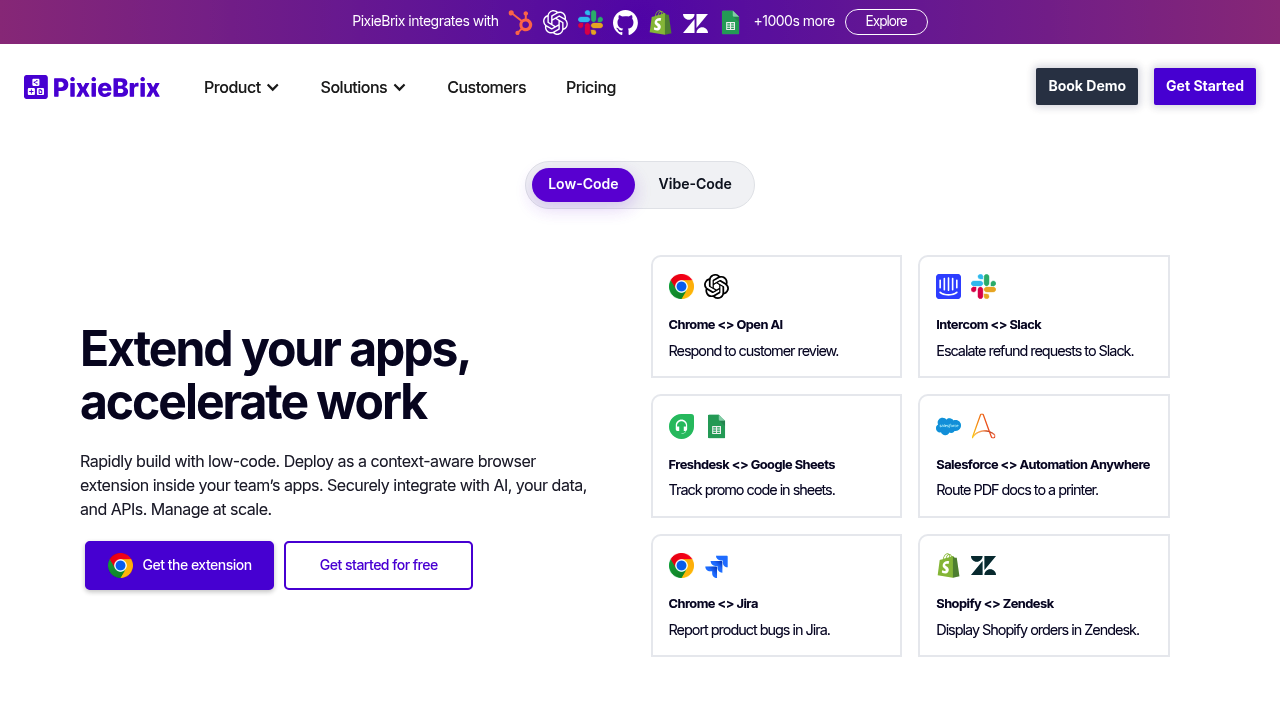
PixieBrix screenshot

Your mobile browser can't run this. PixieBrix only works with Chrome on desktop. That limits where you can use it.

That restriction aside, PixieBrix fills a specific niche other automation tools miss. Most workflow platforms make you bounce between different apps and interfaces. PixieBrix embeds directly into your existing web apps through a browser extension. You're working in Salesforce or Zendesk — PixieBrix adds custom buttons right where you need them. Automations too. AI-powered actions that fit your workflow.

Contact center supervisors dealing with agent training will find this useful. Instead of creating separate training materials, you can build on-screen guidance and checklists that appear contextually while agents work in their support tools.

The low-code approach means you don't need developers for most automations. Drag and drop from 100+ prebuilt components. Connect any LLM including OpenAI. Claude works too. Your private models fit right in. Deploy with one click. No DevOps headaches.

Here's a concrete scenario: your support team uses Freshdesk and needs AI-powered response suggestions. PixieBrix can add a sidebar that analyzes the customer inquiry and suggests responses using your preferred language model. The data never touches PixieBrix servers — it flows directly from your browser to the LLM endpoint.

Enterprise teams report 80% faster processing and 10x productivity gains. With 1000+ integrations available, you can connect PixieBrix to almost any web app your team uses.

The free plan gets you started without commitment.

PixieBrix alternatives

See all →

Frequently asked

7 questions
Can I use PixieBrix on Safari or Firefox?
Nope, PixieBrix only works with Chrome on desktop. You can't use it on mobile browsers or other desktop browsers like Safari, Firefox, or Edge. Pretty big limitation if your team's all over the place with different browsers.
How does PixieBrix handle data privacy when using AI models?
Your data goes straight from your browser to the LLM endpoint -- it doesn't touch PixieBrix servers at all. So when you're using OpenAI, Claude, or your private models, the sensitive stuff stays between your browser and your chosen AI service. PixieBrix just acts as the middleman, not a data processor.
What's included in the PixieBrix free plan?
The free plan lets you get started without any commitment. They don't spell out the exact feature limits publicly though. You'll get access to the core browser extension and can test out the low-code automation builder. For the nitty-gritty on automation or integration limits -- you'll need to sign up and poke around.
Can I connect PixieBrix to internal company systems?
Yep, with 1000+ integrations available, PixieBrix can connect to most web apps your team uses. This includes internal systems as long as they're web-based and you can access them through your browser. The extension works by embedding directly into existing web apps -- no separate API access required.
Do I need coding skills to build automations in PixieBrix?
Nah, the low-code approach means you can drag and drop from 100+ prebuilt components without developers. Most automations don't need any coding knowledge. Though if you want to get fancy with complex customizations, having some technical chops helps.
How quickly can teams see results after implementing PixieBrix?
Enterprise teams report 80% faster processing and 10x productivity gains after implementation. The one-click deployment means you can start seeing results right away once you've built your automations. No DevOps headaches or lengthy setup processes.
What happens if the web app I'm using gets updated?
Since PixieBrix embeds directly into web apps through browser extension tech, major UI changes could potentially break your automations. The extension needs to recognize specific page elements to work properly. You might need to update your automations when apps get major redesigns -- just heads up.

Traffic

Estimated monthly website visits · last 10 months

55.9K visits/mo
Monthly visits
55.9K
↓ 25.2% MoM
Global rank
#536,433
US #713,858
Category rank
#14
No-Code & Low-Code
89K 80.1K 71.1K 62.1K 53.2K Nov 2025: 65.9K visits Nov 2025 Dec 2025: 56.8K visits Dec 2025 Jan 2026: 57.1K visits Jan 2026 Feb 2026: 53.2K visits Feb 2026 Mar 2026: 72.2K visits Mar 2026 Apr 2026: 86.6K visits Apr 2026 May 2026: 89K visits May 2026 Jun 2026: 85.1K visits Jun 2026 Jul 2026: 74.8K visits Jul 2026 Aug 2026: 55.9K visits Aug 2026

Reviews (0)

Write review

No reviews yet. Be the first to share your experience.