PiCrafts AI Image Editor logo
AI Photo Editor FREEMIUM from $10/mo

PiCrafts AI Image Editor

PiCrafts AI Image Editor is an advanced artificial intelligence powered photo editing tool

PiCrafts AI Image Editor doesn't offer a free plan. You'll need to sign in and pay to edit your images — might catch you off guard if you're expecting the usual freemium model. PiCrafts transforms photos through text…

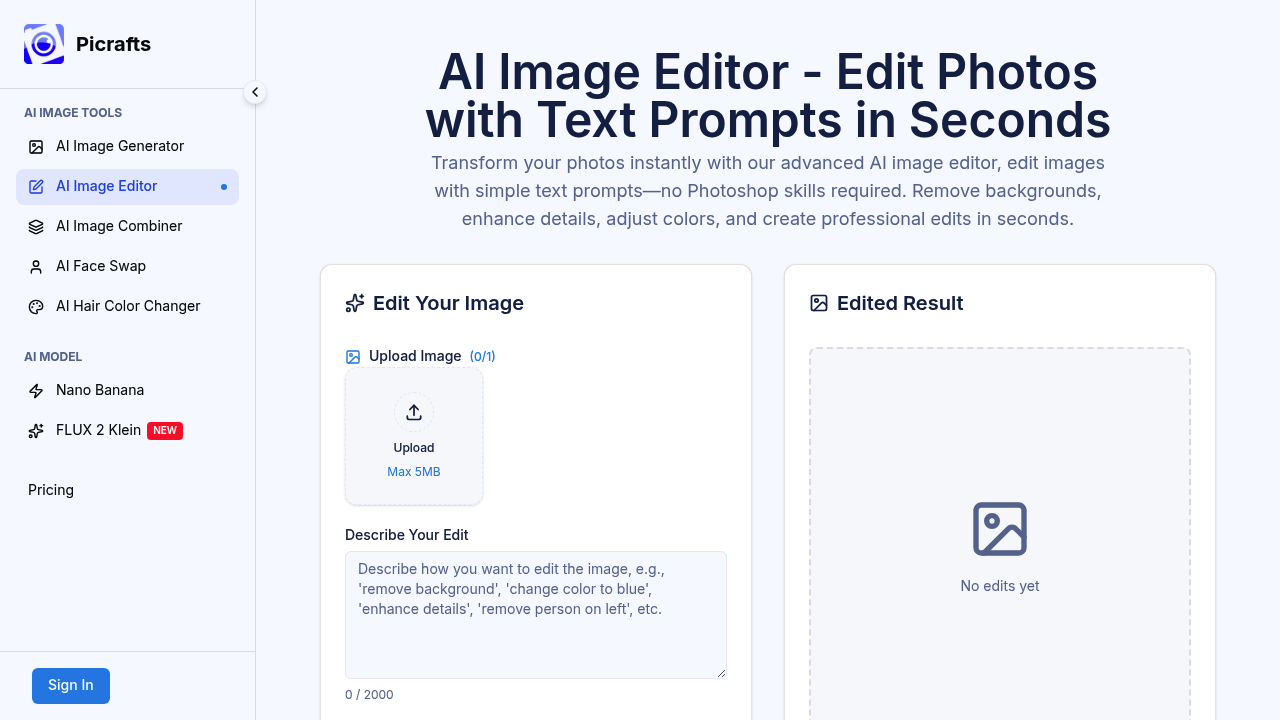
PiCrafts AI Image Editor screenshot

PiCrafts AI Image Editor doesn't offer a free plan. You'll need to sign in and pay to edit your images — might catch you off guard if you're expecting the usual freemium model.

PiCrafts transforms photos through text prompts instead of complex editing panels. Tell it to remove a background or enhance colors. It handles the technical work in under 60 seconds. No Photoshop skills required. The interface accepts JPG files. PNG files. WebP files up to 20MB, though the upload screen shows a 5MB limit that seems inconsistent.

E-commerce managers dealing with product photos will find this useful. Say you've got a cluttered product shot that needs a clean white background for your online store. Type "remove background, make it white" and PiCrafts delivers a polished result ready for upload.

It runs on FLUX 2 Klein model technology and focuses on real-world applications rather than just making pretty pictures. Your edits get optimized for marketing materials. Social media posts. Ads. Direct sharing to social platforms saves you the download-upload dance.

Text prompts can be up to 2000 characters long. That's plenty of room to describe complex edits. Over 50,000 creators use PiCrafts worldwide, and testimonials claim it saves 30 minutes per image compared to traditional editing software.

Works the same way on mobile and desktop browsers.

PiCrafts AI Image Editor alternatives

See all →

Frequently asked

6 questions
Why does PiCrafts AI Image Editor show different file size limits on the upload screen?
The upload screen says 5MB max -- but that's wrong. PiCrafts actually takes files up to 20MB. Yeah, it's confusing when the interface lies to you, but go ahead and upload those bigger files anyway.
How long do text prompts take to process in PiCrafts AI Image Editor?
You're looking at under 60 seconds for most edits. The FLUX 2 Klein model does the heavy lifting while you wait. Pretty solid for cranking through product photos or quick social posts.
Can I describe complex edits in a single prompt with PiCrafts?
Absolutely -- you get 2000 characters to work with. That's enough for something like 'ditch the messy background, add soft shadows, brighten everything up, make it pure white.' All in one shot.
Does PiCrafts AI Image Editor work the same way on phones and computers?
Yep, it's browser-based so it works exactly the same everywhere. Same text prompts, same speed whether you're on your phone or laptop.
What makes PiCrafts different from other AI photo editors that offer free trials?
They want your money upfront -- no free trial, no freemium nonsense. Most AI editors let you test drive the basics first. PiCrafts? Nope. You're paying before you know if it'll handle your images well.
How much time does PiCrafts AI Image Editor actually save compared to Photoshop?
Users say about 30 minutes per image compared to Photoshop. Makes sense -- you just tell it what you want instead of wrestling with layers and filters. No learning curve, just plain English descriptions.

Traffic

Estimated monthly website visits · last 0 months

Not enough historical data for a chart yet.

Reviews (0)

Write review

No reviews yet. Be the first to share your experience.