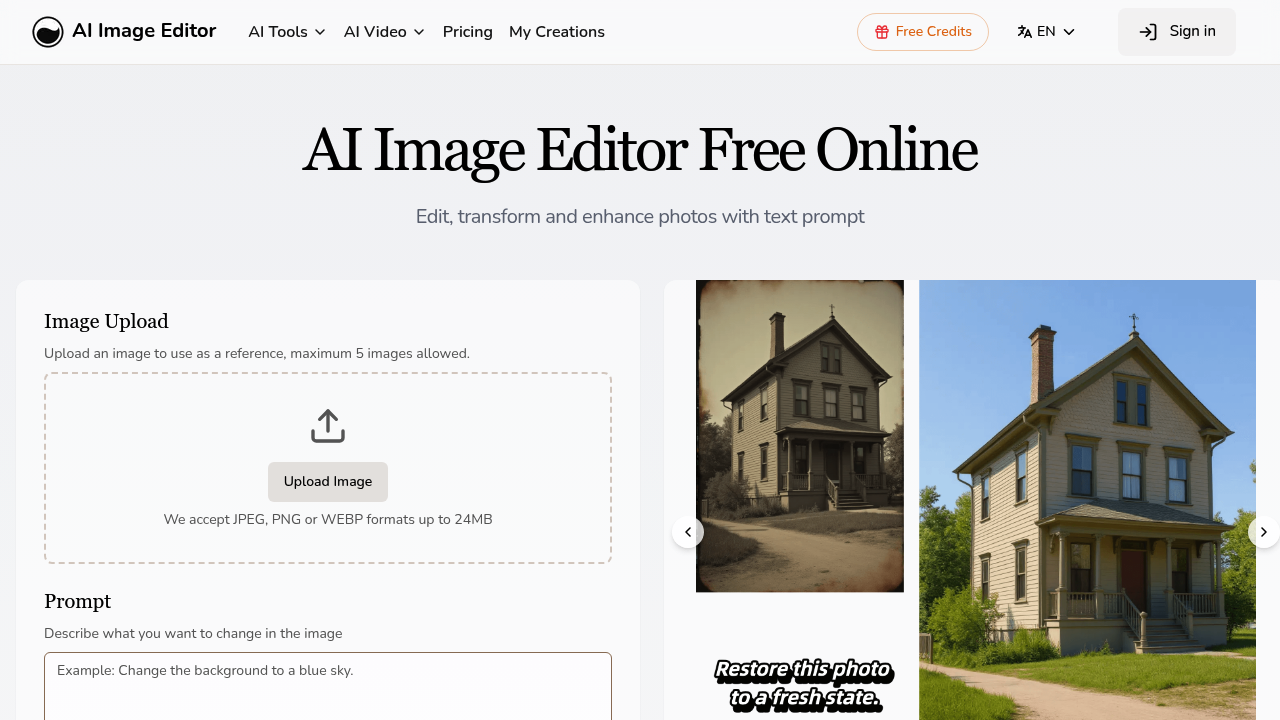
A social media manager needs 15 Instagram posts featuring the same mascot character in different poses and settings. Manually recreating this character across scenes would take hours of precise illustration work or expensive photoshoot setups. The character's facial features need to match exactly while the background shifts from a coffee shop to a park to an office. AI Image Editor handles this through character consistency, it locks down facial features and proportions while you change everything else through text prompts.
This system works through text-based editing. You upload an image and type what you want changed. A product photographer can write "change background to minimalist white studio" or "add morning sunlight from the left" instead of scheduling another shoot. The precision editing feature lets you modify specific regions at the pixel level, so you're not redoing the entire image when you just need to adjust one element.
Style transfer copies the visual mood from reference images. A brand designer can feed in a specific photo's color palette and texture, then recreate new images that match that exact aesthetic. The AI background remover strips subjects from their environments cleanly, while the upscaler pushes images to 4K resolution. You can generate one, two, or four variations at once and pick from seven aspect ratios.
It accepts JPEG, PNG, GIF, or WEBP files up to 20MB and maxes out at 4096 by 4096 pixels. You can upload five images at once, and prompts cap at 1000 characters. All paid plans let you run four jobs simultaneously and include commercial licenses, so the output's cleared for client work immediately.
The system breaks down with complex multi-step edits. If you're trying to orchestrate several precise changes across different image regions while maintaining specific lighting conditions, you'll hit the 1000-character prompt limit fast. There's no layering system or undo history beyond what your plan's storage allows — Hobby keeps 30 days, Basic holds 60, Pro extends to 100. Miss your download window and the work vanishes.
Credits reset monthly on your billing date, and any purchased credit packs expire when that date hits. No refunds on unused credits. This hurts if your workload's inconsistent — a freelancer with three heavy project months followed by two slow ones wastes credits during the quiet periods.
The Hobby plan runs $9.99 monthly for 100 credits. Basic costs $15.99 for 300 credits and doubles your history window. Pro hits $31.99 with 600 credits and 100-day storage. Yearly billing saves 20%. You can buy standalone credit packs ranging from 100 credits at $12.99 up to 600 for $29.99, but again, they expire at your next billing cycle.
A wedding photographer retouching batch images or an e-commerce team standardizing product shots across different backgrounds would hit this platform hard. The character consistency feature specifically helps content creators building narrative sequences or brands maintaining mascot continuity across campaigns.
This doesn't work for people needing advanced compositing, layer-based workflows, or traditional photo editing tools like curves and masks. It's prompt-driven, not manual. If you're used to Photoshop's granular control, the text-based approach feels limiting. The file size and resolution caps also exclude anyone working with high-end print materials or billboard-scale imagery. And without a free tier, you're committing $9.99 minimum just to test whether the character consistency actually holds up for your specific use case.