EditAI - AI Photo Editor logo
AI Photo Editor FREEMIUM from $5/mo

EditAI - AI Photo Editor

EditAI - AI Photo Editor handles the stuff you'd normally spend hours on in Photoshop

Background removal. Upscaling to 4K. Anime filters. Object erasing. Five million photos get processed through it daily, which tells you people actually use this thing. The background removal claims 99.9% accuracy and…

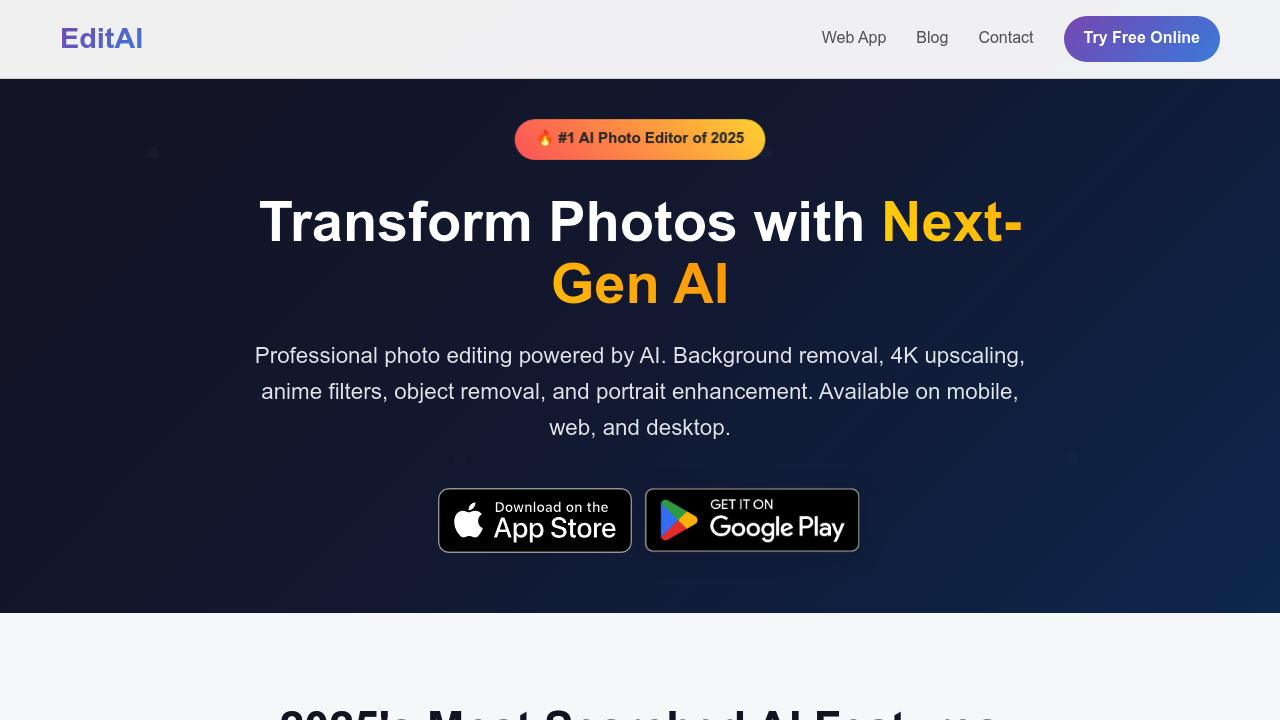
EditAI - AI Photo Editor screenshot

EditAI - AI Photo Editor handles the stuff you'd normally spend hours on in Photoshop. Background removal. Upscaling to 4K. Anime filters. Object erasing. Five million photos get processed through it daily, which tells you people actually use this thing.

The background removal claims 99.9% accuracy and works in one click. You can batch process multiple images at once, which saves time if you are prepping product shots or cleaning up a photo dump from an event. The anime and chibi filters are clearly chasing viral trends — Studio Ghibli aesthetics included. For portraits, it uses what they call medical-grade AI to enhance facial features and smooth skin. Whether that medical-grade claim means anything concrete, who knows. But the 4.6 App Store rating suggests it produces decent results.

Does it actually work? The upscaling to 4K is useful if you need print-quality images from mediocre source files. The magic object remover tackles unwanted people, text, or watermarks. You get 500+ filters spanning clay, pixel art, watercolor, vintage, and lo-fi looks with grain and light leaks. That's a lot of options. Maybe too many if you just want clean edits without scrolling through endless presets.

Here's what's missing. No API access mentioned. No team collaboration features. No browser extension. It's available on mobile, web, and desktop, but there's nothing about integrations with other tools. If you're running a workflow that connects multiple platforms, you're handling exports manually.

There's a free tier to start with. When you need more processing power, you upgrade. That's all the pricing info available. No details on what the paid tiers cost or what limits exist on the free version. You'll need to test the free plan and see where you hit walls.

The target user here is pretty broad. Content creators chasing social media engagement. Photographers needing quick portrait touch-ups. Anyone selling products online who needs clean background-free shots. The marketing pushes it as the top AI photo editor for 2025, which feels like hype. But the daily usage numbers and growth stats — 441% in 2024, 71% of social images now using AI — back up that people want this kind of tool.

If you're editing photos regularly and want AI to handle the tedious parts, it's worth trying the free version. Just don't expect deep integrations or team features. It does core edits fast.

EditAI - AI Photo Editor alternatives

See all →

Frequently asked

7 questions
Can EditAI remove backgrounds from photos for free?
The free tier lets you start removing backgrounds, though the exact limits aren't published. The tool claims 99.9% accuracy and handles batch processing, which is helpful if you're doing multiple product shots at once. When you hit the free plan's ceiling, you'll need to upgrade. For occasional use, the free version should cover basic background removal tasks.
How accurate is EditAI's background removal compared to Photoshop?
EditAI claims 99.9% accuracy for background removal and processes over 5 million photos daily. That's significantly faster than manual Photoshop masking, and the one-click approach saves time. The batch processing feature also beats Photoshop's workflow if you're handling dozens of images. Whether it matches Photoshop's precision on complex hair or transparent objects, you'd need to test with your specific images.
Does EditAI work on mobile or just desktop?
You can use EditAI on mobile, web, and desktop platforms. No browser extension exists though, so you're working within their apps or website. The mobile app has a 4.6 star App Store rating, which suggests the interface translates well to smaller screens. If you edit photos on the go for Instagram or TikTok, the mobile version handles that.
What's the quality like when EditAI upscales photos to 4K?
The AI upscaling goes to 4K resolution, which works for print or professional projects that need higher quality than your phone camera produces. Whether the upscaling actually looks good depends on your source image quality. Five million daily users and 441% growth in 2024 suggest people find value in it, but you should test your specific image types before committing to paid plans for large batches.
Can EditAI integrate with other editing tools or workflows?
No integrations are mentioned, and there's no API access available. If you're running a workflow that connects Lightroom, Canva, or e-commerce platforms, you'll be manually exporting and importing files. The tool works standalone across devices but doesn't plug into larger creative pipelines. That's a gap if you need automated processing tied to other software.
Is EditAI actually good for creating professional headshots?
EditAI markets medical-grade AI for portrait enhancement, which supposedly handles facial features and skin smoothing for professional headshots. The 4.6 App Store rating and millions of daily users suggest decent results for social media and LinkedIn profiles. Whether it replaces actual professional photography is questionable. It's more about quick touch-ups than replacing studio-quality portraits.
How many filters does EditAI have and are they just Instagram knockoffs?
You get 500+ filters covering anime, clay, pixel art, watercolor, vintage, and lo-fi aesthetics. That's way more variety than Instagram's standard set, though some are clearly chasing TikTok viral trends like Studio Ghibli looks. The lo-fi filters add vintage grain and light leaks, which you don't get from basic social media apps. Whether you'll actually use all 500 or just stick with a few favorites, that's another question.

Traffic

Estimated monthly website visits · last 6 months

680 visits/mo
Monthly visits
680
↑ 113.8% MoM
Global rank
#8,640,019
Category rank
#51
AI Photo Editor
4.5K 3.5K 2.4K 1.4K 318 Feb 2026: 961 visits Feb 2026 Mar 2026: 4.5K visits Mar 2026 Apr 2026: 1.9K visits Apr 2026 May 2026: 1.5K visits May 2026 Jun 2026: 318 visits Jun 2026 Jul 2026: 680 visits Jul 2026

Reviews (0)

Write review

No reviews yet. Be the first to share your experience.