
Multiplayer.app logo
AI Developer Tools FREEMIUM from $25/mo

Multiplayer.app

When something breaks in production, Multiplayer

App hands your AI coding tool a complete recording of what went wrong. Frontend screens. Backend traces. Logs. Metrics. Every request and response. It generates a fix automatically. They call this AI-ready debugging—you…

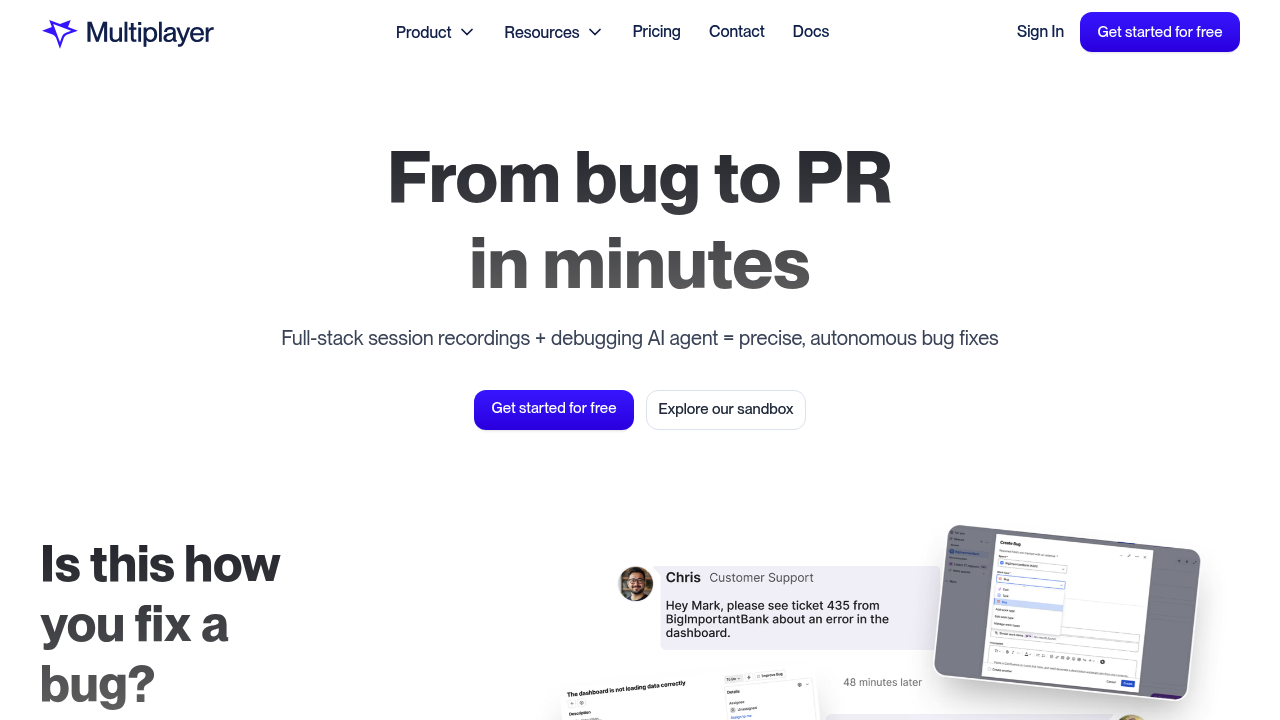
Multiplayer.app screenshot

When something breaks in production, Multiplayer.app hands your AI coding tool a complete recording of what went wrong. Frontend screens. Backend traces. Logs. Metrics. Every request and response. It generates a fix automatically. They call this AI-ready debugging—you get a pull request in minutes instead of hours spent playing detective.

Recording works three ways: on-demand when you spot an issue, continuously for everything, or conditionally based on rules you set. Install through a browser extension. Use an in-app widget. Or integrate their SDK. Traditional session replay tools only show what happened on screen. Multiplayer.app captures the full stack with zero sampling. Every click gets correlated with backend activity (automatically).

The AI debugging agent fixes bugs autonomously. You can also feed recordings into your preferred AI coding tools—everything's already packaged with complete context. Support teams share annotated recordings with sketches instead of vague bug reports.

The free plan includes 100 recordings. One user only. Pro starts at $25 monthly (1,000 recordings, up to 10 users). Teams costs $250 monthly. Enterprise pricing is custom.

You'll need to decide if capturing everything is worth the setup effort. The notebooks feature and MCP server suggest Multiplayer.app wants to be your central debugging workspace. Does it replace your existing tools or just add another dashboard? That depends on how often you're drowning in scattered logs and metrics.

Multiplayer.app alternatives

See all →

Frequently asked

7 questions
How much does Multiplayer.app cost?
Multiplayer.app has a free plan with 100 session recordings for one user. Pro costs $25/month (1,000 recordings, up to 10 users), Teams is $250/month with 30-day data retention, and Enterprise has custom pricing. You'll get 20% off if you pay yearly, plus there's a 1-month free trial to test it out.
What's the difference between Multiplayer.app and regular session replay tools?
Traditional session replay only shows what happened on your screen, like clicks and page views. Multiplayer.app captures the entire stack—frontend screens plus backend traces, logs, metrics, and every request/response with full headers. Everything's automatically correlated so you're not hunting through five different tools to understand what broke.
Can Multiplayer.app automatically fix bugs?
Yeah, it's got an AI debugging agent that can fix bugs autonomously by feeding complete runtime context to AI tools. You'll get a ready-to-approve PR in minutes instead of spending hours tracking down the issue. You can also use it with your own AI coding tools if you prefer.
Does Multiplayer.app work with external APIs?
Yes, it captures complete request and response content for both internal services and external APIs, including all headers. This means you'll see exactly what happened when your app talked to Stripe, Twilio, or whatever third-party service you're using.
What are the limitations of the free plan?
The free plan limits you to 1 user, 1 project, and 100 session recordings. You can share recordings but they're view-only, so collaborators can't annotate or interact with them. If you need more users or recordings, you'll want to upgrade to Pro.
How do I install Multiplayer.app?
You've got three options: install a browser extension, add an in-app widget, or integrate their SDK into your code. Pick whatever fits your workflow—the browser extension is quickest if you just want to start recording right away.
When should I use Multiplayer.app instead of just checking logs?
It's most useful when bugs are hard to reproduce or when you're tired of piecing together what happened from scattered logs and metrics. Support teams love it because they can share annotated recordings instead of writing "it's broken" tickets. If you're already drowning in dashboards, this consolidates everything into one correlated view.

Traffic

Estimated monthly website visits · last 10 months

10.6K visits/mo
Monthly visits
10.6K
↑ 92.1% MoM
Global rank
#3,241,414
US #1,591,093
Category rank
#54
AI Developer Tools
24.4K 19.7K 15K 10.2K 5.5K Nov 2025: 24.4K visits Nov 2025 Dec 2025: 18.5K visits Dec 2025 Jan 2026: 18.7K visits Jan 2026 Feb 2026: 14.4K visits Feb 2026 Mar 2026: 13.7K visits Mar 2026 Apr 2026: 12.4K visits Apr 2026 May 2026: 8.8K visits May 2026 Jun 2026: 6.8K visits Jun 2026 Jul 2026: 5.5K visits Jul 2026 Aug 2026: 10.6K visits Aug 2026

Reviews (0)

Write review

No reviews yet. Be the first to share your experience.