Capture.dev logo
AI Developer Tools FREE TRIAL from $29/mo

Capture.dev

Bug reports eat up hours

Developers ask "what browser were you using" and "can you reproduce this" over and over. Capture.dev handles that grunt work automatically—install a few lines of code on your site and the browser toolbar starts grabbing…

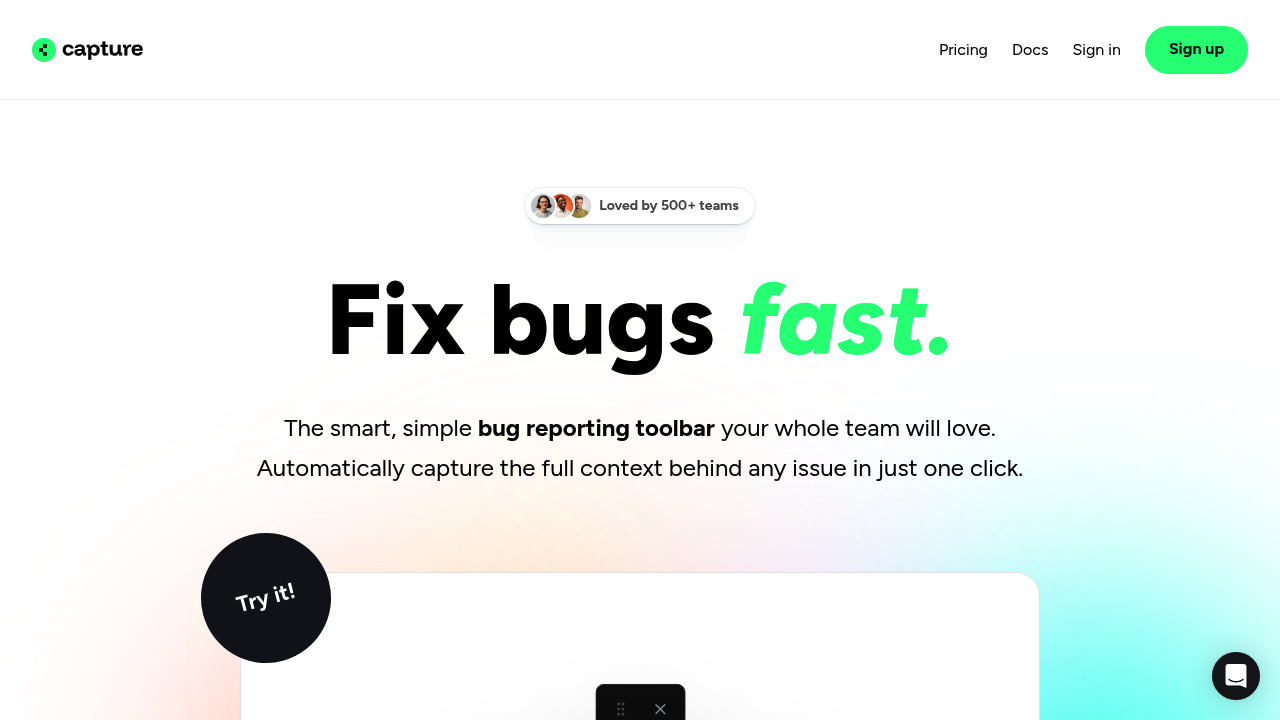
Capture.dev screenshot

Bug reports eat up hours. Developers ask "what browser were you using" and "can you reproduce this" over and over. Capture.dev handles that grunt work automatically—install a few lines of code on your site and the browser toolbar starts grabbing everything technical in the background.

No free plan exists. Pricing starts at $29 monthly (billed annually). You get a 14-day trial. Space for 15 team members comes included.

Click once—Capture.dev packages screenshots with console logs, network requests, and user info. A step-by-step playback shows exactly what the user did before things broke. QA engineers can annotate directly on the webpage. No switching tools. No manual screenshots. It writes AI-generated summaries of what went wrong. It can even draft tickets automatically.

Send capture links to customers who don't have accounts. They click it. They report the bug. Full technical context attaches automatically. You're not playing email tennis trying to understand their setup. Video feedback works too if screenshots aren't enough.

The toolbar pushes reports straight into Jira, Linear, Slack—whatever project management setup you're running. Asana and ClickUp connect through Zapier. Over 500 teams use it (according to the site).

Demo captures vanish after an hour. That might annoy you if you're testing features and forget to save something important. Privacy controls let you block sensitive data from getting captured. It competes with Jam.dev and Marker.io in the browser-based bug reporting space.


Capture.dev alternatives

See all →

Frequently asked

7 questions
How much does Capture.dev cost?
Capture.dev costs $29 per month when you pay annually. There's no free plan, but you get a 14-day trial to test it out. The plan includes up to 15 team members.
What integrations does Capture.dev support?
It connects directly with Slack, Linear, Jira, Trello, ClickUp, and Asana. You can also use Zapier to link it with other tools. Bug reports push straight into whichever project management system you're already using.
Can customers submit bug reports without having an account?
Yes, you can send unique capture links to customers who don't have Capture.dev accounts. They click the link, report the bug, and all the technical context gets captured automatically. It saves you from endless back-and-forth emails trying to understand their setup.
Does Capture.dev have a free plan?
No, there's no free plan available. Pricing starts at $29 monthly (billed annually), but you can try it free for 14 days before committing.
What information does Capture.dev automatically capture?
It grabs screenshots, console logs, network requests, user info, and inspector data with one click. You also get step-by-step playback showing exactly what the user did before the bug happened. No more asking users what browser they were on or how to reproduce the issue.
How many team members can use Capture.dev?
Each plan includes 15 team members. If you've got a bigger team, you'll likely need to upgrade to add more people beyond that limit.
Who should use Capture.dev?
It's built for development teams, QA engineers, product managers, and support teams who waste time tracking down bug details. If you're tired of playing detective with incomplete bug reports, this tool captures all the technical context automatically so developers can actually fix issues instead of asking follow-up questions.

Traffic

Estimated monthly website visits · last 10 months

1.7K visits/mo
Monthly visits
1.7K
↓ 54.5% MoM
Global rank
#4,223,489
IN #705,892
Category rank
#73
AI Developer Tools
3.7K 3K 2.2K 1.5K 812 Nov 2025: 1.6K visits Nov 2025 Dec 2025: 812 visits Dec 2025 Jan 2026: 1.6K visits Jan 2026 Feb 2026: 2K visits Feb 2026 Mar 2026: 2K visits Mar 2026 Apr 2026: 3.2K visits Apr 2026 May 2026: 2.9K visits May 2026 Jun 2026: 3.2K visits Jun 2026 Jul 2026: 3.7K visits Jul 2026 Aug 2026: 1.7K visits Aug 2026

Reviews (0)

Write review

No reviews yet. Be the first to share your experience.