
Molku logo
AI Document Extraction FREEMIUM from $49/mo

Molku

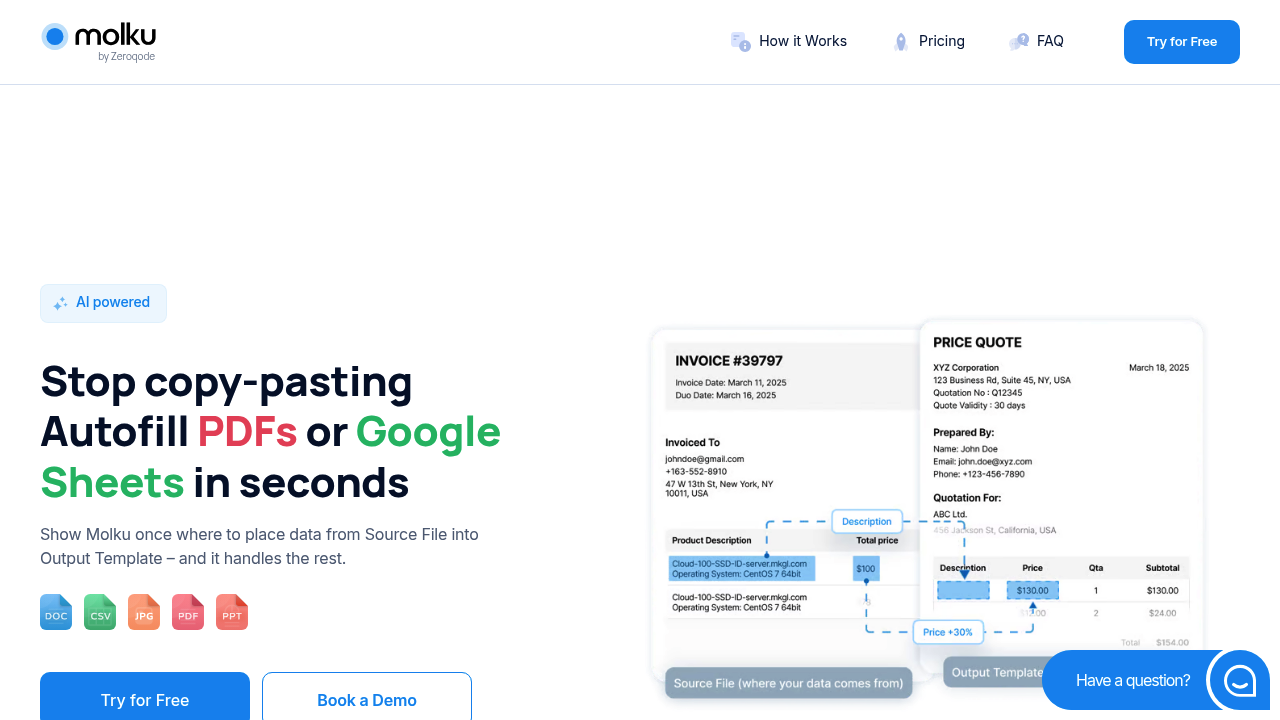
You open Molku and drop in a source document (maybe an insurance application or an invoice with messy formatting)

The interface asks you to show it where data should go by dragging fields from your source to spots in your output template, which can be a PDF form or a Google Sheet. You're teaching it once. After that initial…

Molku screenshot

You open Molku and drop in a source document (maybe an insurance application or an invoice with messy formatting). The interface asks you to show it where data should go by dragging fields from your source to spots in your output template, which can be a PDF form or a Google Sheet. You're teaching it once. After that initial mapping, you can throw in hundreds of similar documents and Molku pulls the data automatically.

The extraction works across handwritten notes too. If someone filled out a form by hand, Molku reads it and pulls the information into your template. This matters for industries still dealing with paper forms or scanned documents where text isn't searchable.

During mapping, you can modify data on the fly. Need to reformat dates, run calculations between fields, or merge information from multiple spots? You write custom prompts that tell Molku how to transform the data before it lands in the template. Replace abbreviations with full terms, standardize addresses, convert currencies — it handles these tweaks as part of the extraction process.

The system deals with documents that have complex layouts or run dozens of pages long. It also standardizes messy PDFs, turning inconsistent source files into clean structured templates you can reuse. Works in over 100 languages and translates automatically if your source and output do not match.

Once extraction finishes, you download the filled template, share it via link or email, or collaborate with teammates directly on the output files. You can push results to over 8000 apps through Zapier and Make integrations, or build custom workflows using the API. Google Sheets connects directly if you prefer spreadsheet outputs.

The friction shows up during that initial mapping phase. You need to get the field matching right the first time because that is what drives every future extraction. If your source documents vary in structure, you'll need separate workflows for each layout type. Molku doesn't guess at mappings — you have to demonstrate them.

Storage uses 256-bit AES encryption through Amazon S3, so extracted data sits in secure infrastructure. But you're still uploading potentially sensitive documents to a cloud service, which won't work for organizations with strict on-premise requirements.

Insurance agencies reportedly save over 60 hours monthly using Molku. Finance and accounting firms see 70% reductions in document processing time. Those numbers depend on how much manual data entry you're currently doing and how consistent your document formats are.

Molku alternatives

See all →

Frequently asked

7 questions
How does Molku extract data from documents?
You upload a sample document and drag fields from the source to where they should appear in your output template, which can be a PDF or Google Sheet. This teaches Molku the mapping pattern once. After that setup, you drop in new documents with the same structure and Molku automatically pulls the data into your template without any manual copying. The system reads both typed and handwritten text, handling messy layouts and large files across over 100 languages.
Does Molku work with handwritten documents?
Molku reads handwritten text from scanned forms and notes, pulling that information into your templates just like typed content. You map the fields once using a handwritten sample, then the system processes future handwritten documents automatically. This matters if your business still receives paper forms or deals with signatures and hand-filled applications that need digitizing into structured formats.
Can Molku reformat or calculate data during extraction?
While mapping fields, you write custom prompts that transform data before it lands in your template. Molku can reformat dates, run calculations between fields, replace abbreviations with full terms, standardize addresses, merge information from multiple spots, or convert currencies. These modifications happen automatically during extraction, so you don't clean up data after the fact.
Is Molku free to use?
Molku operates on a freemium model, though the pricing page doesn't specify what the free tier includes or where paid plans start. No free trial appears available for testing premium features before committing. You'll need to contact them or sign up to see what functionality comes free versus what requires payment.
What happens if my documents have different layouts?
You need to create separate workflows for each document structure because Molku learns from the specific mapping you demonstrate. If invoices from one vendor have a different layout than another vendor's invoices, you'll map each format individually. The tool doesn't guess at field locations across varying structures, which means setup time multiplies if you're dealing with inconsistent document types rather than standardized forms.
How does Molku connect to other software?
Molku integrates with Zapier and Make, giving you access to over 8000 apps for pushing extracted data downstream. Google Sheets connects directly if you want spreadsheet outputs. The platform also provides API access for building custom integrations if the pre-built connections don't cover your workflow. You download filled templates, share them via link or email, or collaborate with teammates directly on output files.
How much time does Molku actually save?
Insurance agencies reportedly save over 60 hours monthly, while finance and accounting firms cut document processing time by 70%. Those numbers assume you're currently doing significant manual data entry from standardized documents. If your files vary wildly in structure or you only process a handful each week, the time savings drop because you'll spend effort setting up multiple workflows and the automation won't run frequently enough to pay off.

Traffic

Estimated monthly website visits · last 0 months

Not enough historical data for a chart yet.

Reviews (0)

Write review

No reviews yet. Be the first to share your experience.