
Lufe AI logo
AI Translate FREEMIUM from $10/mo

Lufe AI

Opening Lufe AI drops you straight into a Chrome extension that completely rethinks how translation tools work

Instead of replacing foreign text with your language, it shows both versions side by side. You're reading a line in Japanese, then immediately seeing the English equivalent below it. The whole page becomes this…

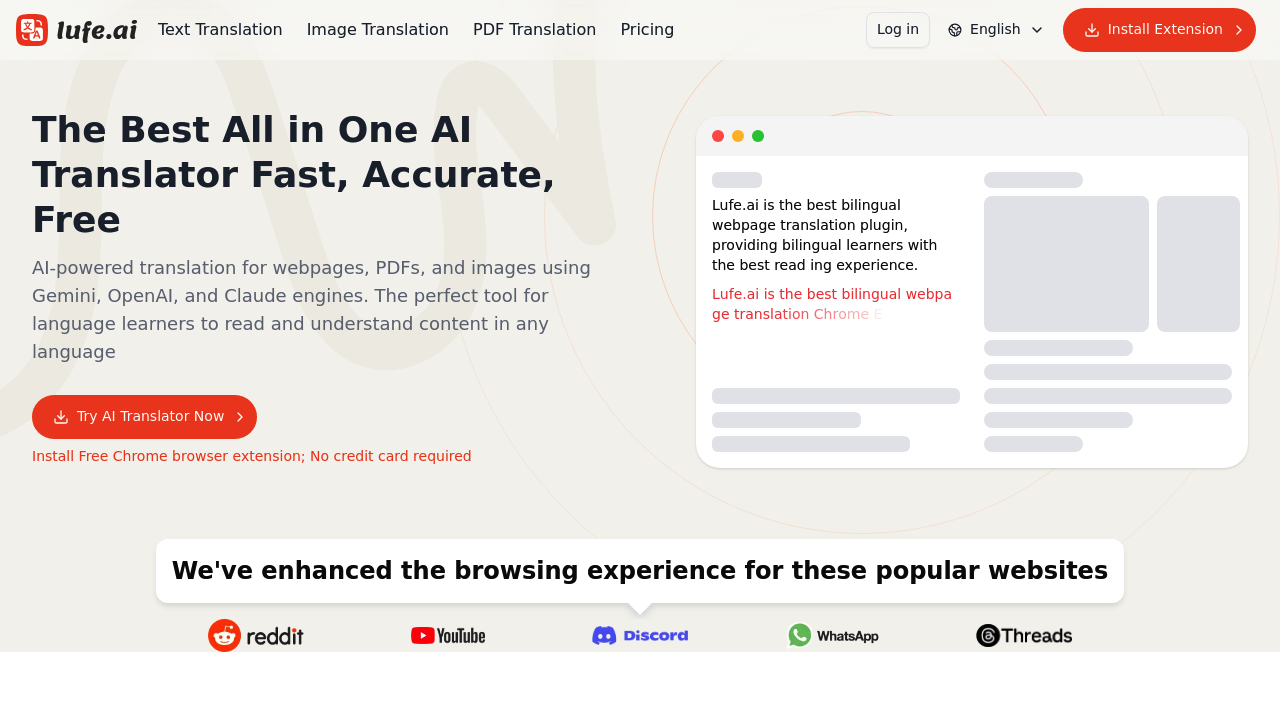
Lufe AI screenshot

Opening Lufe AI drops you straight into a Chrome extension that completely rethinks how translation tools work. Instead of replacing foreign text with your language, it shows both versions side by side. You're reading a line in Japanese, then immediately seeing the English equivalent below it. The whole page becomes this bilingual document where you're constantly switching between languages as you scroll.

The extension sits in your browser and auto-detects when you land on foreign language content. You can choose between multiple translation engines depending on what you need. Google handles the quick stuff, while more advanced AI engines tackle complex context and idioms. Over 100 languages work with the system.

Highlighting any word or phrase triggers an instant lookup. The translation appears in a popup with voice pronunciation available. You're not copying text into separate translator windows or opening new tabs. Everything happens inline.

The format feature includes something called fuzzy mode. It only displays translations when the system thinks you actually need help with that specific section. If you're reading French and the extension recognizes common words you probably know, it skips translating those parts. The interface gets less cluttered.

Image translation works through automatic text recognition. Point it at a screenshot or photo with foreign text and it detects the language, pulls out the words, and translates them. You're not manually typing characters from signs or documents.

PDF translation handles entire documents through the same bilingual approach. One page shows the original, the adjacent space shows your language. You can compare specific sentences when something feels off about the translation.

The experience breaks when you want consistent quality across different content types. Switching between translation engines means different accuracy levels and different interpretations of the same phrase. Machine translation on the free tier produces workable results for straightforward content but struggles with technical writing or cultural references. You're constantly wondering if you should trust what you're seeing or if the AI engine made assumptions that changed the meaning.

Popular websites get enhanced browsing experiences, though what that actually means varies by site. Some load faster with translations, others just feel slightly more responsive.

This extension clearly targets language learners and anyone who reads foreign content regularly. Students, researchers, and professionals dealing with multilingual sources get the most value. Basic features with machine translation come free.

Lufe AI alternatives

See all →

Frequently asked

7 questions
How does Lufe AI translate web pages?
Installing the Lufe AI Chrome extension puts a translation layer over foreign language websites. When you land on a page in another language, the extension auto-detects it and displays both the original text and your native language side by side. You're reading one line in the foreign language, then seeing the translation directly below it. You can switch between Google Translate for quick results or more advanced AI engines like ChatGPT, Claude, and Gemini for better contextual understanding. The whole page becomes a bilingual document where both versions stay visible as you scroll.
Can I use Lufe AI for free?
Lufe AI offers basic features with machine translation at no cost. You get the bilingual webpage display, select-to-translate functionality, and voice pronunciation without paying anything. The free tier uses standard machine translation engines which handle straightforward content reasonably well but struggle with technical writing or nuanced cultural references. There's no free trial of premium features since the basic version stays available indefinitely.
Does Lufe AI work on PDFs and images?
Lufe AI translates both PDFs and images through the same Chrome extension. For PDFs, it creates a bilingual layout where you see the original document alongside the translation, letting you compare specific sentences when something feels off. For images, you point the tool at any photo or screenshot containing text and it automatically detects the language, recognizes the characters, and displays the translation. You're not manually typing out text from signs or foreign language documents.
What's the select-to-translate feature in Lufe AI?
Highlighting any word or phrase on a webpage triggers an instant popup translation. The definition appears right where you selected the text with voice pronunciation available. You're not opening new tabs or copying text into separate translator windows. Everything happens inline while you're reading, which keeps you in the flow of whatever article or document you're working through.
Does Lufe AI work on mobile phones?
Lufe AI only works as a Chrome browser extension, which limits it to desktop and laptop computers. There's no mobile app version, so you can't get the same bilingual translation experience on your phone or tablet. This becomes frustrating when you're trying to read foreign language content on the go or prefer doing language learning on mobile devices.
What languages does Lufe AI support?
Lufe AI handles over 100 languages through its various translation engines. The extension auto-detects whatever language appears on the webpage or in your images. Different engines support different language pairs with varying quality levels, so switching between Google Translate, ChatGPT, Claude, or Gemini gives you options when one engine produces weird translations for your specific language combination.
Who should use Lufe AI?
Language learners get the most value since the bilingual display method forces you to see both languages simultaneously, which research shows helps retention. Students and researchers dealing with foreign language sources can read academic papers or documents without losing access to the original phrasing. Bilingual readers and editors who need to verify translations can compare both versions side by side. Anyone who regularly encounters foreign language content online benefits from the inline translation approach.

Traffic

Estimated monthly website visits · last 9 months

123.4K visits/mo
Monthly visits
123.4K
↓ 6.4% MoM
Global rank
#347,182
US #672,781
Category rank
#22
AI Translate
185.6K 170.1K 154.5K 138.9K 123.4K Dec 2025: 148.6K visits Dec 2025 Jan 2026: 185.6K visits Jan 2026 Feb 2026: 181K visits Feb 2026 Mar 2026: 162.4K visits Mar 2026 Apr 2026: 142.1K visits Apr 2026 May 2026: 134.7K visits May 2026 Jun 2026: 136.3K visits Jun 2026 Jul 2026: 131.8K visits Jul 2026 Aug 2026: 123.4K visits Aug 2026

Reviews (0)

Write review

No reviews yet. Be the first to share your experience.