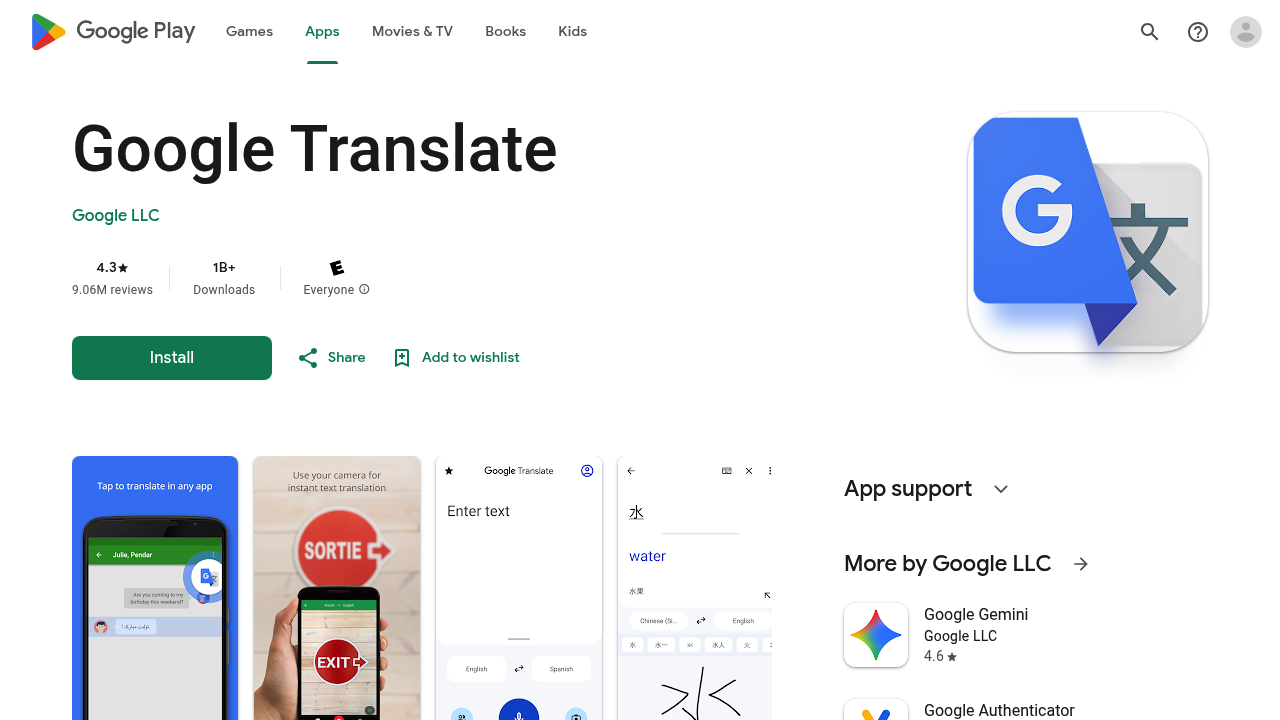
Breaking language barriers happens through multiple input methods with this translation tool that supports 108 languages across text, speech, images, and real-time conversations. The app has crossed 1 billion downloads with 9.06 million reviews averaging 4.3 stars.
Text translation covers all 108 languages through typing. The Tap to Translate feature excels by letting users copy text from any app and instantly translate it without switching between applications. A Google Translate icon appears when text gets copied, making translation accessible from messaging apps, browsers, social media, or any text-containing application. This eliminates the friction of constantly opening and closing the translation app.
Camera-based translation works in two modes. Instant camera translation supports 94 languages by pointing the phone's camera at printed text and seeing translations overlay in real-time. Photo translation handles 90 languages and works by capturing or importing photos for higher quality results when instant translation isn't sufficient. These features tackle menus, signs, documents, and printed materials without manual typing.
Conversation mode translates bilingual discussions on the fly across 70 languages. Two people speaking different languages can communicate through the app as it translates speech in both directions. The transcription feature takes this further by continuously translating someone speaking a different language in near real-time, though this capability only extends to 8 languages compared to the broader conversation mode.
Offline translation functions without internet connectivity for 59 languages. Users download language packs ahead of time, then access translations while traveling or in areas with poor connectivity. This reduces data usage and ensures translation availability regardless of network conditions.
Handwriting input supports 96 languages for situations where typing isn't practical or when dealing with languages that use non-Latin scripts. Users draw characters on screen instead of hunting for keyboard layouts. The phrasebook feature works across all languages, letting users star and save frequently needed translations for quick access later. Cross-device syncing keeps the phrasebook consistent between the mobile app and desktop version when users log in.
The app stays completely free. All translation features including text translation, camera modes, offline capabilities, conversation translation, and phrasebook syncing come without subscription fees or paywalls. No tiered pricing structure exists.
Limitations appear in feature scope rather than language coverage. Transcription only handles 8 languages while most other features support considerably more. Offline translation reaches 59 languages, meaning 49 languages require internet connectivity. The app requests optional permissions for microphone access during speech translation, camera access for image translation, external storage for offline language packs, and contacts for account management.
Travel situations benefit most obviously from the camera and offline features. Reading foreign language content becomes manageable through photo translation. Business communications across language barriers get handled through conversation mode. Students learning new languages can save vocabulary in the phrasebook. Anyone encountering unfamiliar languages in daily life finds utility here. The Tap to Translate feature particularly suits people who frequently encounter foreign text while browsing or messaging, since translations happen without app switching. The massive download count suggests broad appeal across demographics and use cases rather than serving a narrow niche.